Boost!for kintone
STEPS

Steps

01

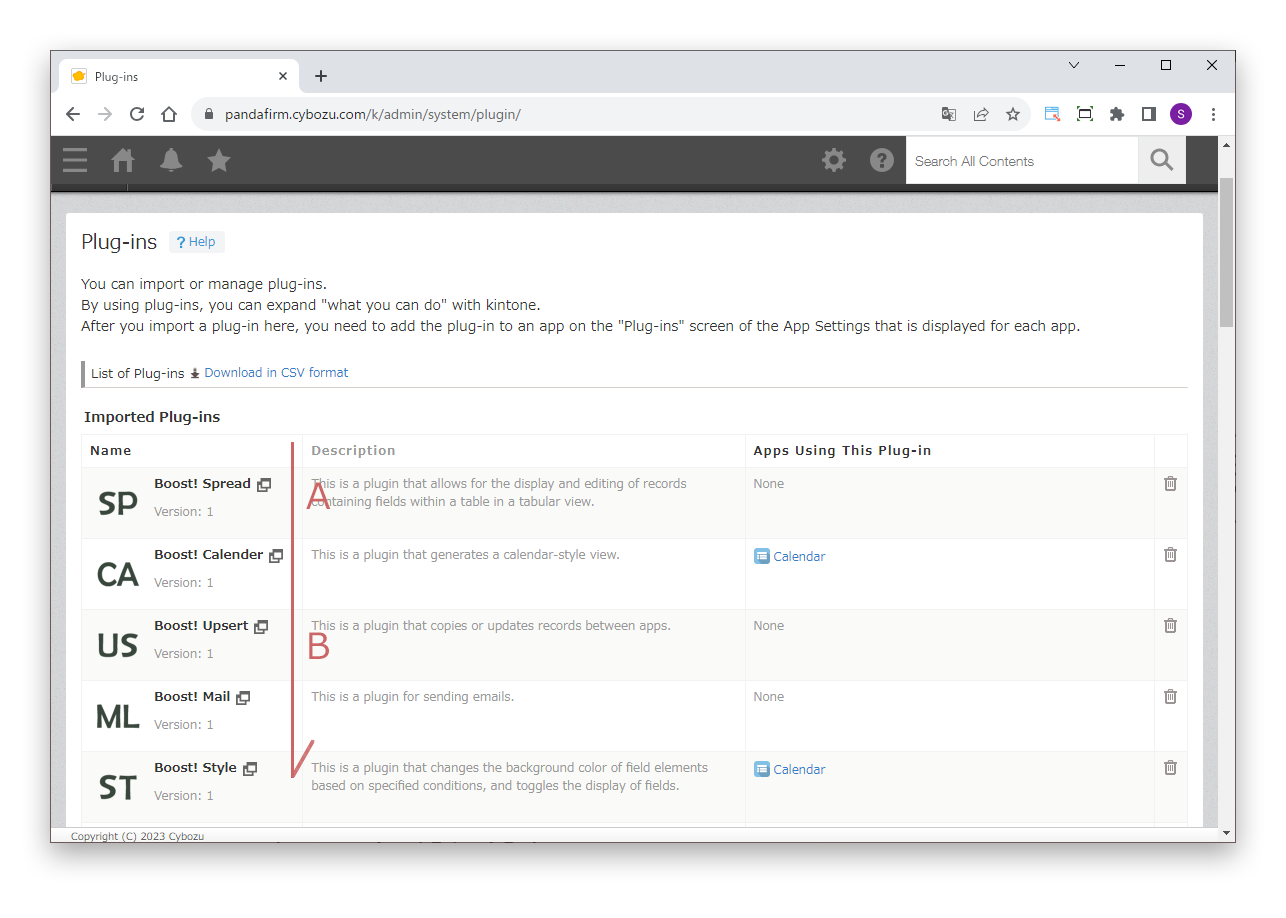
Check the execution order

Open "Plug-ins" in kintone Administration to see a list of the plugins installed in kintone.

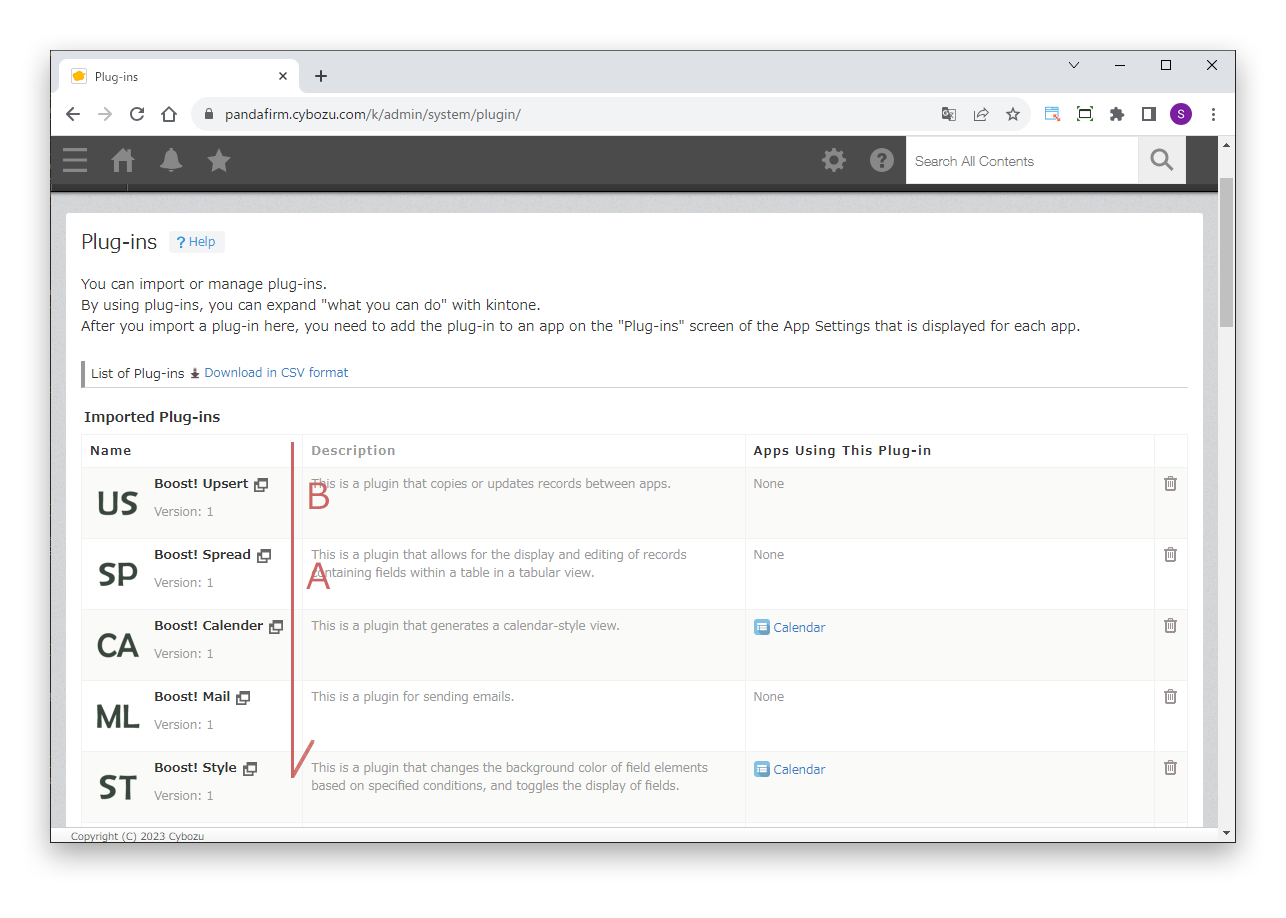
The order of this list is the execution order. For example, if plugin A and plugin B are added to the same app, A runs first, then B.
02

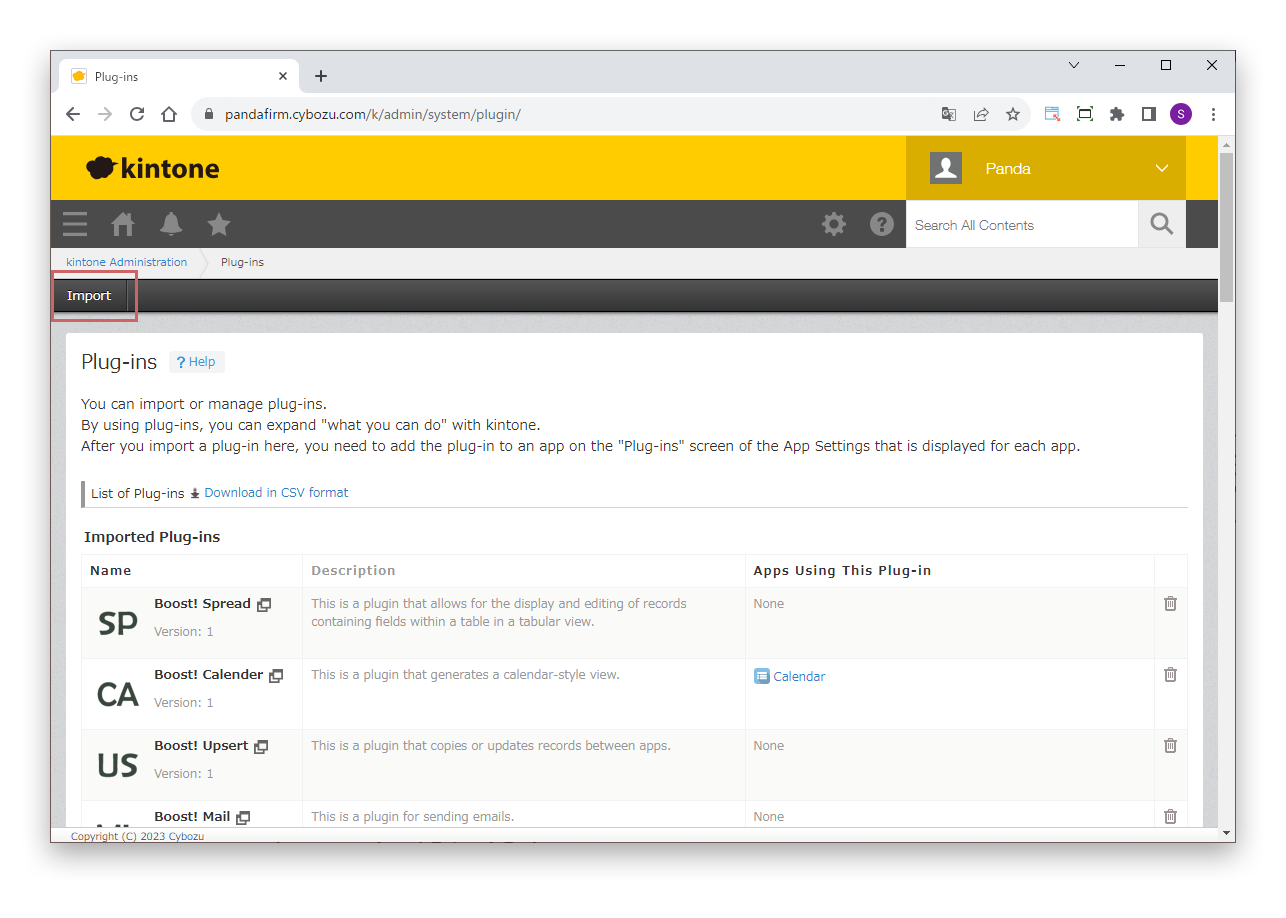
Change the execution order

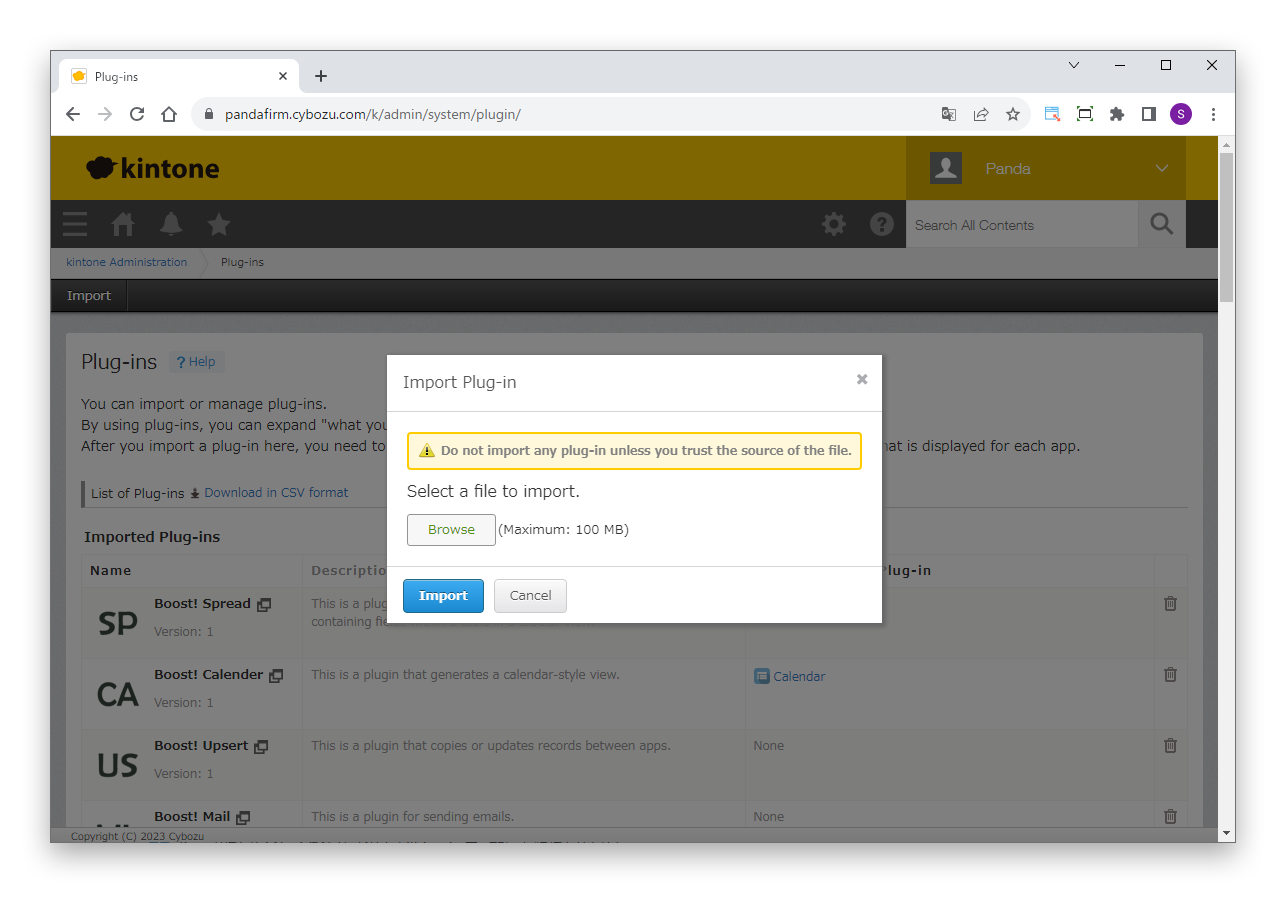
To run B first and A after it, import plugin B again with the "Import" button at the top left of the screen.

No operation is needed on the app side.

Click "Browse" and select the file of plugin B (***.zip).

The installation order changes, and the execution order of the plugins changes accordingly.