Click the "Advanced" link
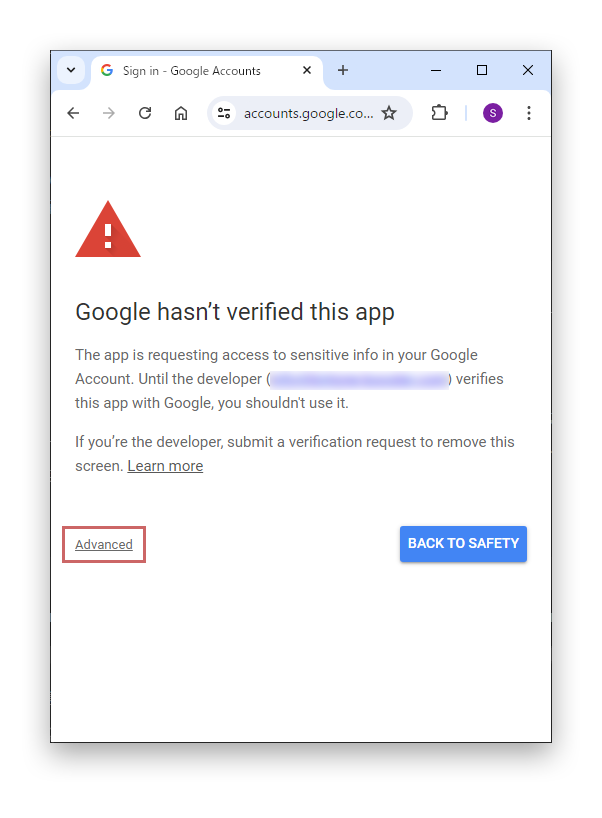
On the screen shown after selecting the account to authenticate, click the "Advanced" link.
Boost! OAuth Mail and Boost! OAuth IMAP authenticate with a token instead of an ID and password. This page introduces points to note when getting the token with a Google account.

On the screen shown after selecting the account to authenticate, click the "Advanced" link.
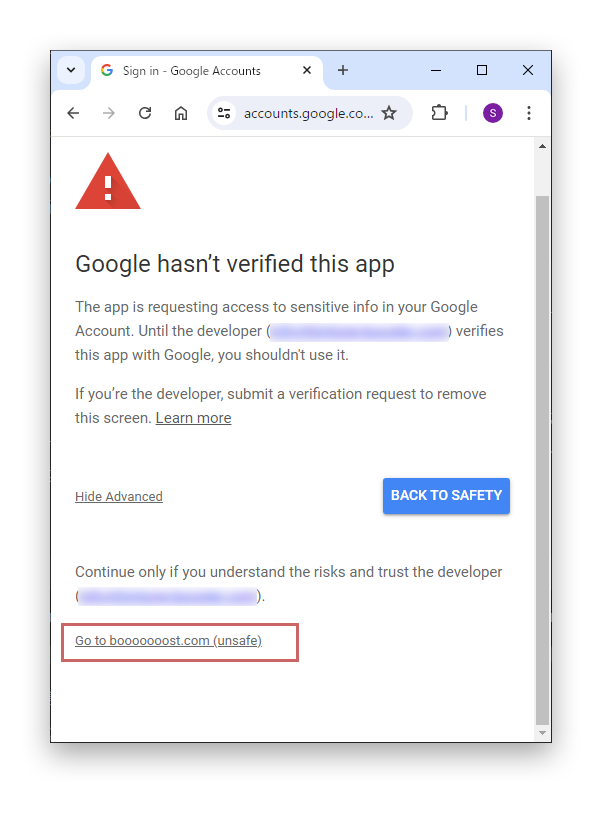
Click the "Go to booooooost.com (unsafe)" link shown at the bottom of the page.
This screen appears because the application you created has not been verified by Google. Since you created the application yourself, it is fine to proceed.
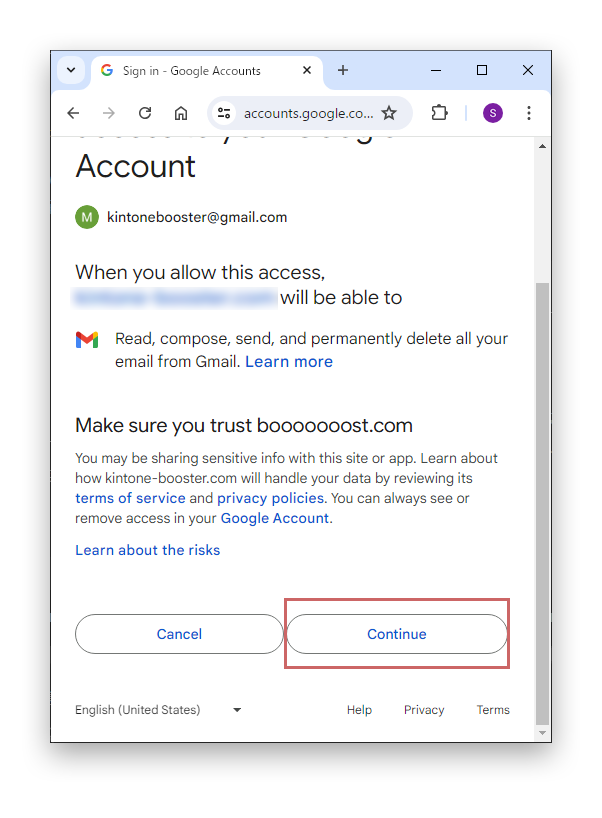
On the next screen, click "Continue".