 Boost!
Allow access
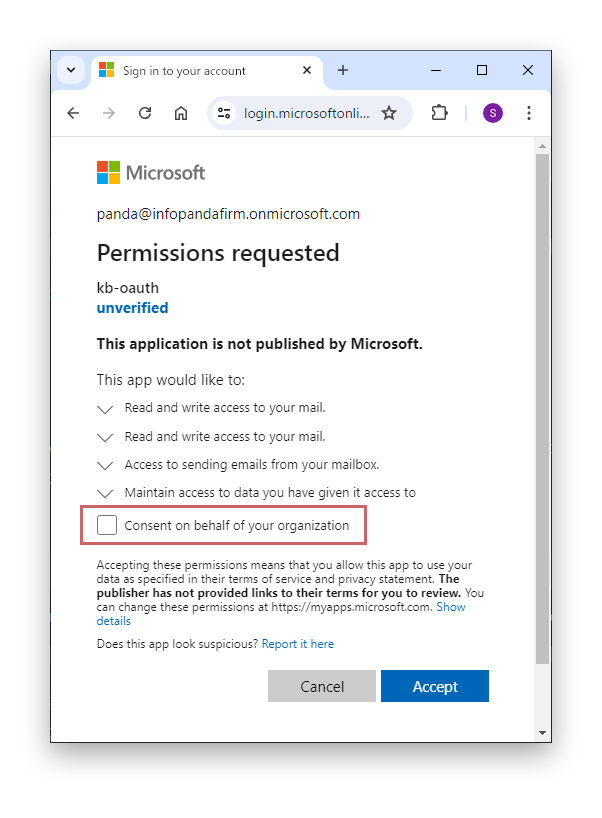
On the "Permissions requested" screen, do not select "Consent on behalf of your organization".
Selecting "Consent on behalf of your organization" allows all users in the organization to access this application. Allowing it only for the account used to send and receive email is enough.