Check the form settings
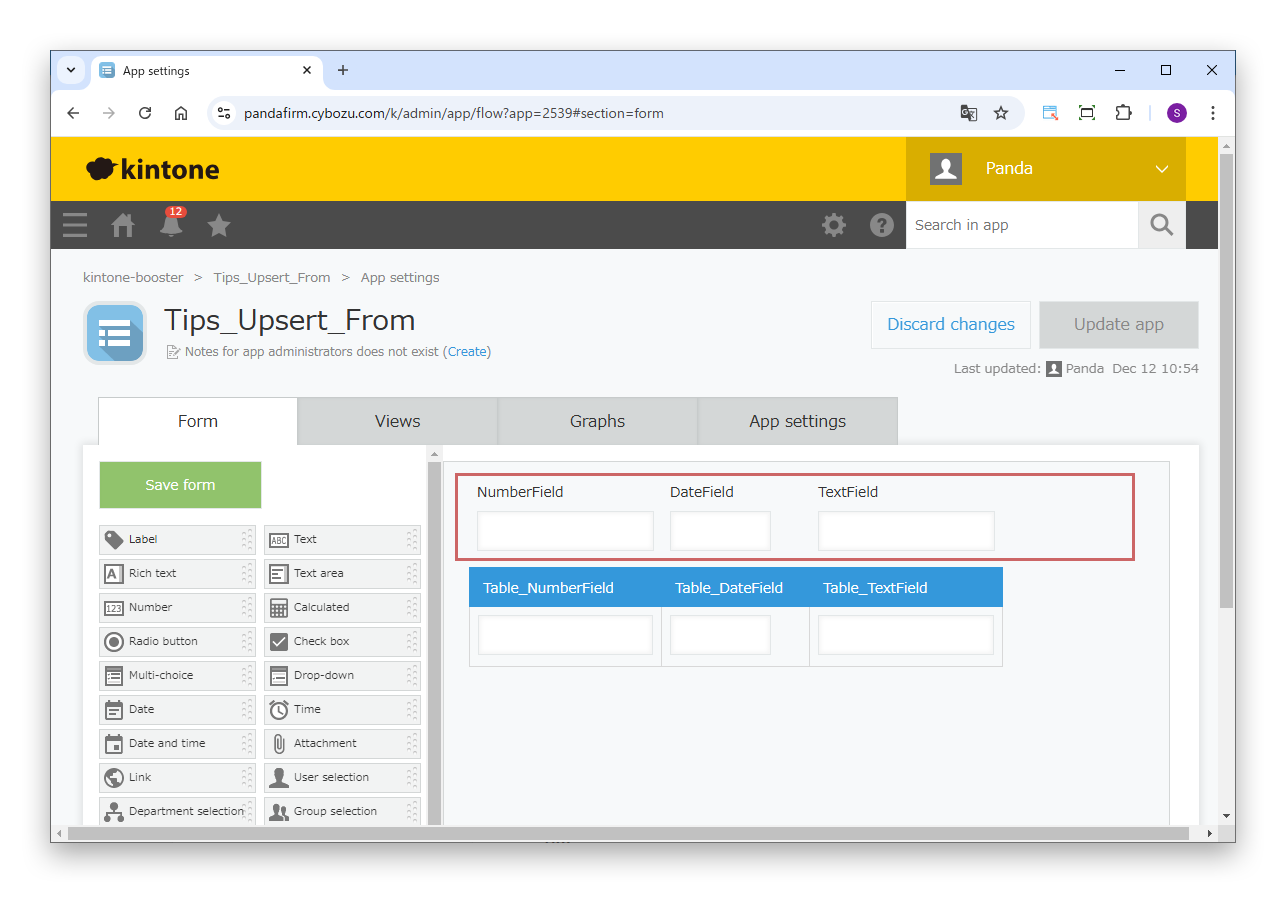
In the source app, place fields that do not belong to a table.
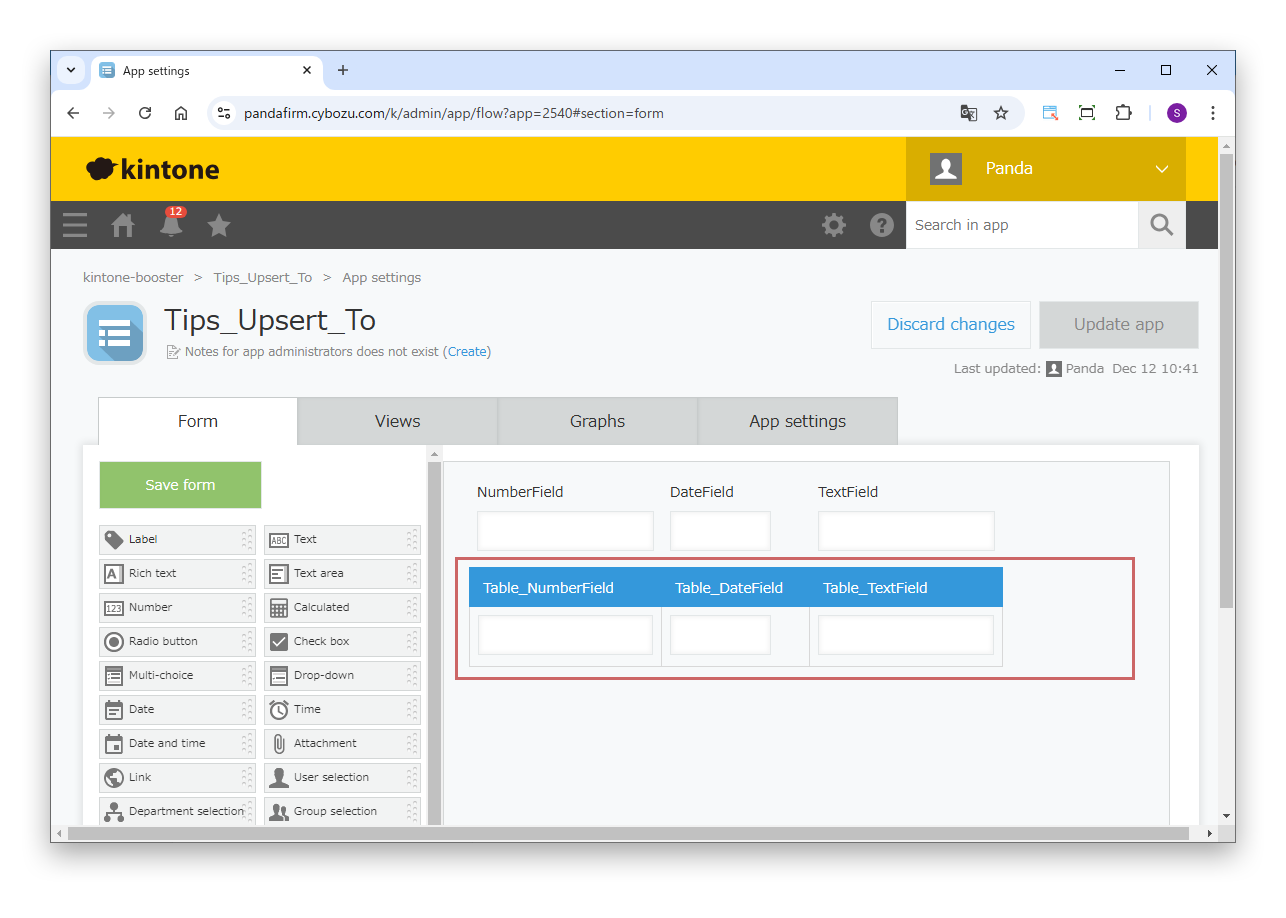
In the destination app, place fields that belong to a table.
With Boost! Upsert, you can copy and update record data between apps. This page introduces the steps to copy the field values of the source record to a table in the destination app.

In the source app, place fields that do not belong to a table.
In the destination app, place fields that belong to a table.
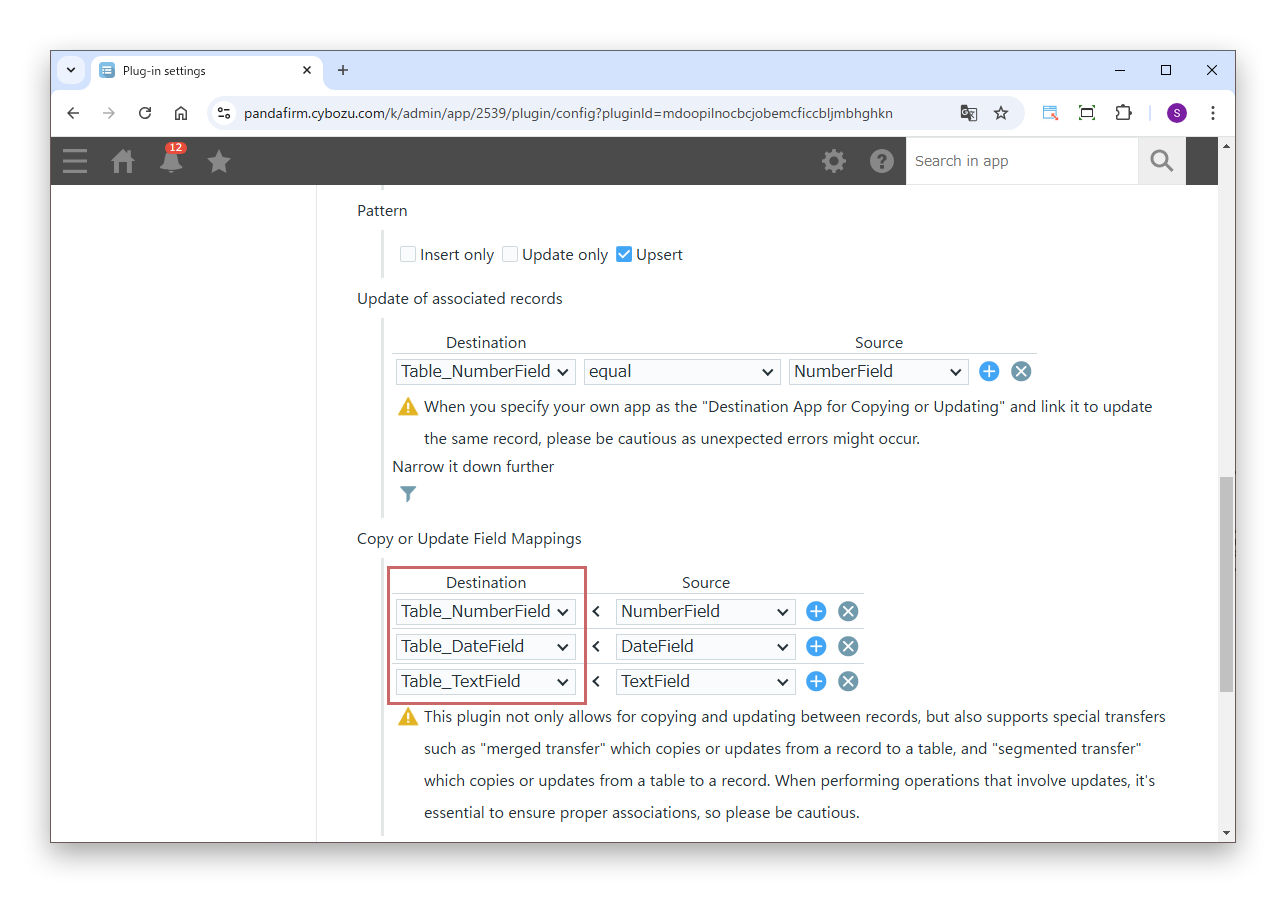
In "Destination" of "Copy or Update Field Mappings", specify at least one field that belongs to a table.
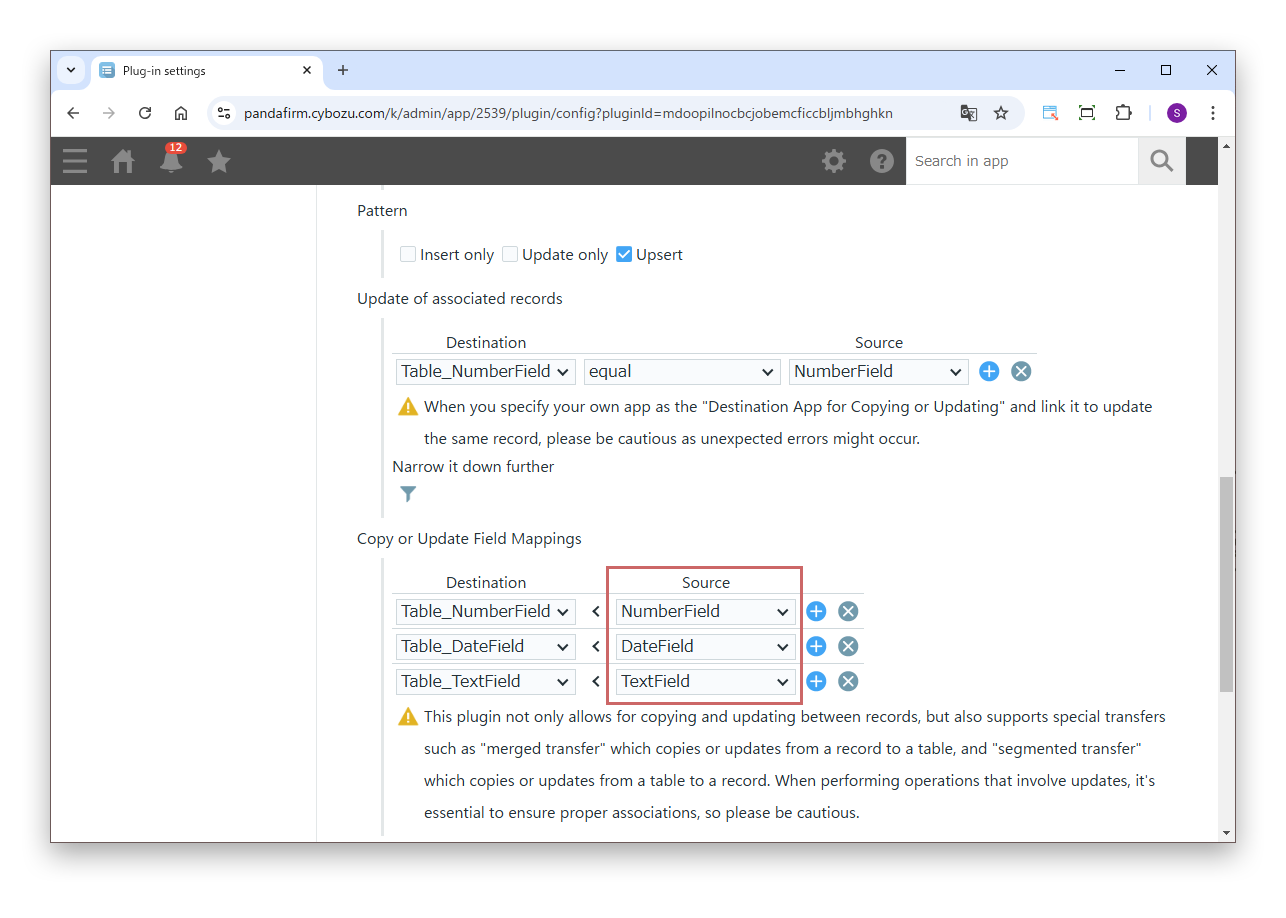
In "Source" of "Copy or Update Field Mappings", specify only fields that do not belong to a table.
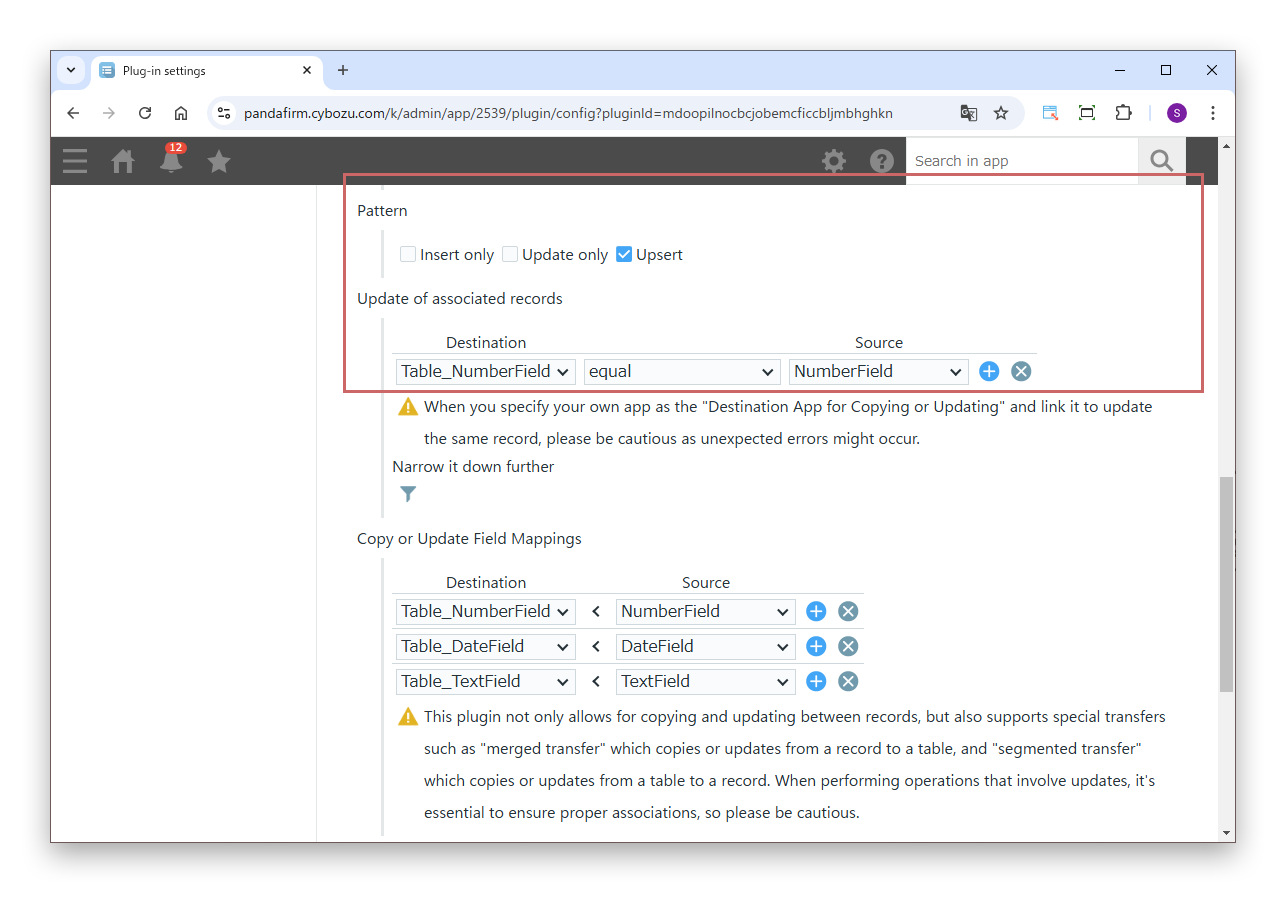
If you select "Update only" or "Upsert" in "Pattern", specify "Record association for updates" in the same way.
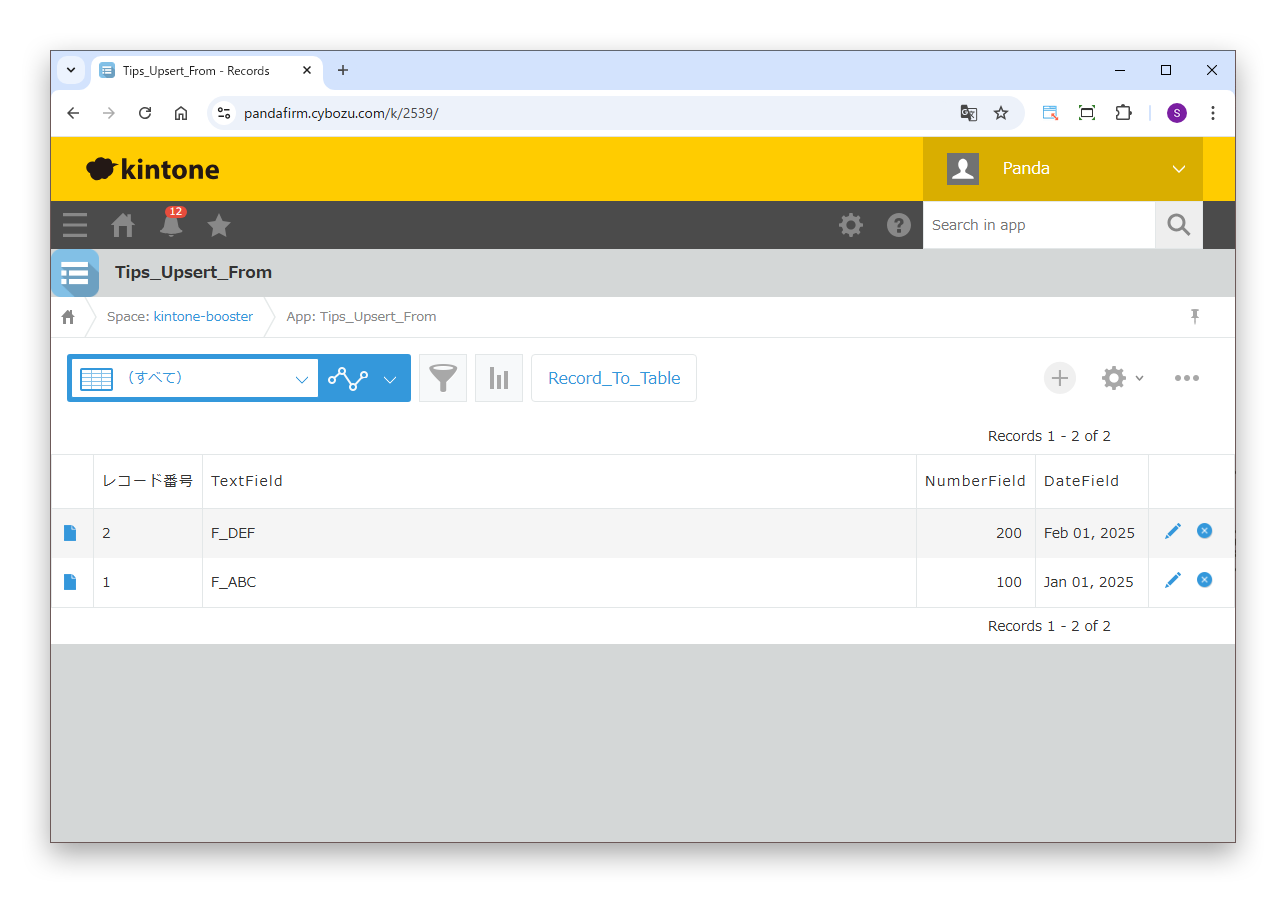
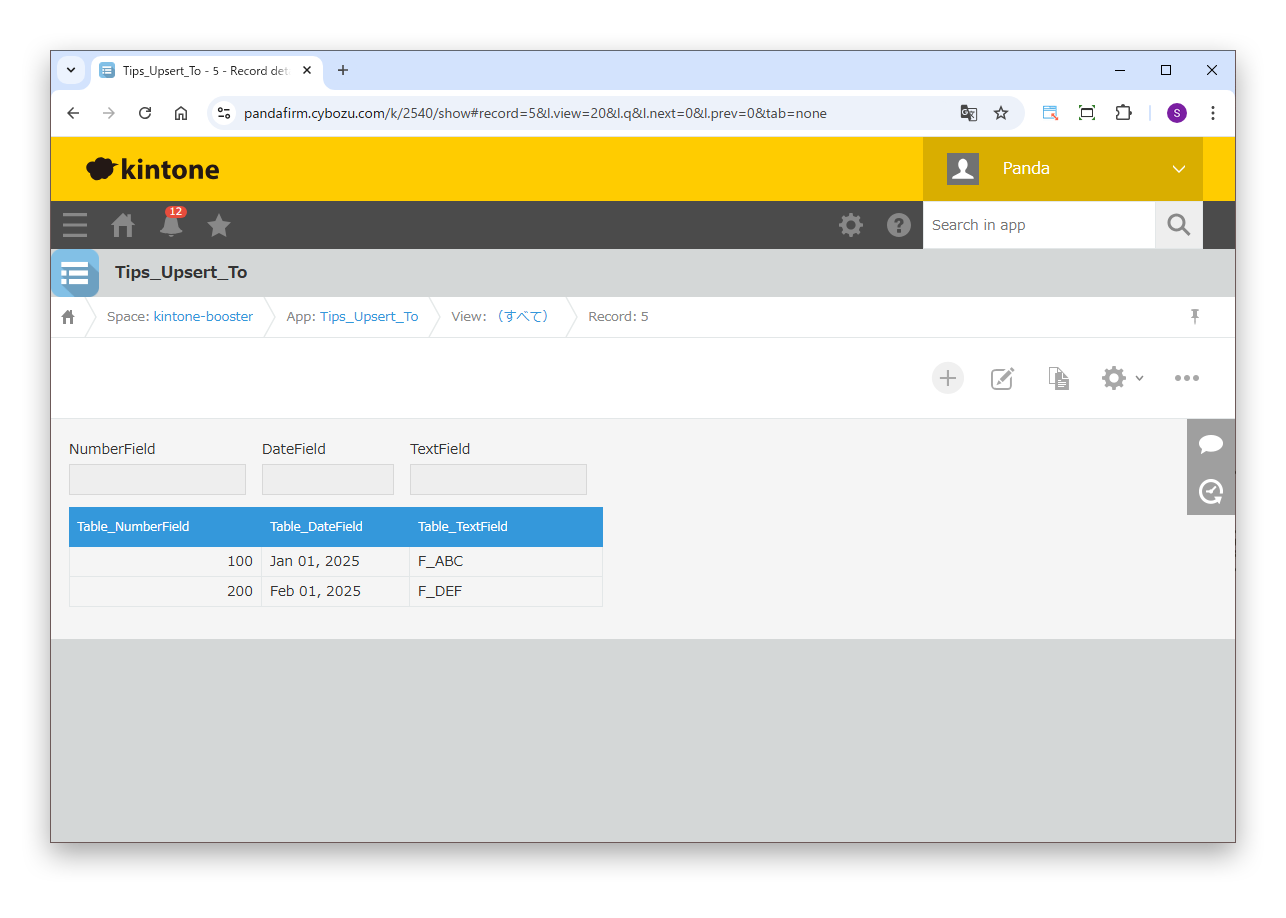
Check that the records are copied or updated as configured.
The upper image shows the source record, and the lower image shows the destination record.