kintone plugin series
How to add records consecutively
Using Boost! Submit, you can automatically reopen the record creation screen immediately after a record has been added, allowing you to continuously add multiple records.
This page explains how to configure the feature for both the PC and mobile versions.
Plugin Settings
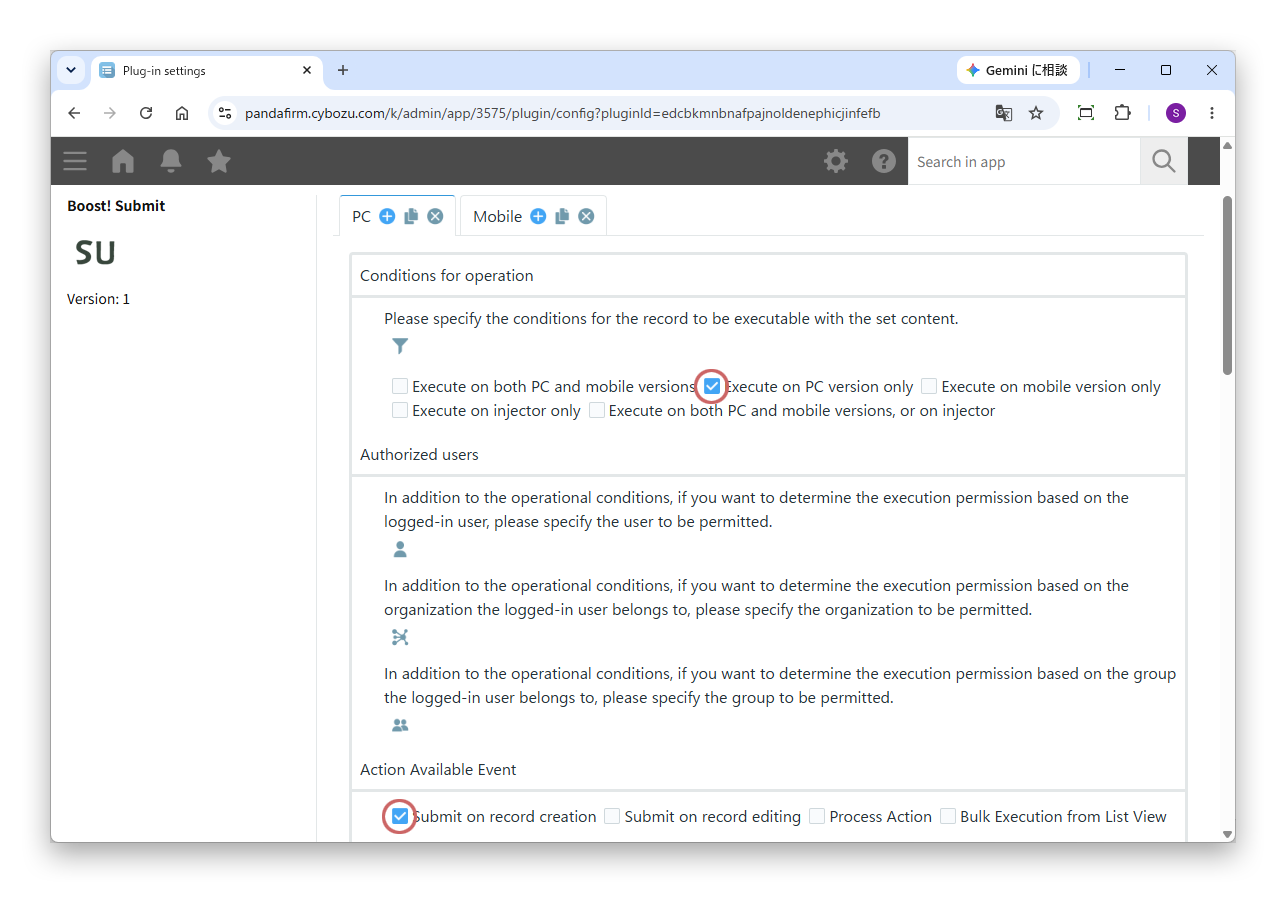
To add records continuously on the PC version, select “Execute on PC version only” under “Conditions for operation,” and then select “Submit on record creation” under “Action Available Event.”
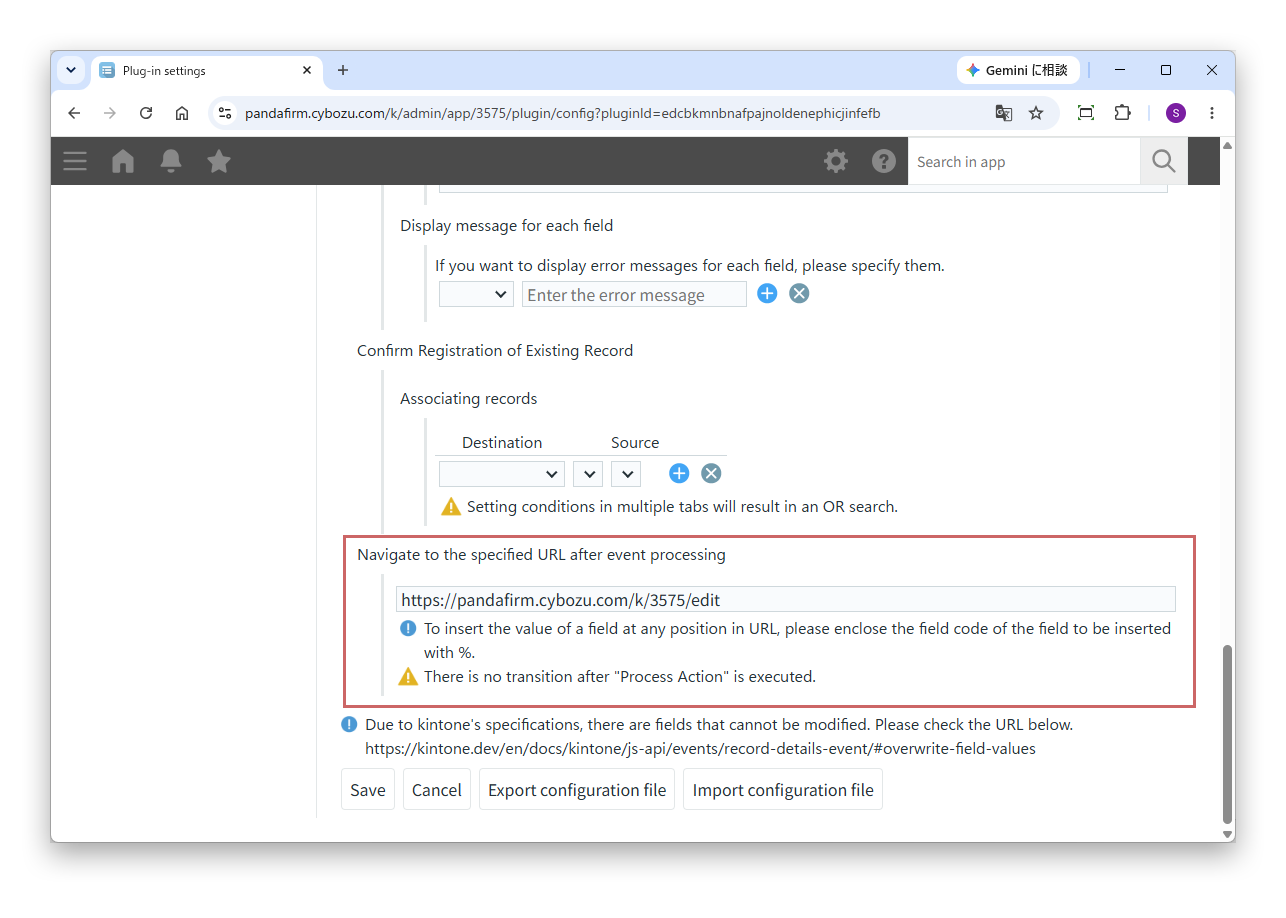
After selecting these options, enter the following in the “Navigate to the specified URL after event processing” section:
https://[Your kintone URL]/k/[App ID]/edit
Then save the settings.
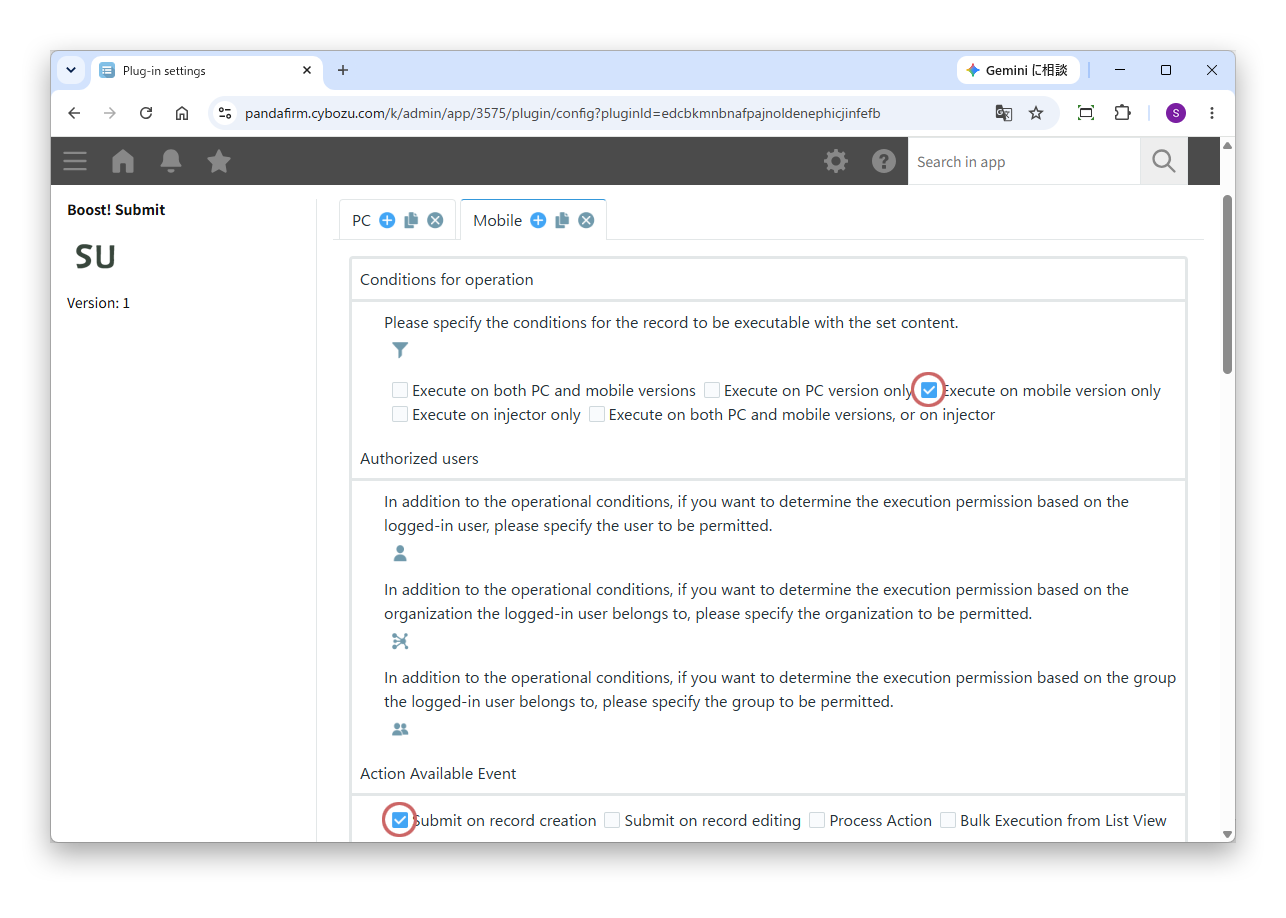
To add records continuously on the mobile version, select “Execute on mobile version only” under “Conditions for operation,” and then select “Submit on record creation” under “Action Available Event.”
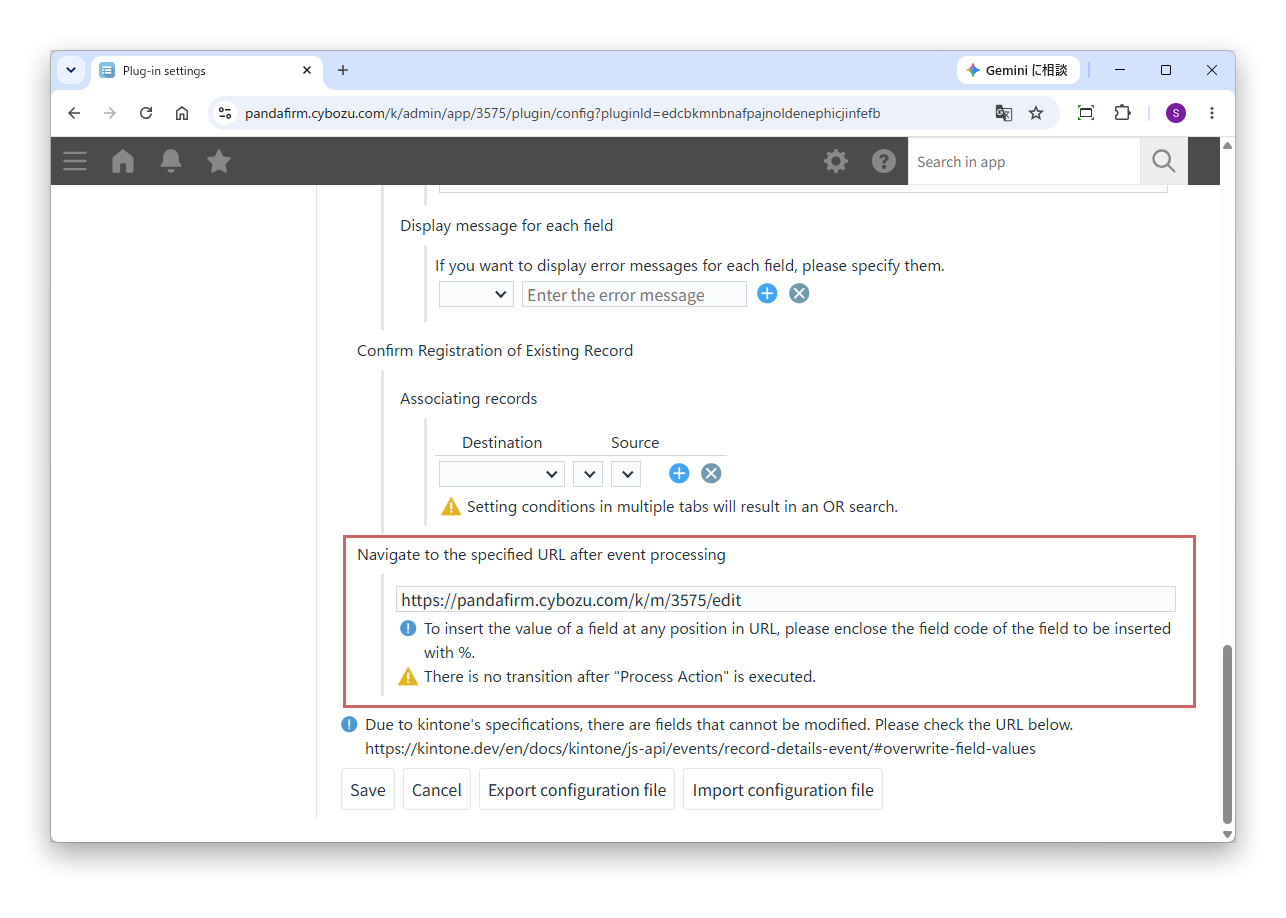
After selecting these options, enter the following in the “Navigate to the specified URL after event processing” section:
https://[Your kintone URL]/k/m/[App ID]/edit
Then save the settings.
Execution of the plugin
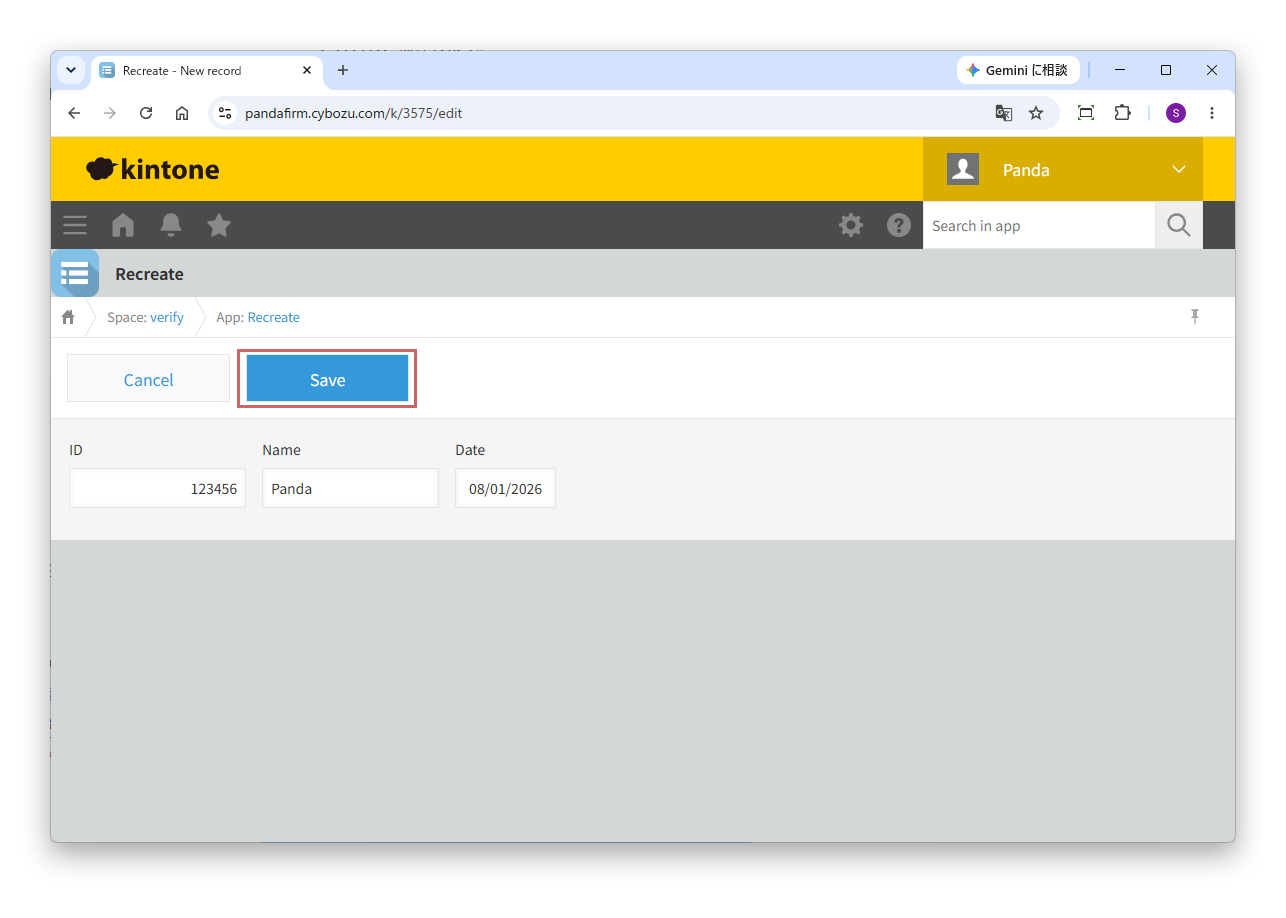
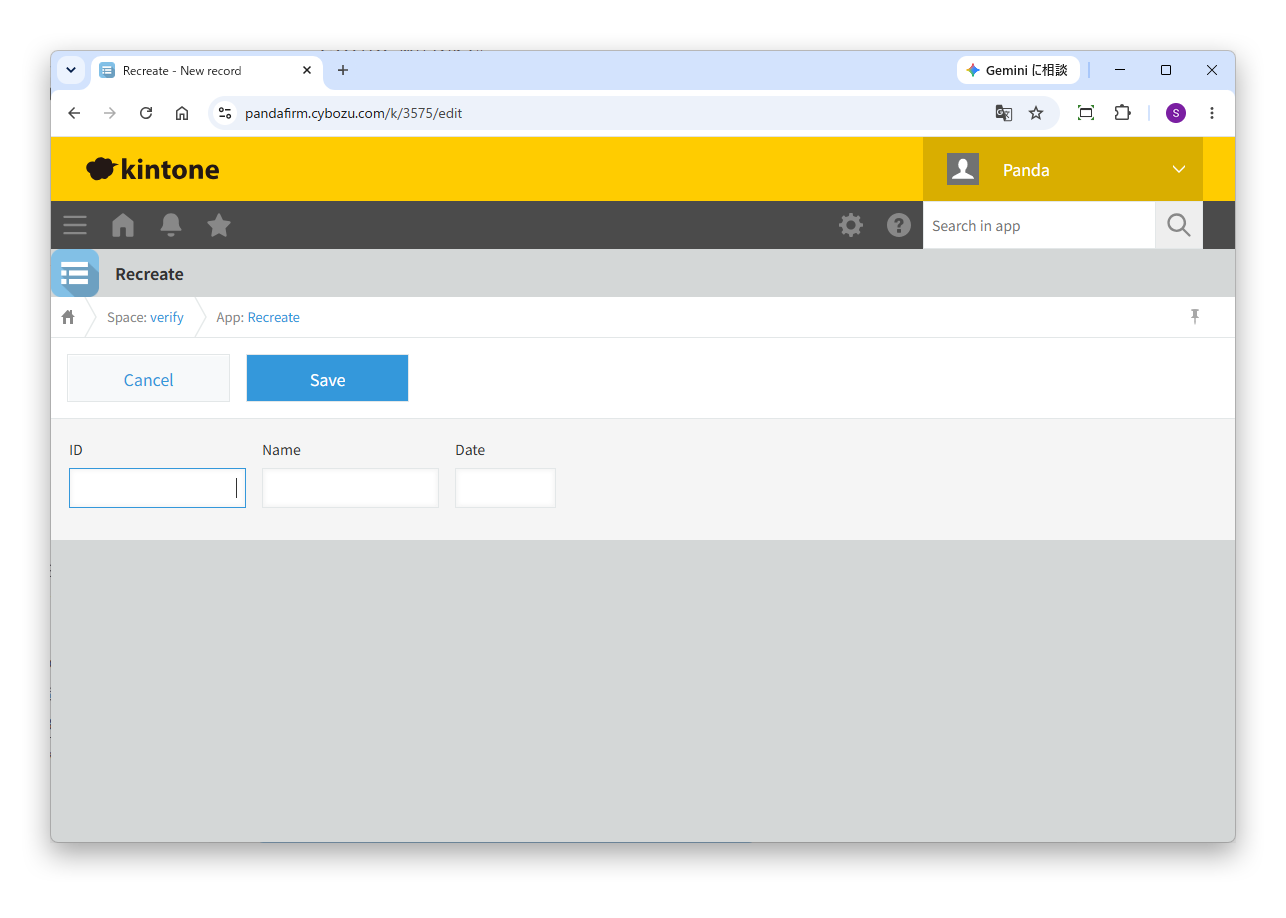
The record is saved when you click the Save button, and a new record creation screen is automatically displayed.
Fee
While all plugins in the Boost! series can be downloaded and used for free, after a 3-month trial period, a message prompting you to purchase a license will be displayed once a day for each installed app. To use it without displaying this message, you will need to pay an annual fee of 10,000 JPY.
Boost! is based on a domain license, so there is no upper limit to the number of users.
The license and fee apply to the entire Boost! series, not on a per-product basis.
Please note that for Boost! Injector and Boost! Echo, if you have not purchased a license after the 3-month trial period, you will no longer be able to use them.
For your interest
This site introduces a series of plugins that extend the functionality of kintone. If you have tried using kintone but feel it does not fit well with your company's operations, we also offer a free open-source web application builder. This tool allows you to easily create a system tailored to your business processes, even without any knowledge of system development. If you are interested, please visit the following URL.
https://pandafirm.jp/en/kumaneko.htmlAlso, if you're worried about ransomware catching your Windows PC off guard, we offer "rakko" — a lightweight background tool that quietly watches for suspicious file activity and shuts down the process before real damage is done. If you are interested, please visit the following URL.
https://pandafirm.jp/en/rakko.html