Check the form settings
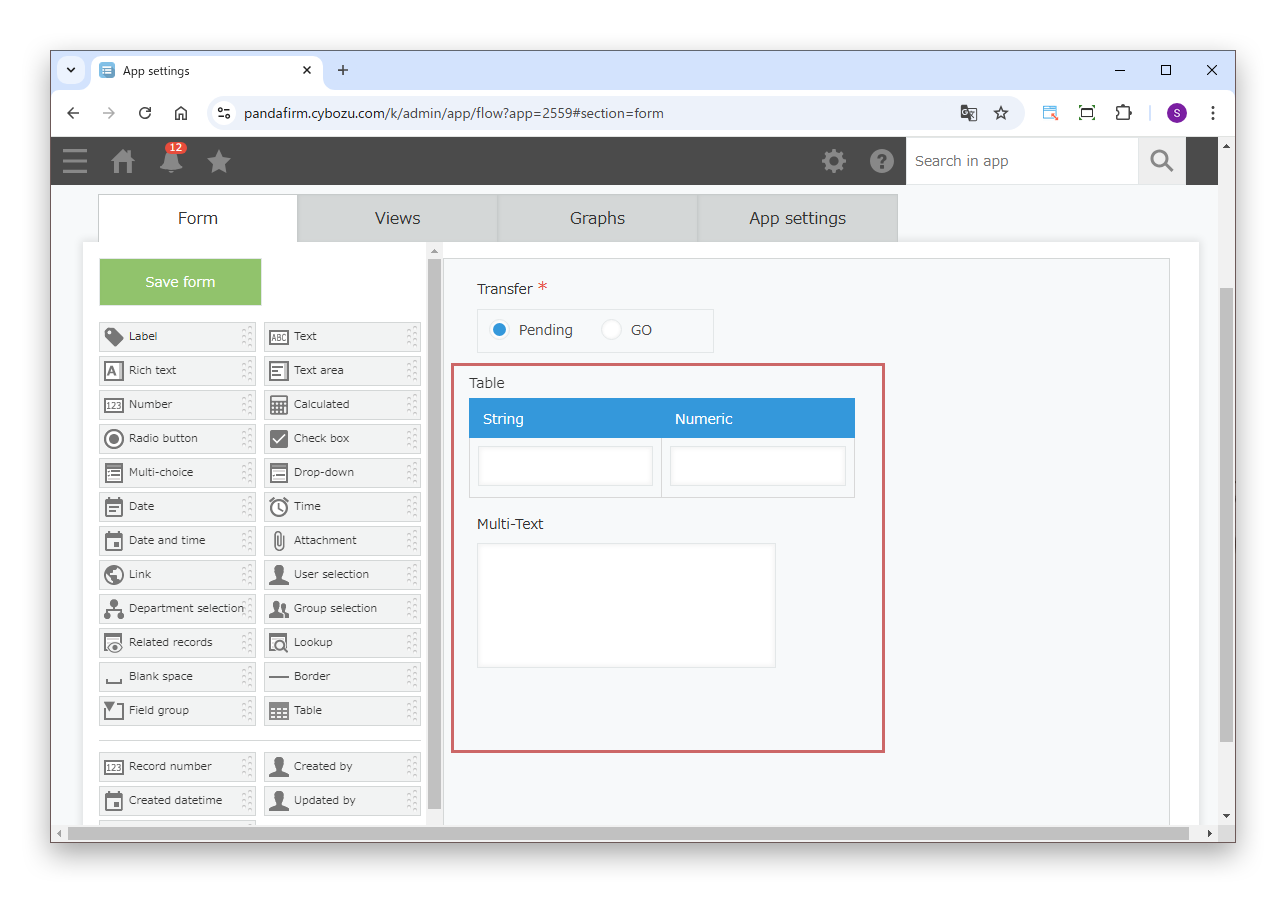
Place the fields in a table and a text area field for the text created from their values.
With Boost! Action, you can create text for a text area field from the data of fields in a table. This page introduces how to use LOOP, a Boost! original function, to create text that joins the values of each table row.

Place the fields in a table and a text area field for the text created from their values.
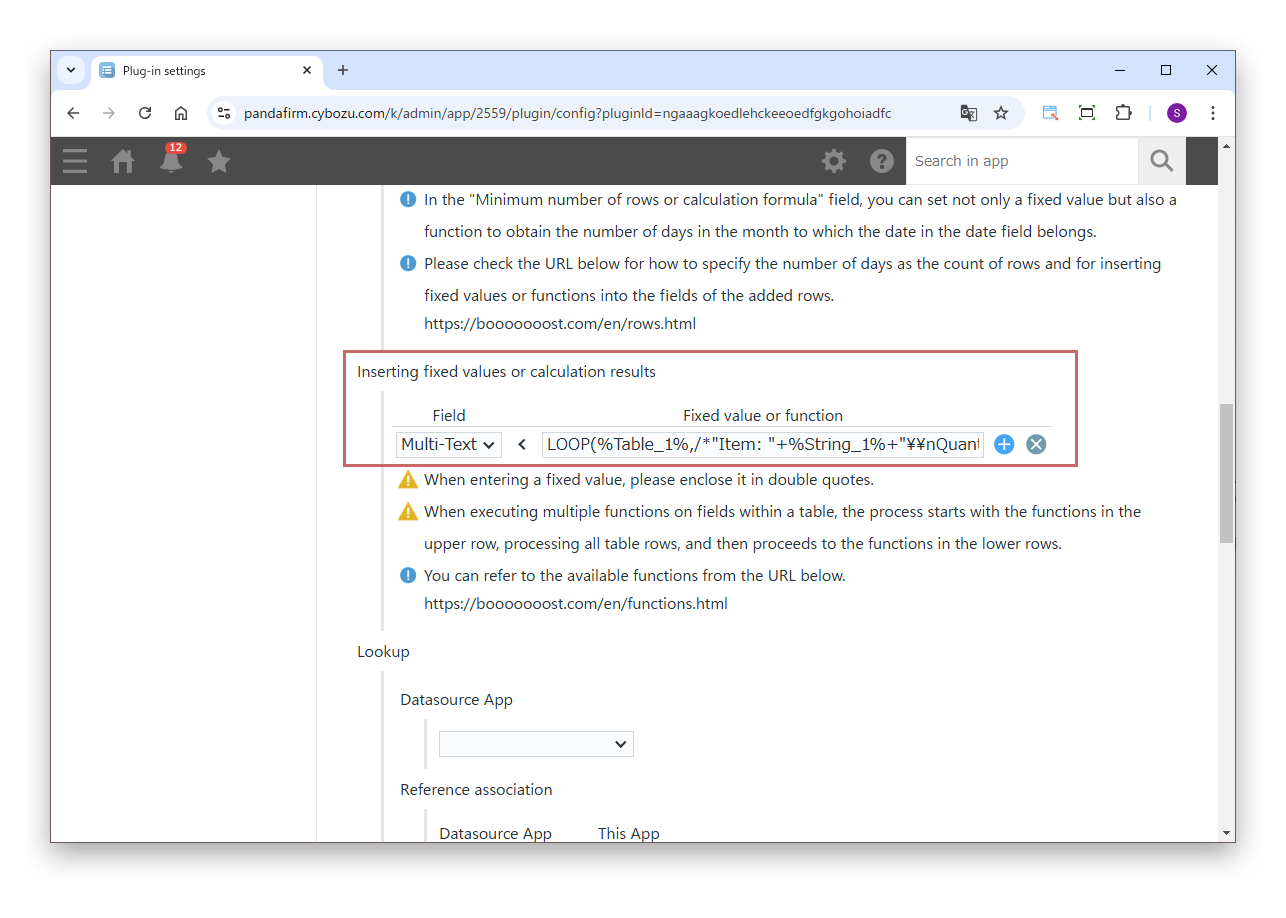
In "Inserting fixed values or calculation results", enter the following formula using the LOOP function.
LOOP(%Table_1%,/*"Item: "+%String_1%+"\\nQuantity: "+TO_STRING(%Numeric_1%)+"\\n"*/) For each row of the table (Table_1), it creates text that joins the values of the text field (String_1) and the number field (Numeric_1), and returns them joined with line breaks.
Replace field codes such as %Table_1% with the field codes of your app.
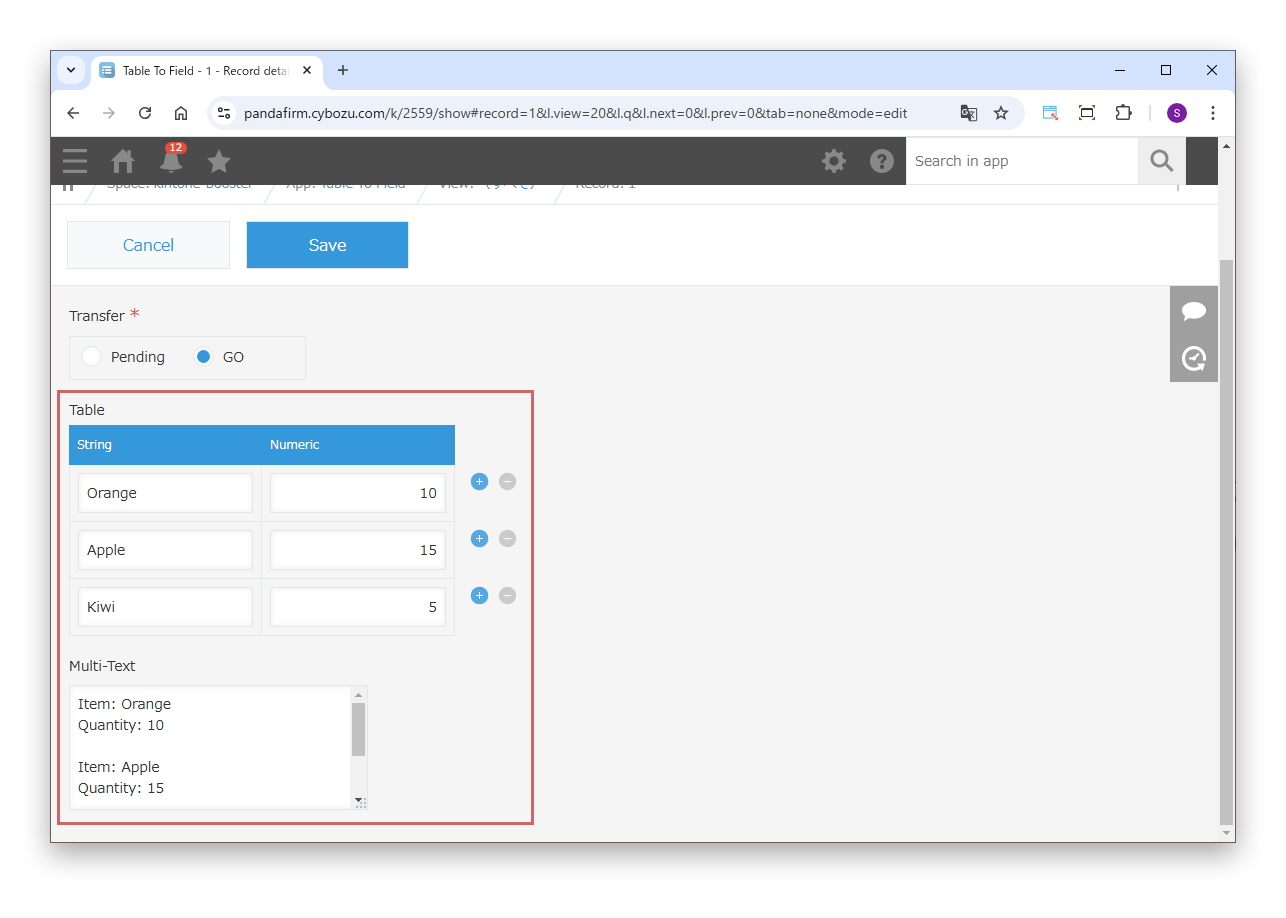
Check that the text is created as set.