Check the lookup field settings
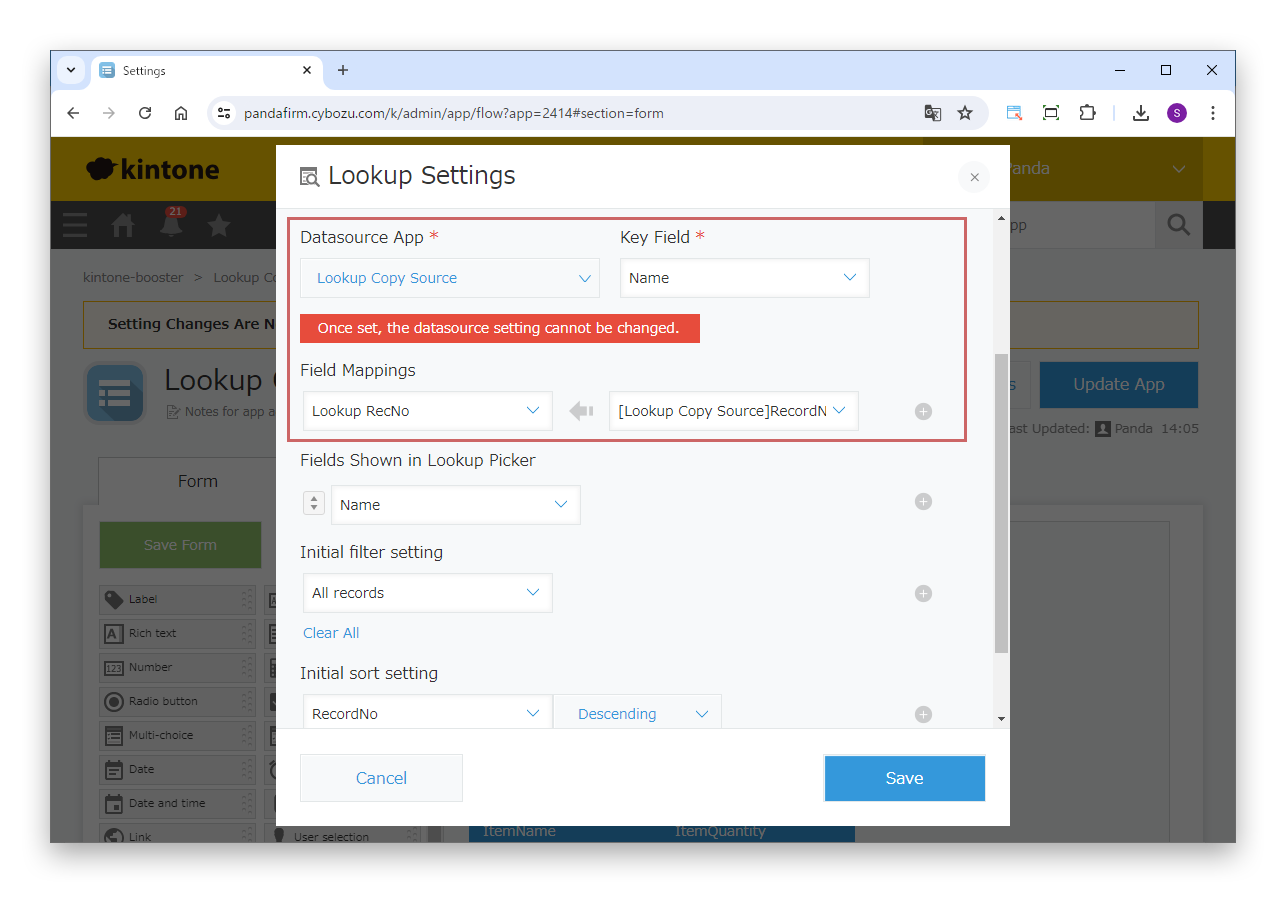
In the lookup field settings, be sure to set the record number as the "Key field" or in "Field mappings". The record number is used in "Reference association" of the plugin.
The table of a lookup source can be copied with Boost! Lookup, but it can also be copied in the same way with Boost! Linkage. This page introduces the steps to copy the table data of the source with Boost! Linkage after retrieving data with a lookup.

In the lookup field settings, be sure to set the record number as the "Key field" or in "Field mappings". The record number is used in "Reference association" of the plugin.
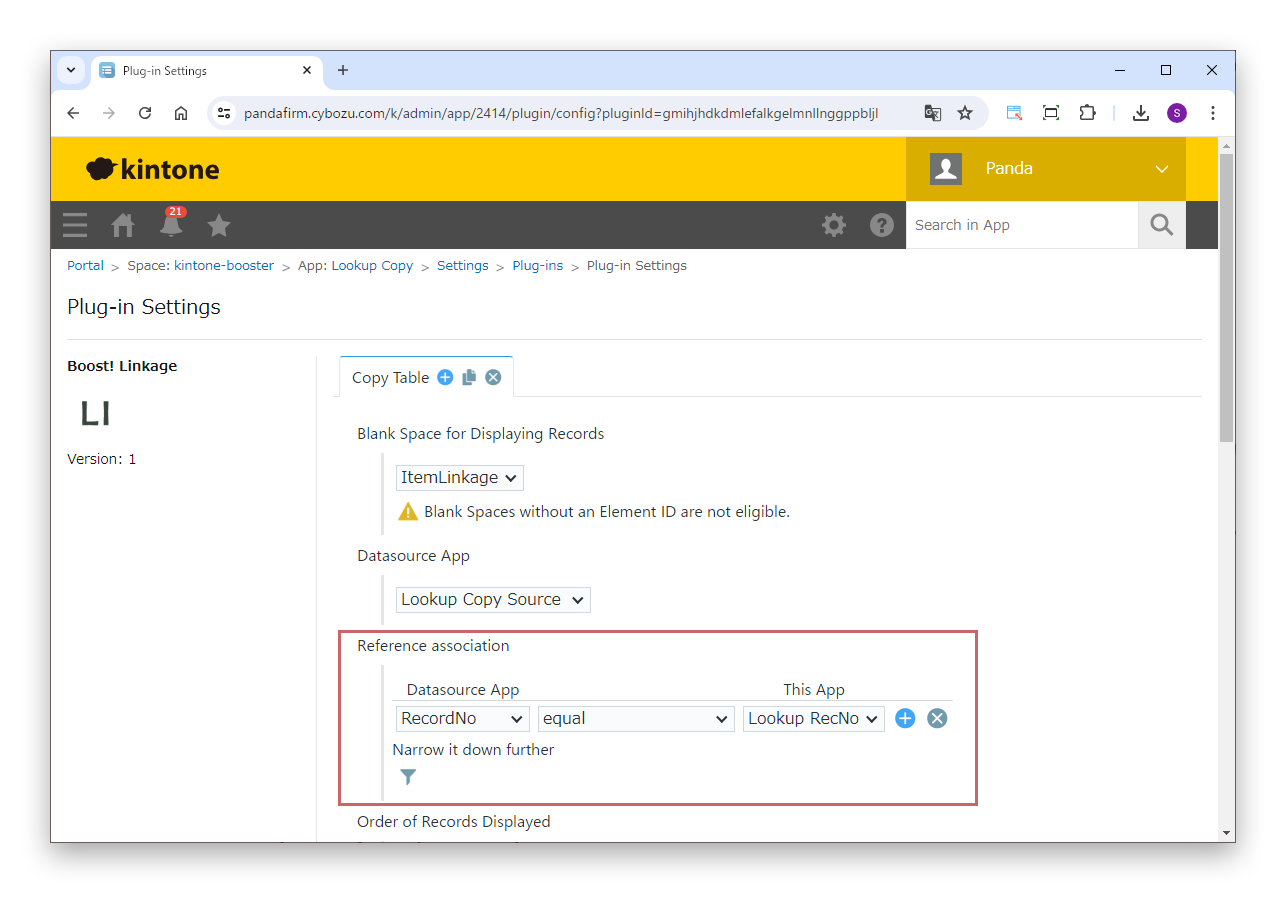
In "Reference association", associate the record numbers.
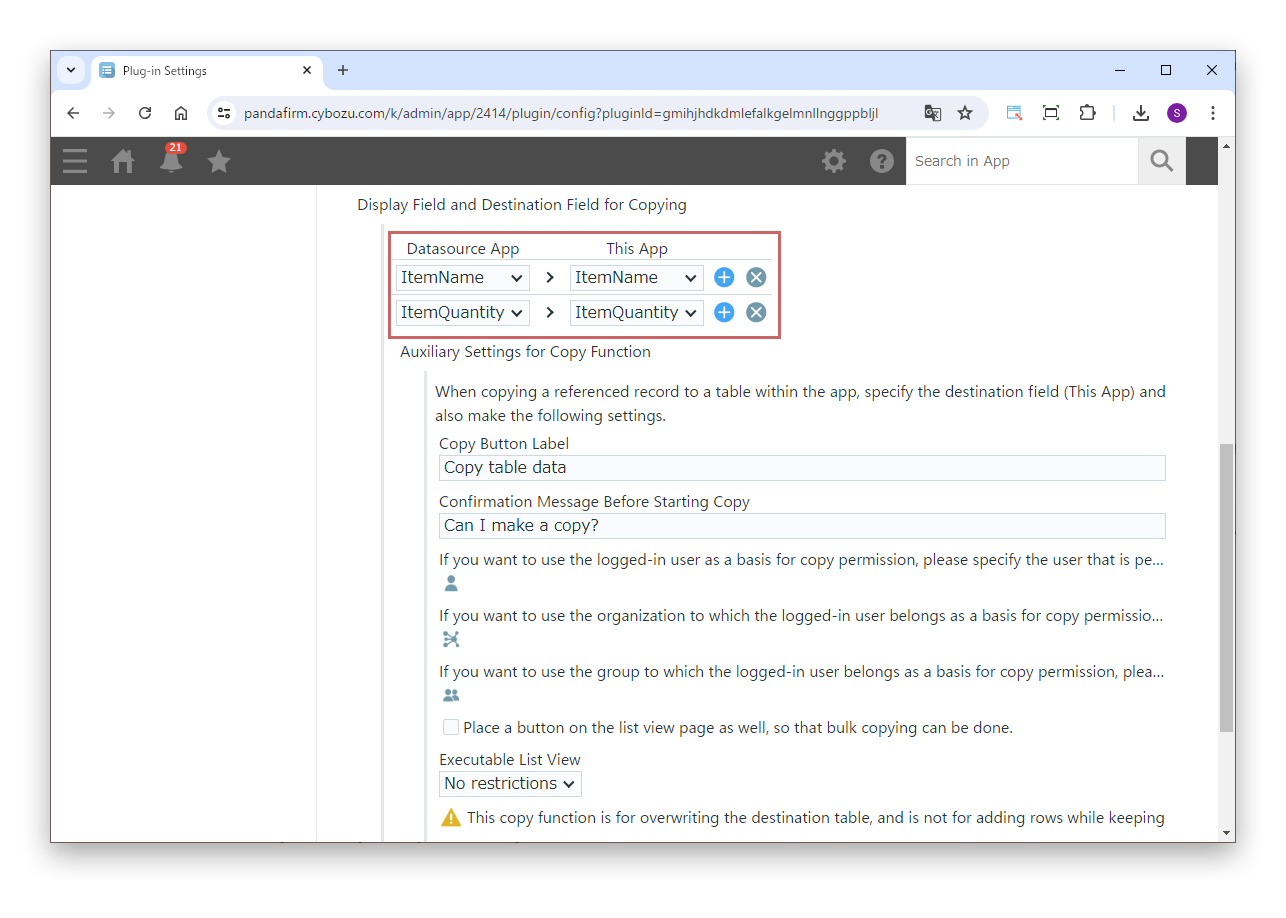
In "Display Field and Destination Field for Copying", specify the fields to copy.
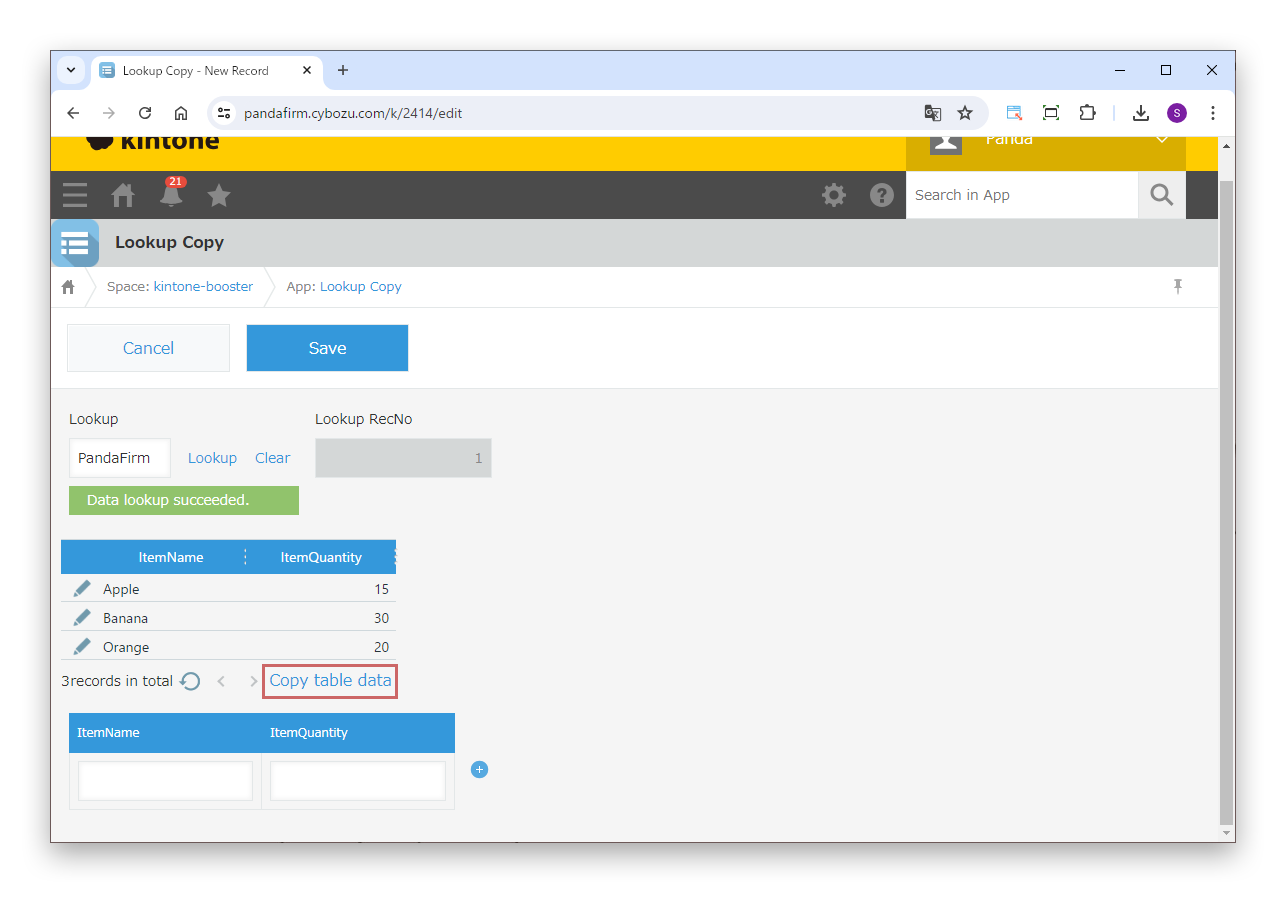
Retrieve data with the lookup, and when the content of the source table is shown, click the copy button.