Boost!
Register an application
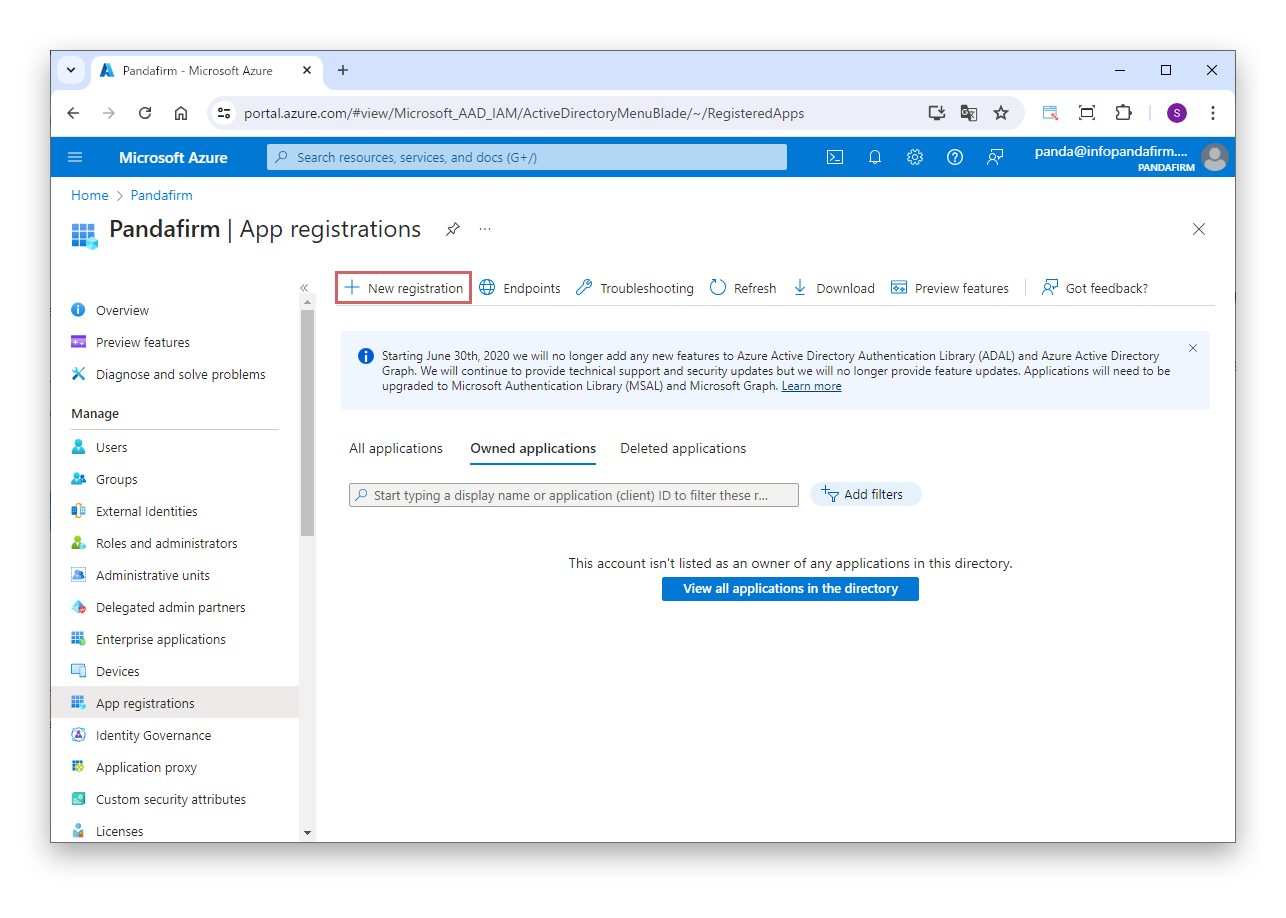
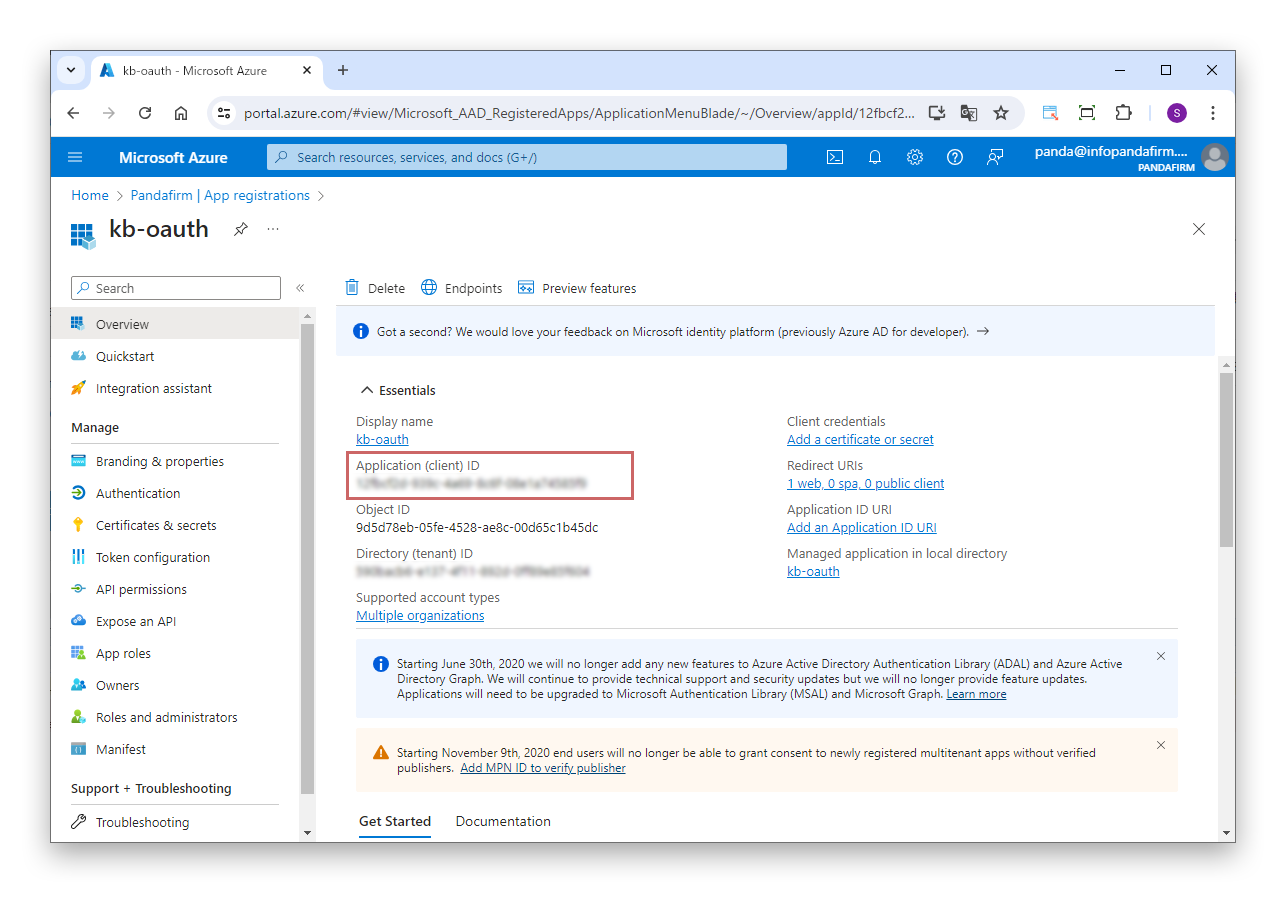
Go to the Azure portal, select "Microsoft Entra ID" > "Manage" > "App registrations" from the navigation menu, and click "New registration".
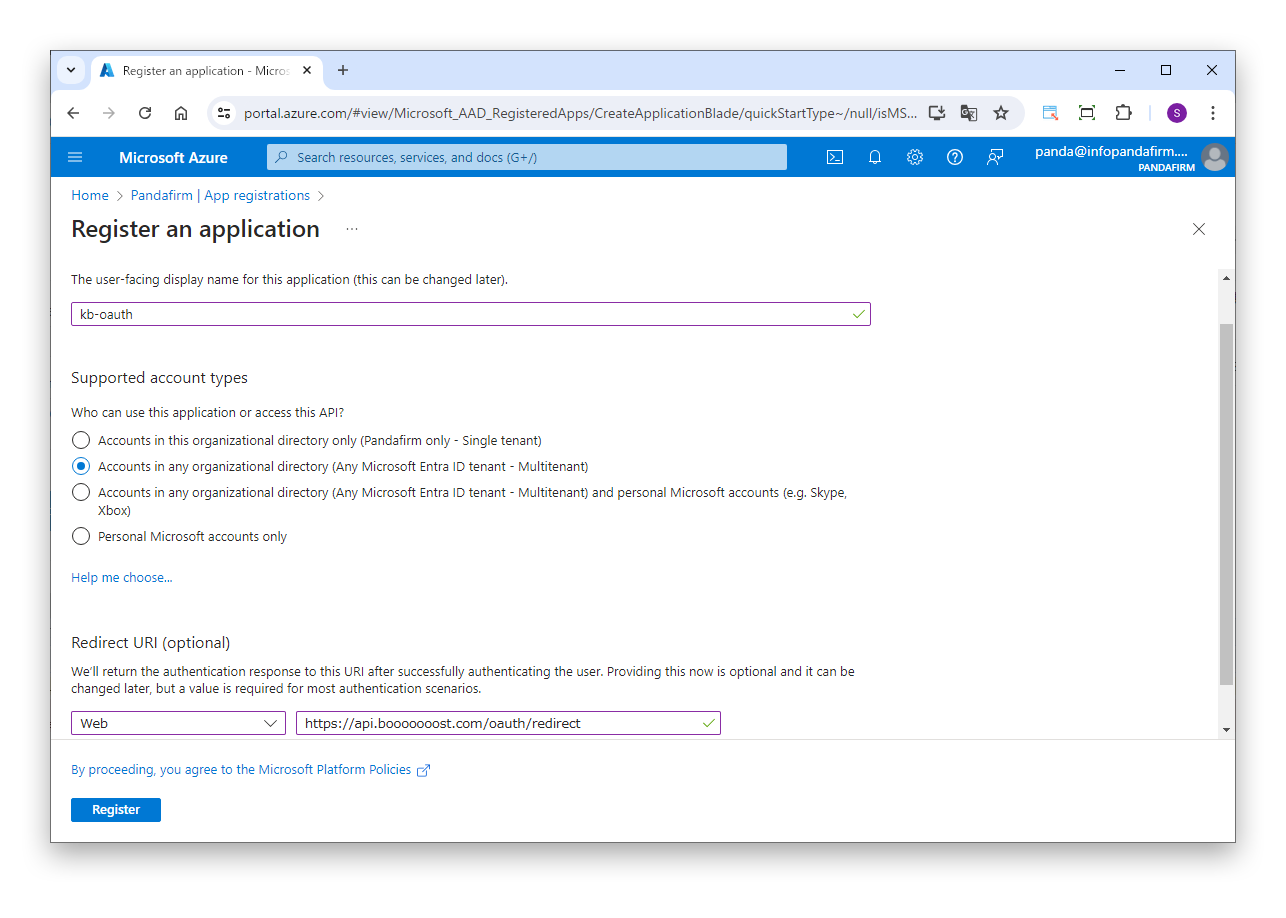
On the "Register an application" screen, enter any display name.
Under "Supported account types", select "Accounts in any organizational directory".
For "Redirect URI", enter the following.
What to enter
- Platform
Web- URL
https://api.booooooost.com/oauth/redirect
Click "Register".