Boost!for kintone
Home / Cascade
PLUGIN

Cascade

This plugin switches the options of a selection field according to the value of another selection field. It can be used for narrowing selections such as region → prefecture → city. It can also be used to narrow down the records retrieved by the lookup feature of Boost! Action.

See the features

By using this product, you are deemed to have agreed to the Terms of Service.

SETTING

Setup

01

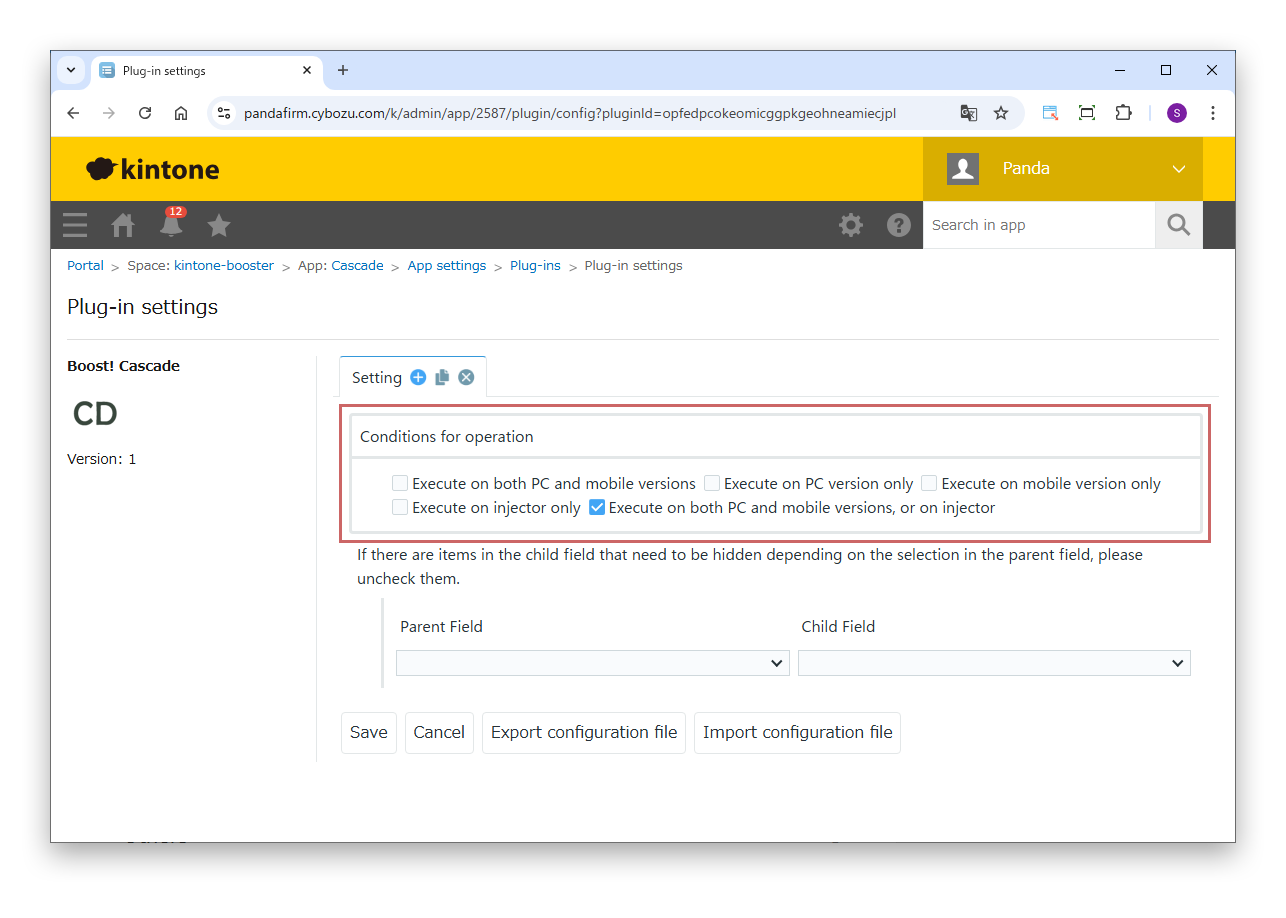
Specify the conditions

First, specify the conditions under which the process runs.

Settings

Conditions for operation
Specify where the process runs (PC version, mobile version or injector).

For details on the injector, see the Boost! Injector page.
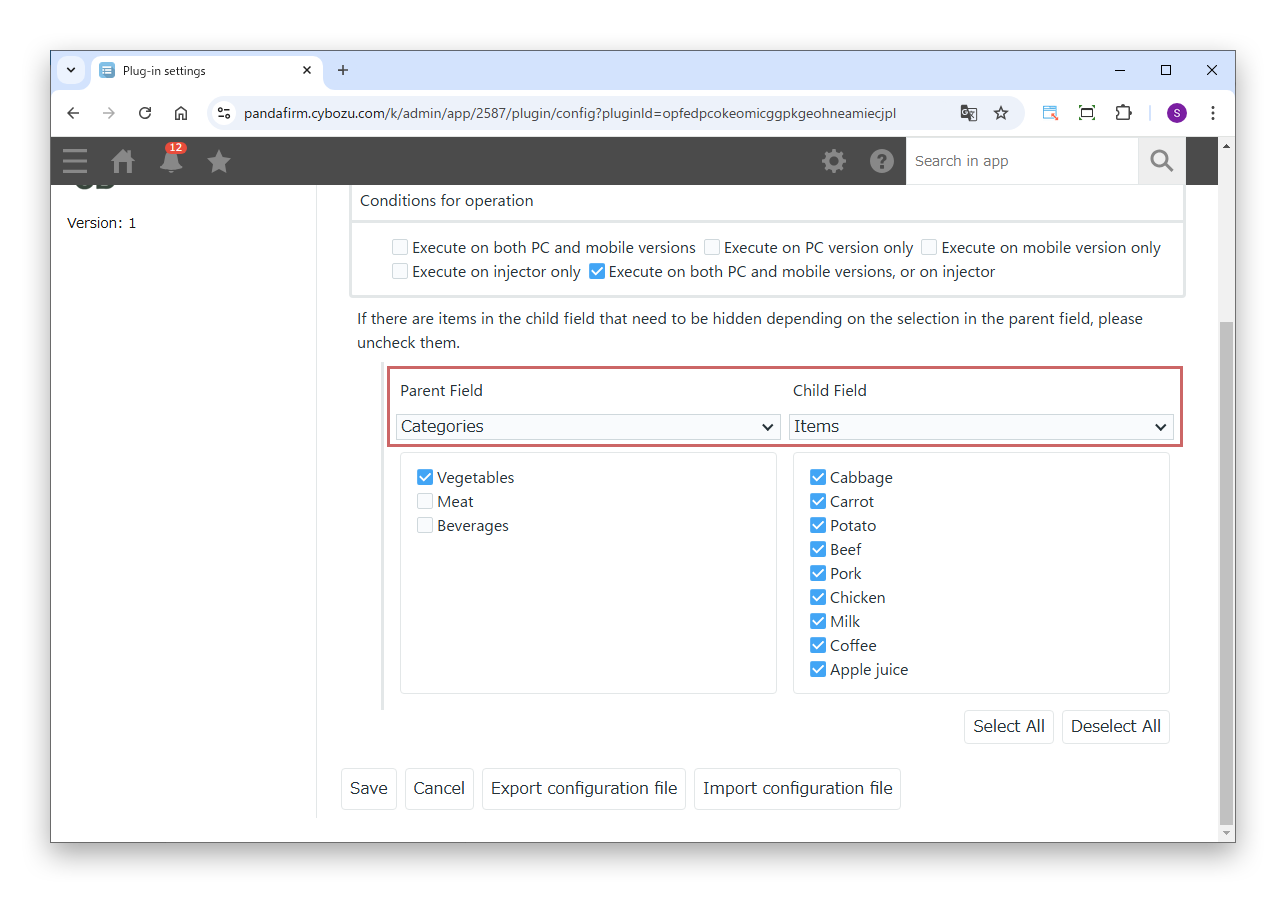
02

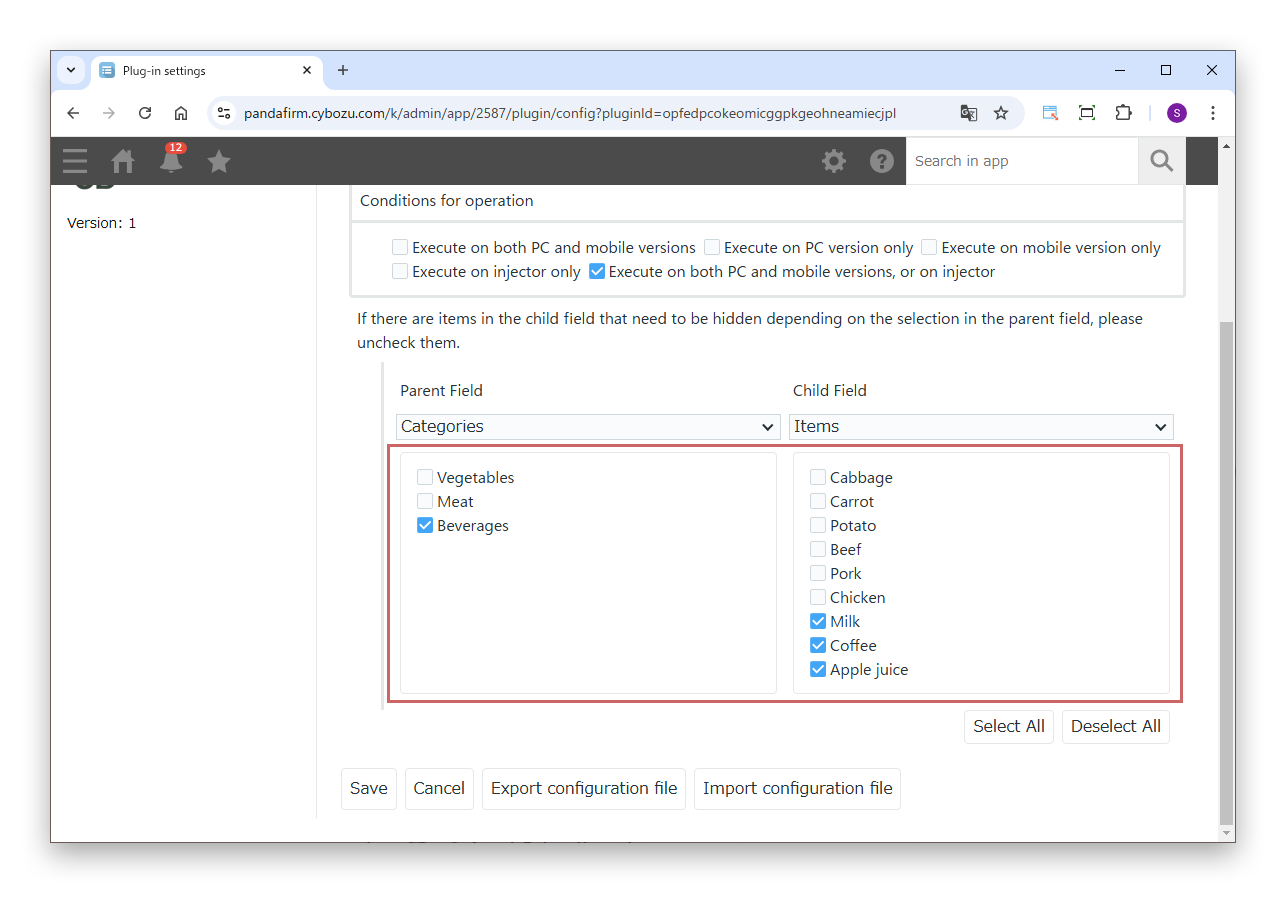
Specify the parent and child fields

Next, specify the parent field that triggers the switching of options and the child field whose options are switched.

Settings

Parent Field
Specify the selection field that triggers the switching of options.
Child Field
Specify the selection field whose options are switched according to the value of the parent field.
03

Specify the options to show

Finally, for each option of the parent field, specify which options of the child field are shown. Selecting an option of the parent field shows the child field options checked for it. Clear the check boxes of options you do not want to show.

HOW TO USE

How to use

01

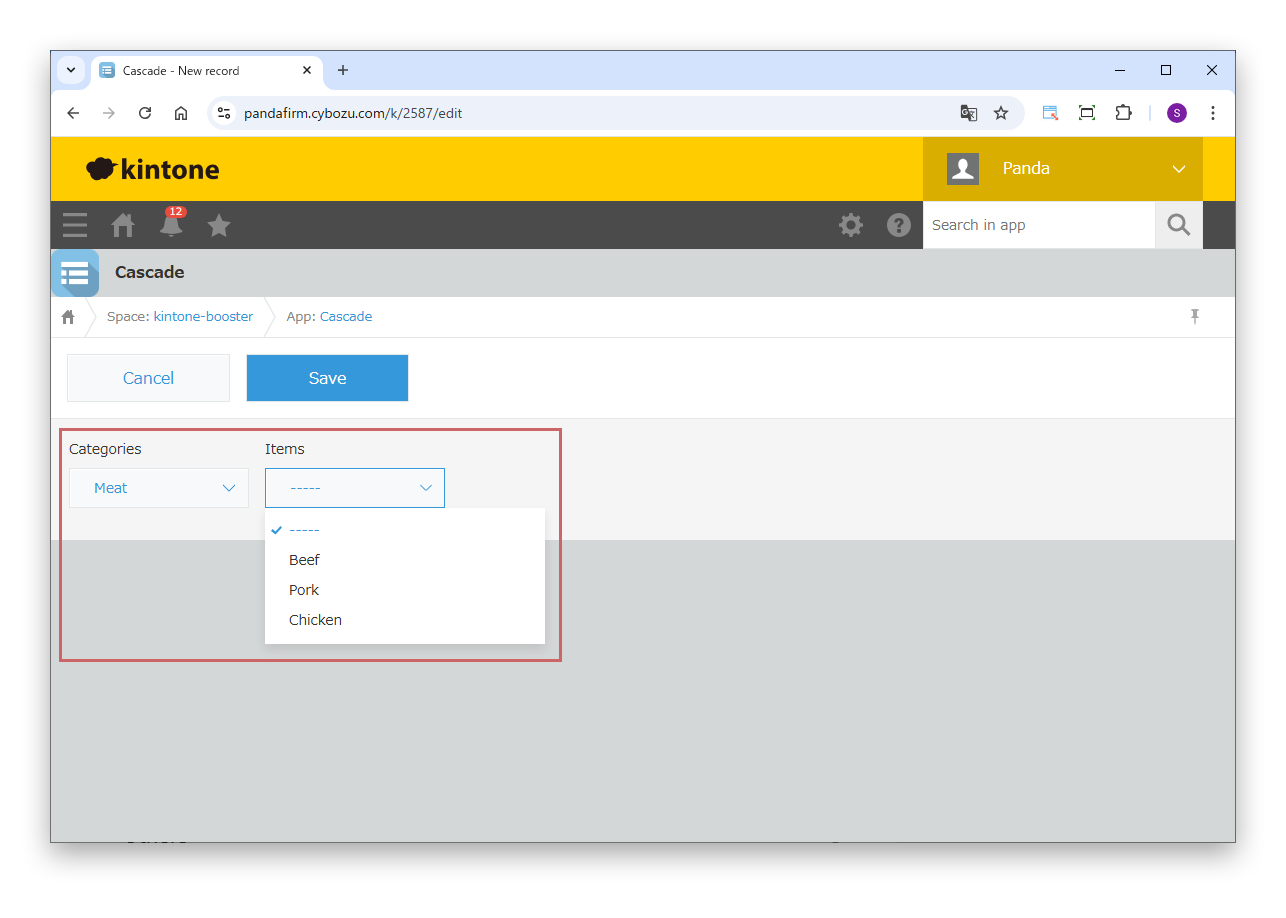
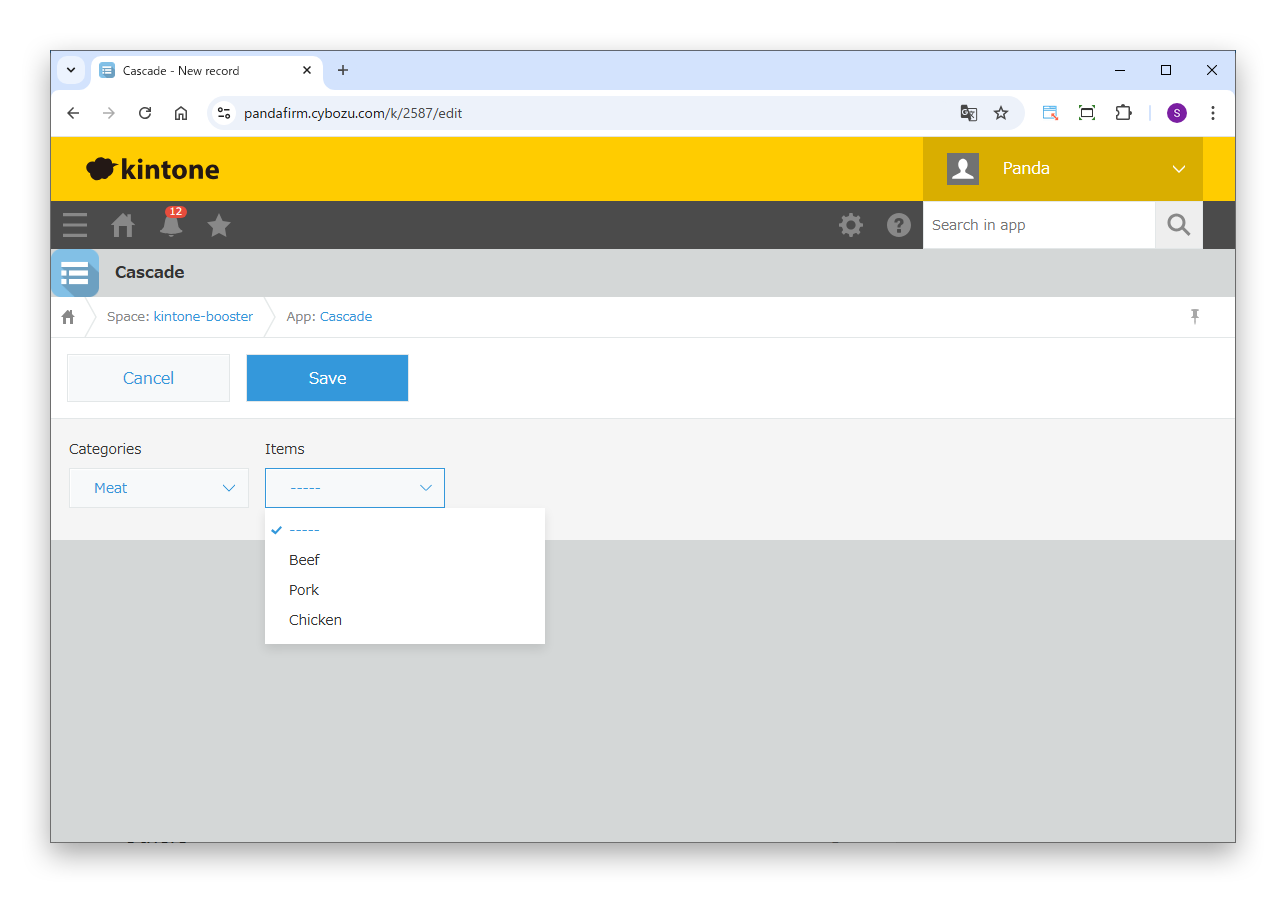
Narrow down the options

When you change the value of the parent field, the options of the child field are narrowed down.

It does not work in the standard list view. To use this plugin in a list view, you need Boost! Spread.