Boost!for kintone
STEPS

Steps

01

Check the form

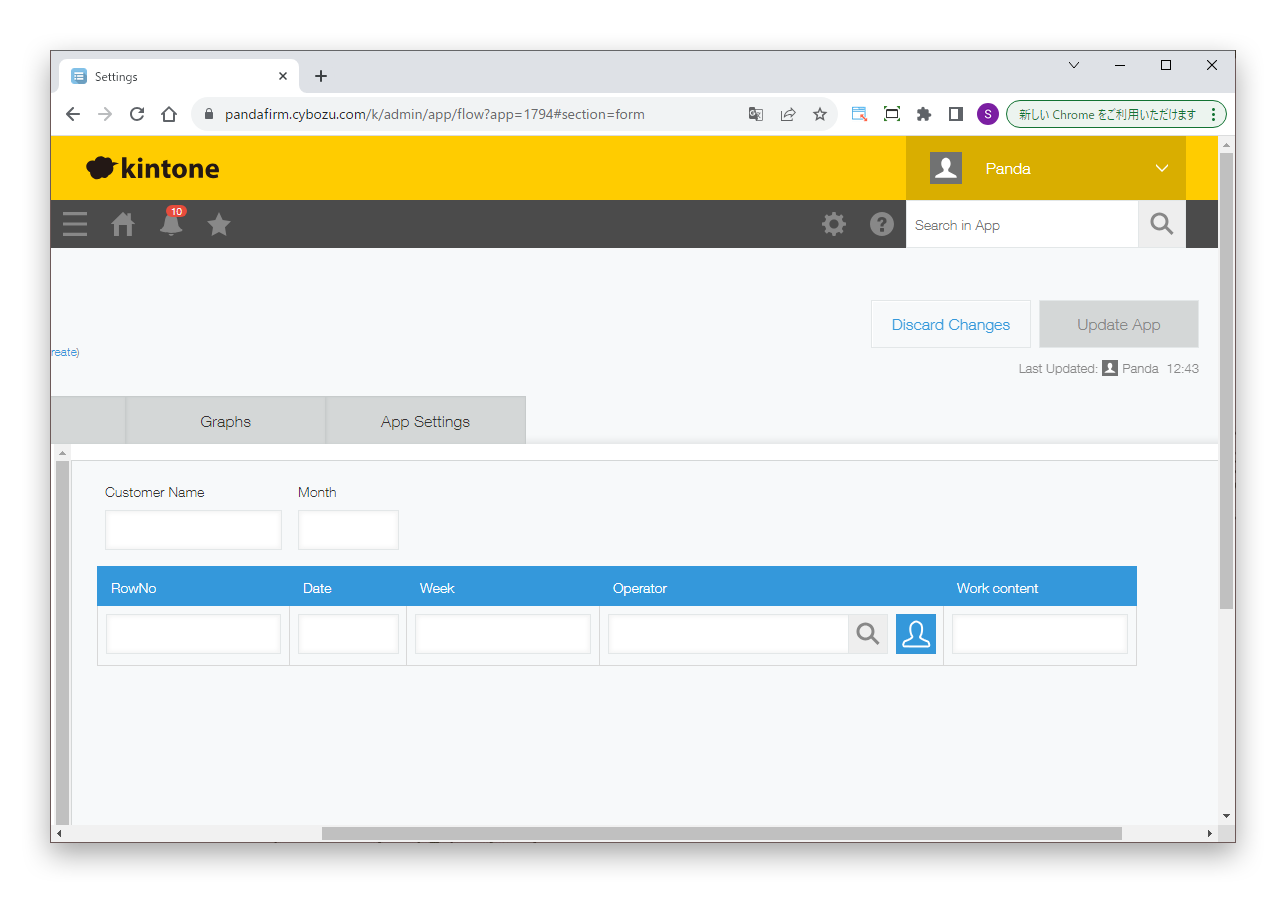
This example uses a date field that specifies the month (Month) and, in a table, a number field for the row number (RowNo), a date field calculated from the row number (Date), and a text field for the day of the week of that date (Week).
02

Configure the plugin

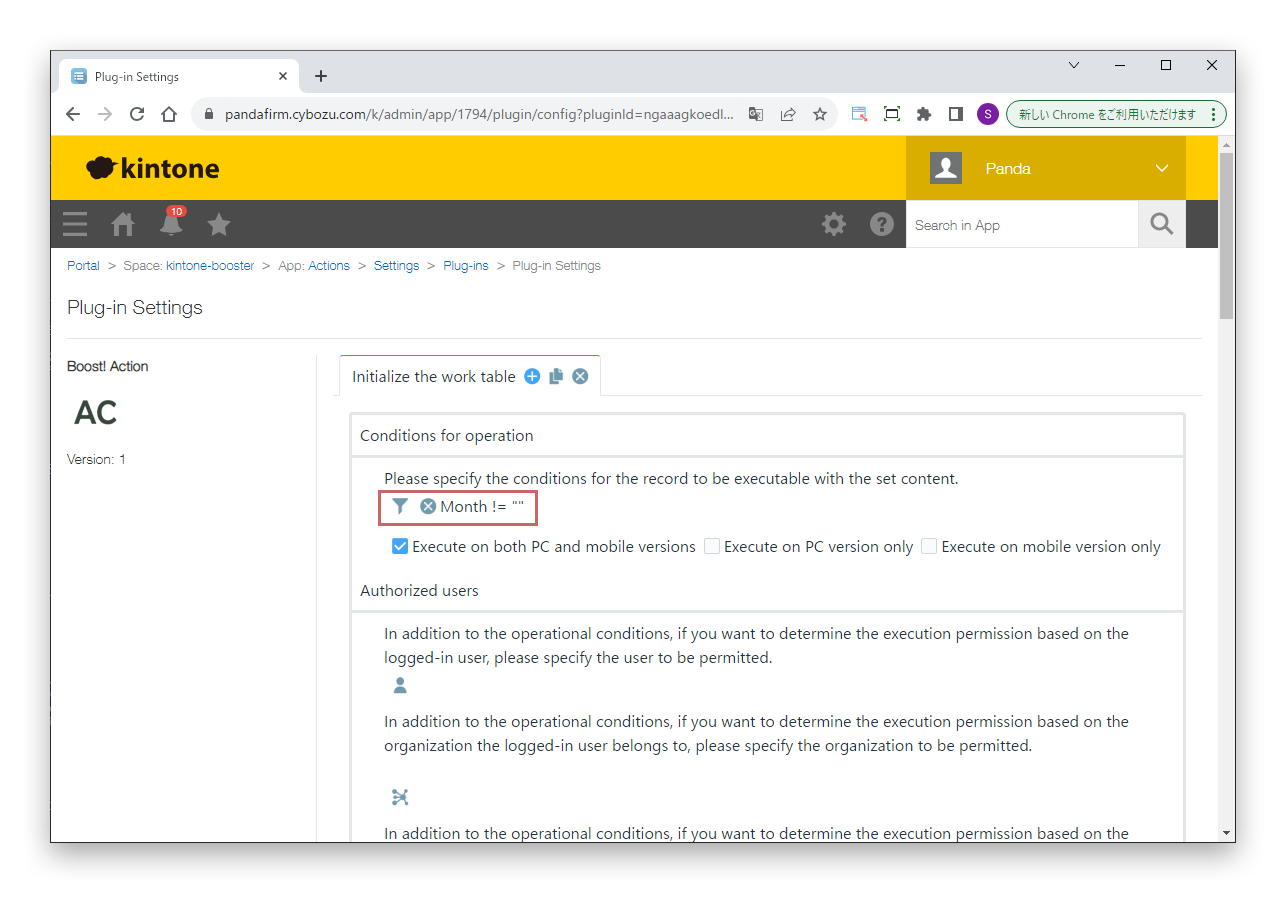
The condition for operation is that the Month field has a value.

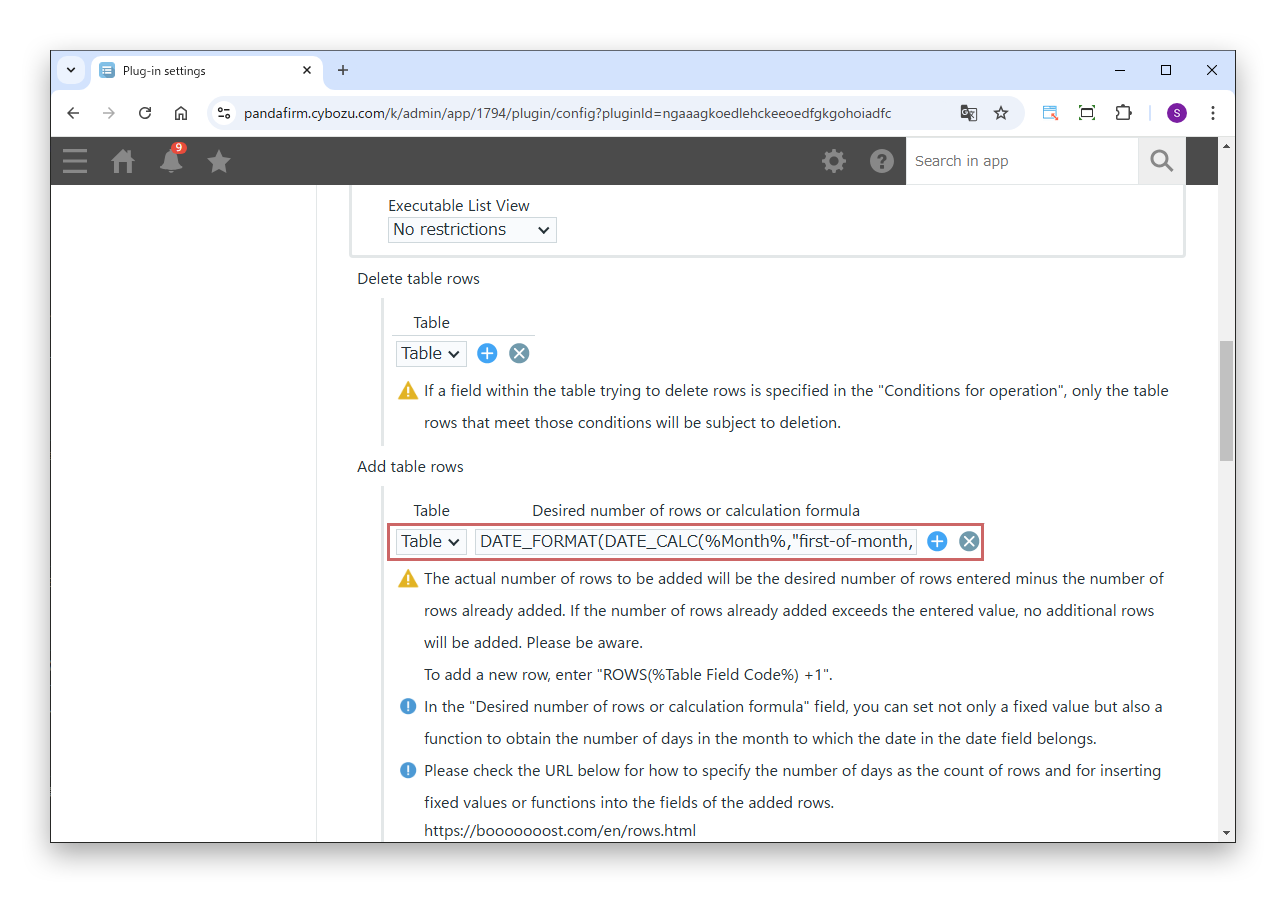
In "Desired number of rows or calculation formula", enter the following function. It finds the last day of the month to which the date in the Month field belongs.

Formulas

DATE_FORMAT(DATE_CALC(%Month%,"first-of-month,1 month,-1 day"),"d")

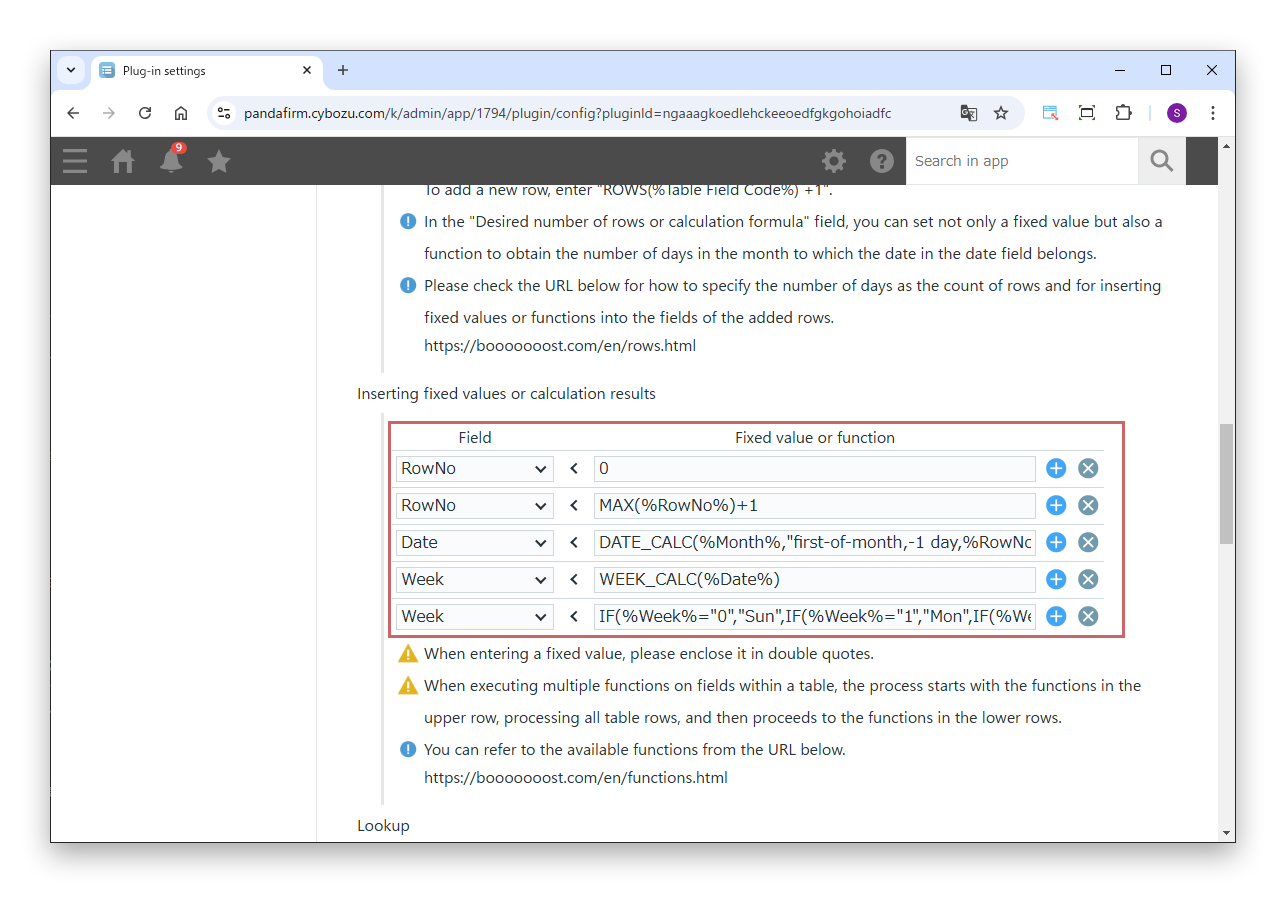
In "Inserting fixed values or calculation results", enter the following functions in order from the top.

Formulas

RowNo
0
RowNo
MAX(%RowNo%)+1
Date
DATE_CALC(%Month%,"first-of-month,-1 day,%RowNo% day")
Week
WEEK_CALC(%Date%)
Week
IF(%Week%="0","Sun",IF(%Week%="1","Mon",IF(%Week%="2","Tue",IF(%Week%="3","Wed",IF(%Week%="4","Thu",IF(%Week%="5","Fri","Sat"))))))
  • The first RowNo is initialized with 0 so that the MAX function can create row numbers.
  • The second RowNo adds 1 to the maximum value of the RowNo field to create the row number.
  • Date creates the date from the Month field and the RowNo field.
  • The first Week finds the number of the day of the week of the created date, and the second Week converts that number into the name of the day.

If multiple functions are set for a field in a table, the first function runs on all rows before moving on to the next function.

Replace field codes such as %Month% with the field codes of your app.

03

Run the plugin

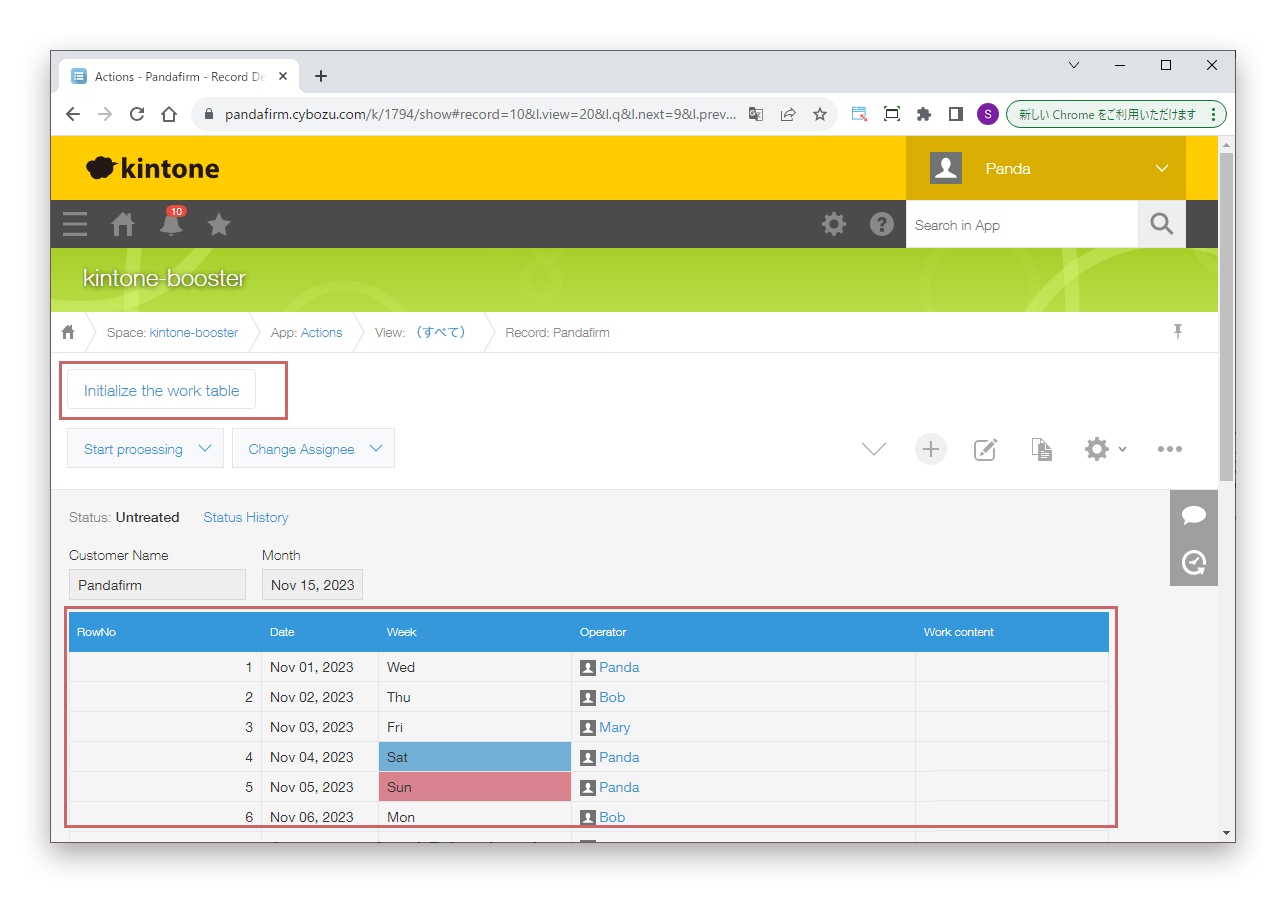
In this example, the process runs from a button on the record detail screen. Rows for each day of the month are added, and the row number, date and day of the week are entered in each row.

The background color of the table cells is set with Boost! Style.