Boost!for kintone
Home / Style
PLUGIN

Style

This plugin changes the background color of fields and shows or hides them based on conditions. It works not only on the record detail screen but also on the add and edit screens and in the print preview. It also works with the other plugins in the Boost! series, so you can change the background color of calendar events to match the status of records.

See the features

By using this product, you are deemed to have agreed to the Terms of Service.

SETTING

Setup

01

Specify the conditions

First, specify the conditions under which the process runs.

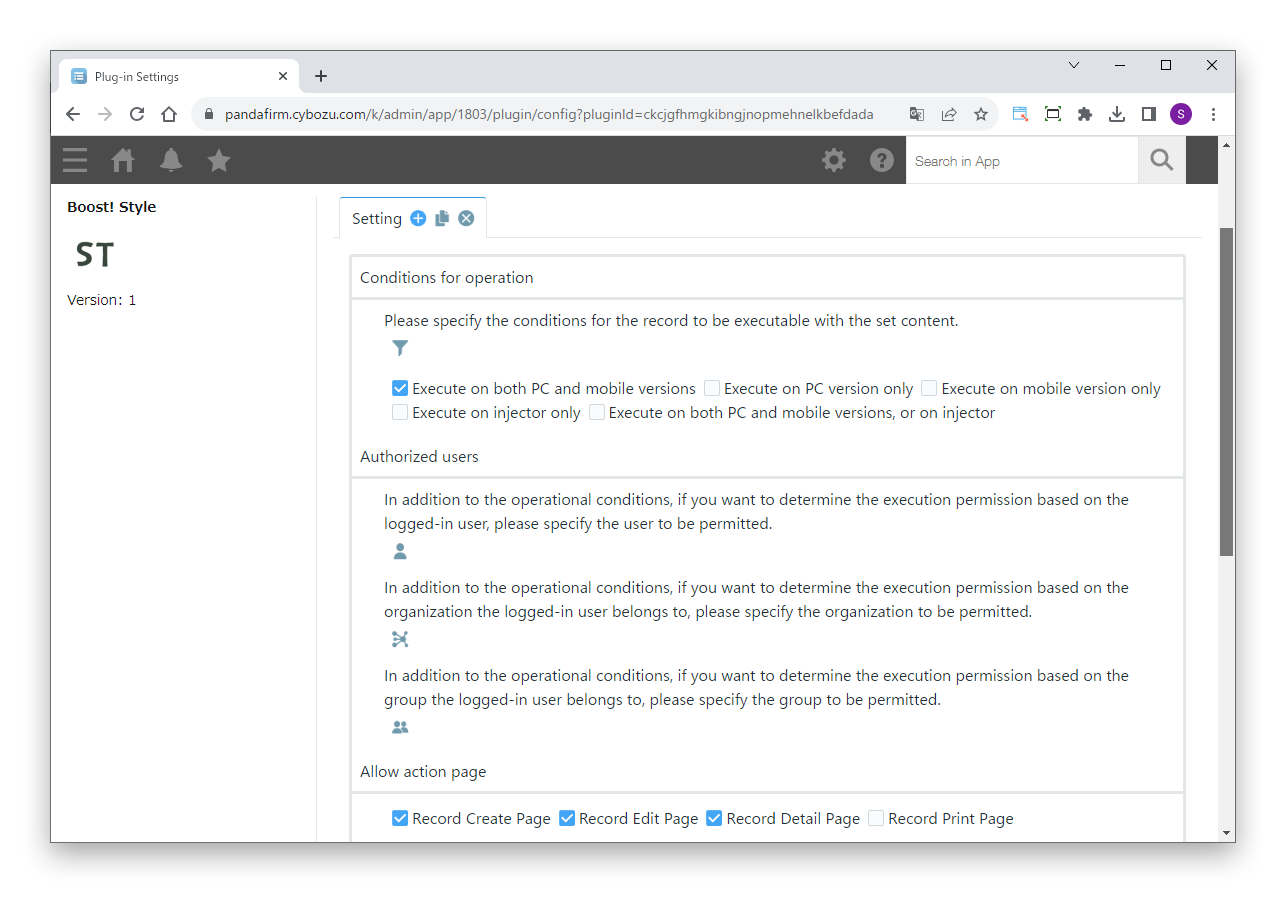
Settings

Conditions for operation
Specify the conditions of the records to process.
Authorized users
To allow execution based on the logged-in user, or the departments and groups the user belongs to, in addition to the conditions for operation, specify who is allowed.
Allow action page
Specify the screens on which the process runs (record add, detail, edit and print screens).

For details on the injector, see the Boost! Injector page.
02

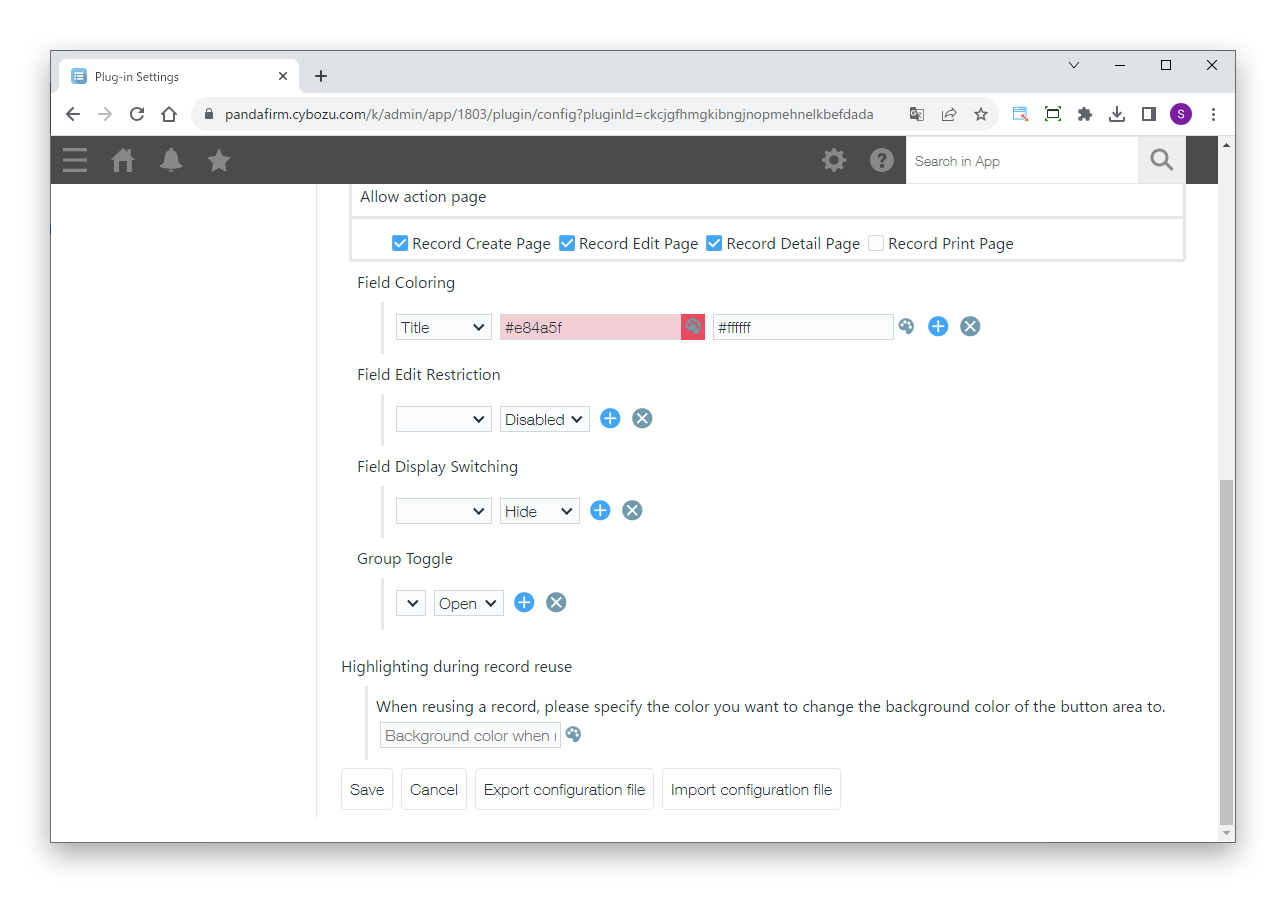
Specify the settings

Next, specify the process to run when the conditions are met.

Settings

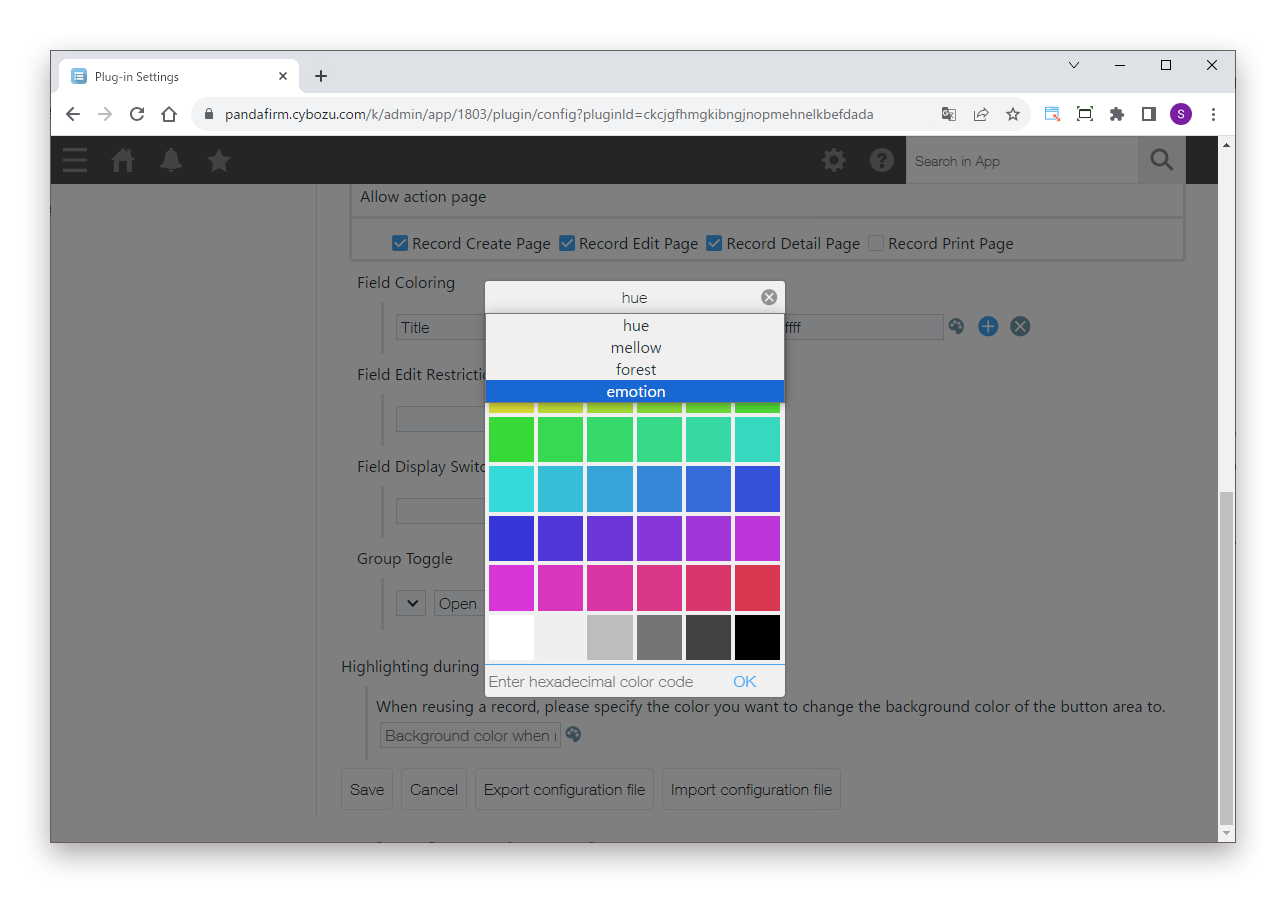
Field Coloring
Specify the fields whose background and text colors are changed, and their colors.
Field Edit Restriction
Specify the fields for which editing is enabled or disabled.
Field Display Switching
Specify the fields to show or hide.
Group Toggle
Specify the groups to open or close.
Highlighting during record reuse
To change the background color of the button area when a record is reused, specify the color.
03

Change the color theme

Click the title bar of the color selection dialog to change the color theme.

HOW TO USE

How to use

01

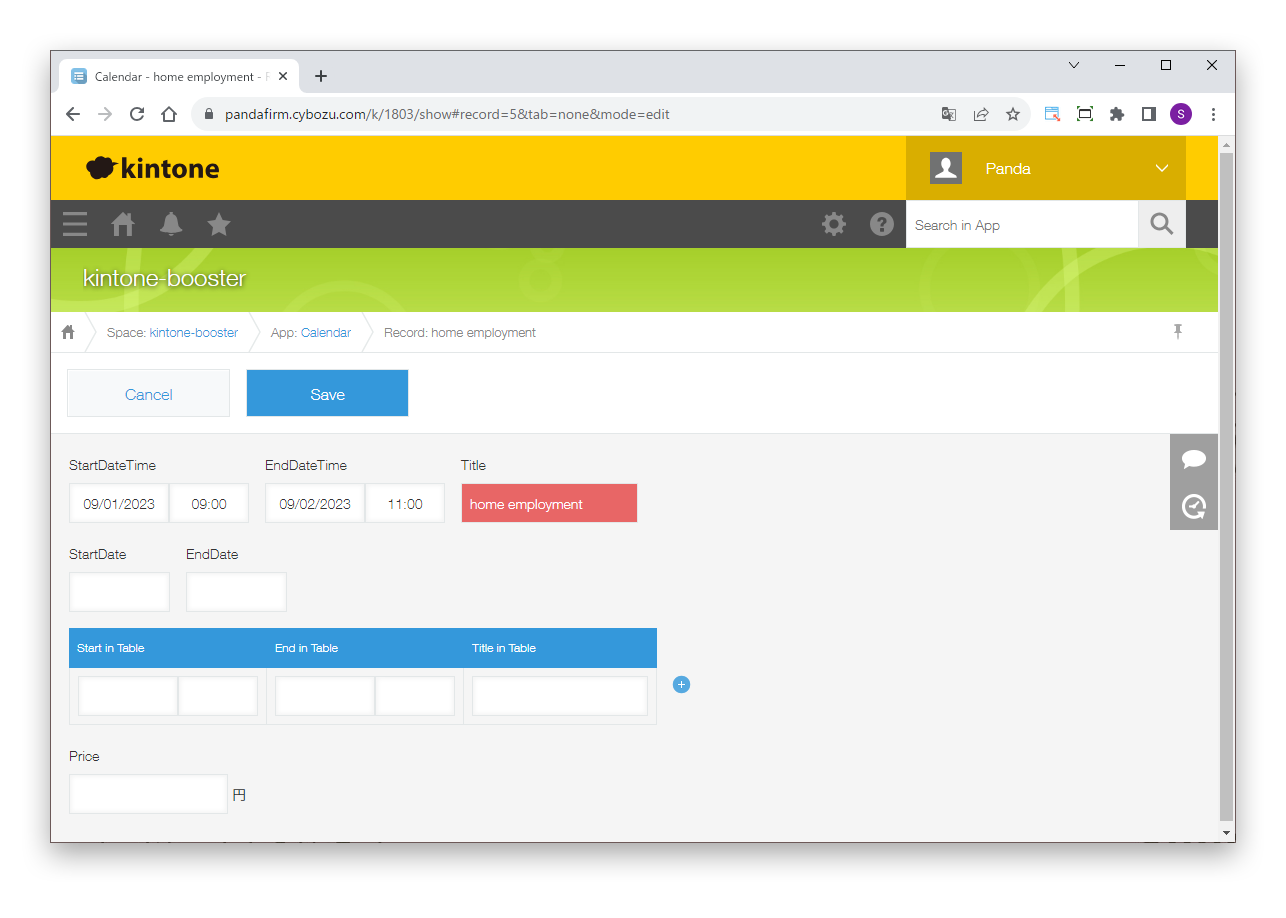
Show records that match the conditions

When the conditions specified on the settings screen are met, the process runs.

This plugin does not work in the standard list view. To use it in a list view, you need a plugin in the Boost! series that creates an original view, such as Boost! Calendar or Boost! Spread.