
kintone plugin series

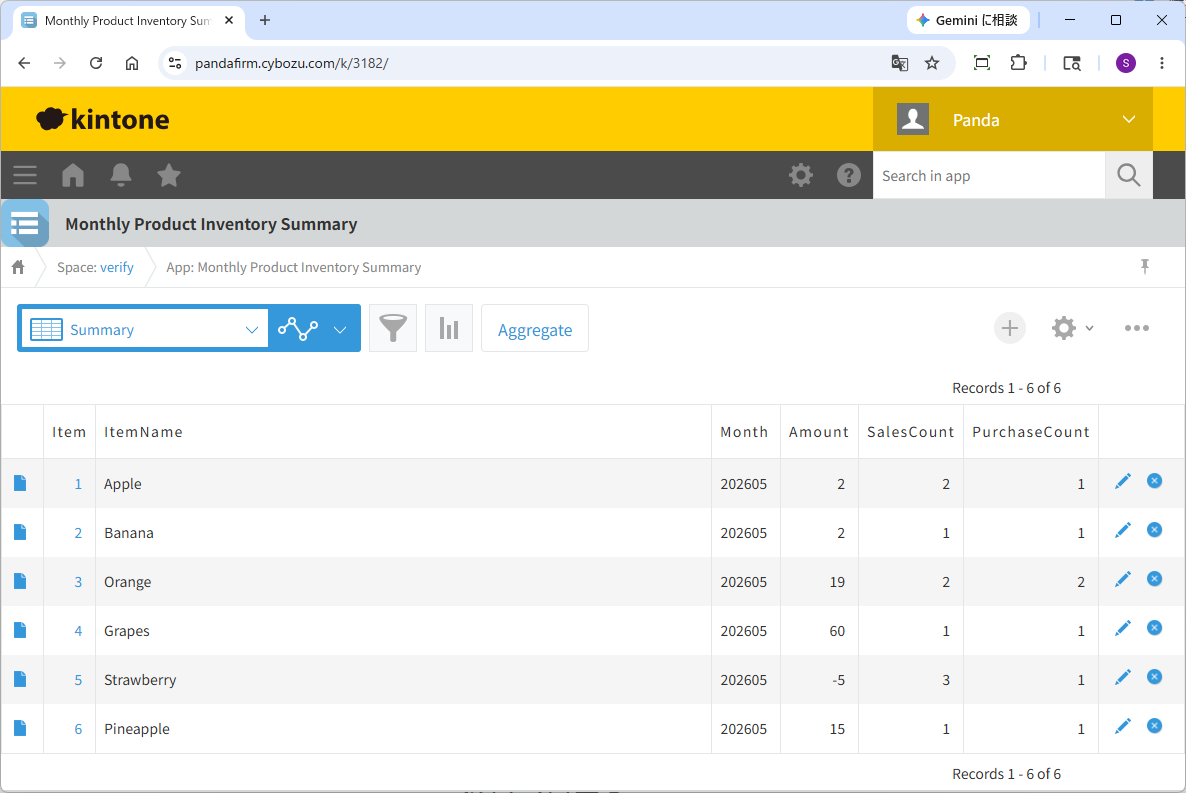
This is a plugin that aggregates records from multiple apps and registers the results.
It can be used to create monthly inventory summary data based on stock-in and stock-out records, as well as labor management data that lists working days, total working hours, and absences from daily report data.
In addition to totaling numeric fields, it also supports aggregating numeric fields within tables, as well as counting records and table rows that match specified conditions.
Download
Please install the downloaded Zip file directly to kintone without extracting it.
While all plugins in the Boost! series can be downloaded and used for free, after a 3-month trial period, a message prompting you to purchase a license will be displayed once a day for each installed app.
Installation
Refer to the instructions on the pages linked below to add the downloaded plug-in in kintone administration, and then add it to the app where you want to use it.
Settings
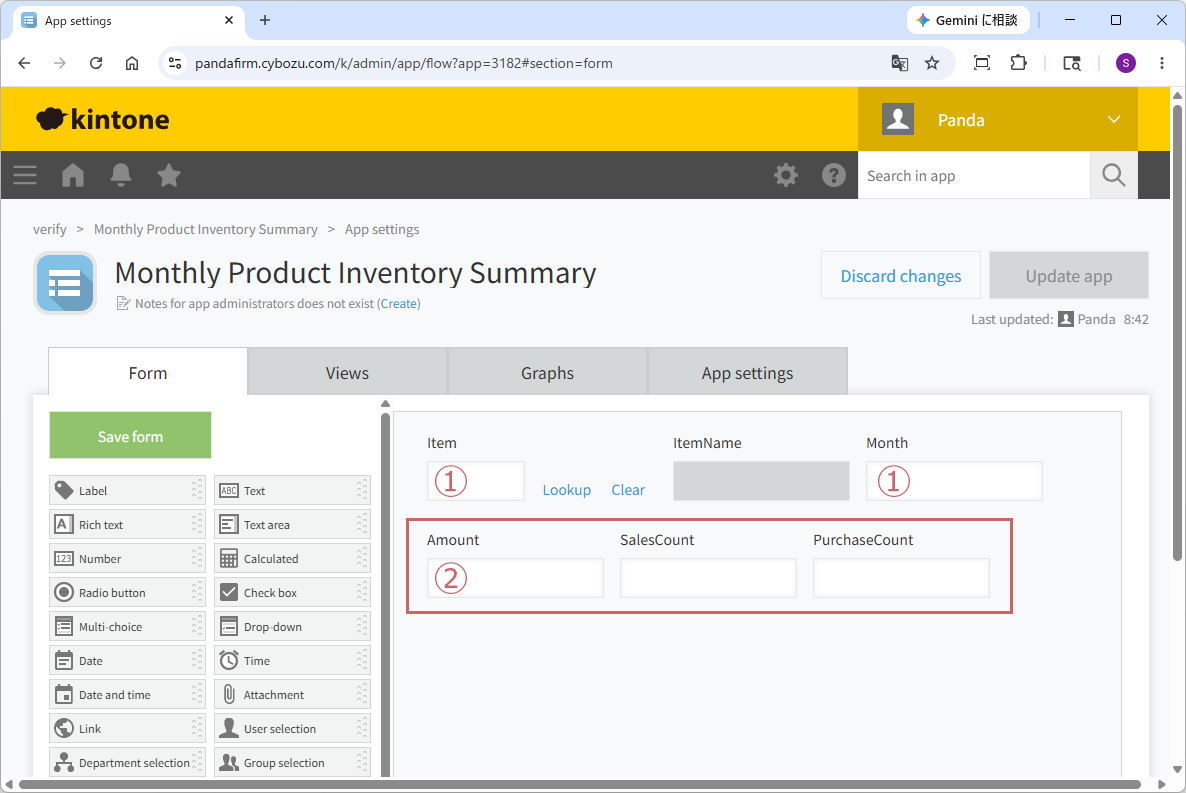
First, the app where this plugin is installed requires several fields to store the aggregated data.
| 1. Identification Field |
This is the key field used to determine the unit of aggregation.
If no record exists that matches the values of the fields specified here, a new record will be added. |
|---|---|
| 2. Aggregation Field | This field stores the aggregated values. |
After placing the fields, be sure to click the "Update App" button to confirm the changes.
If the app is not updated, the fields cannot be selected in the plugin settings screen.
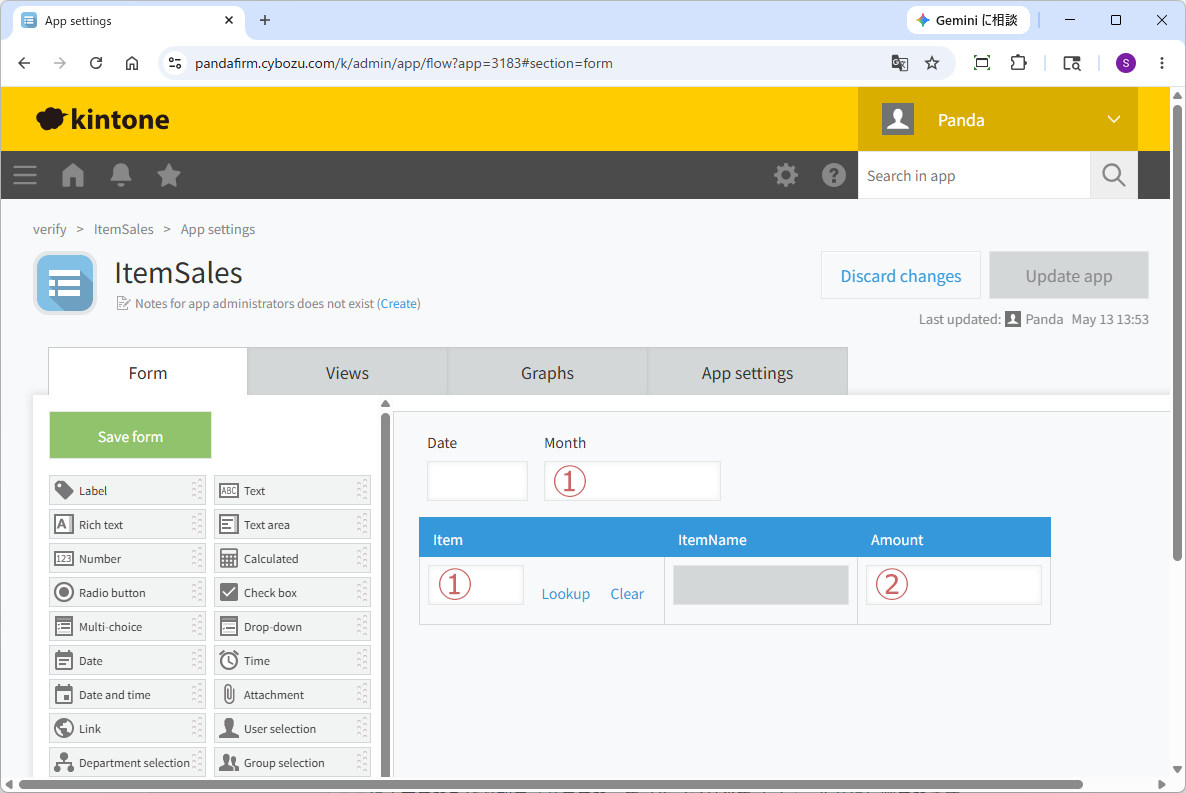
Next, we will explain the fields that need to be placed in the "Source App" for aggregation.
| 1. Identifier Field |
A key field used to link with the identifier field of the target app for aggregation. It must hold the same value as the identifier field of the target app. |
|---|---|
| 2. Aggregation Field |
A field that stores values such as amounts or quantities to be aggregated. The values entered here will be added or subtracted and reflected in the aggregation field of the target app. |
If you want to set the number of matching records instead of an aggregation value, please specify "Record Count".
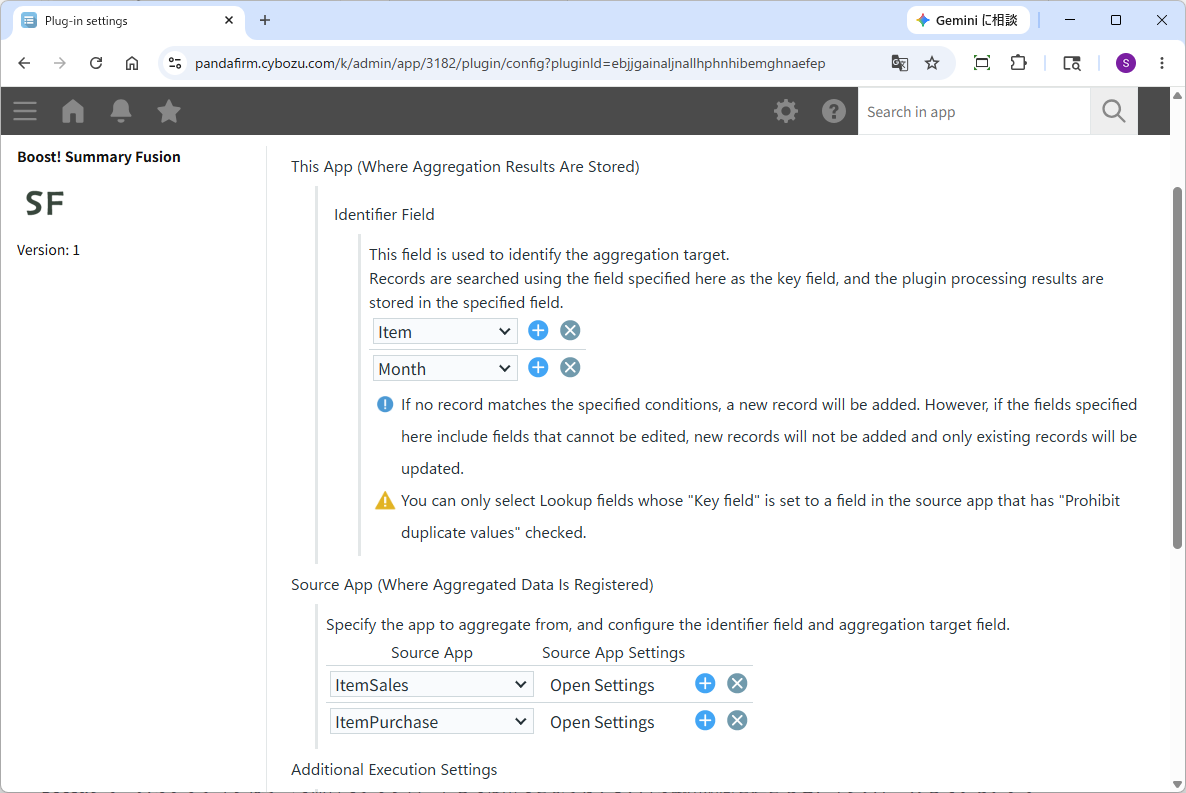
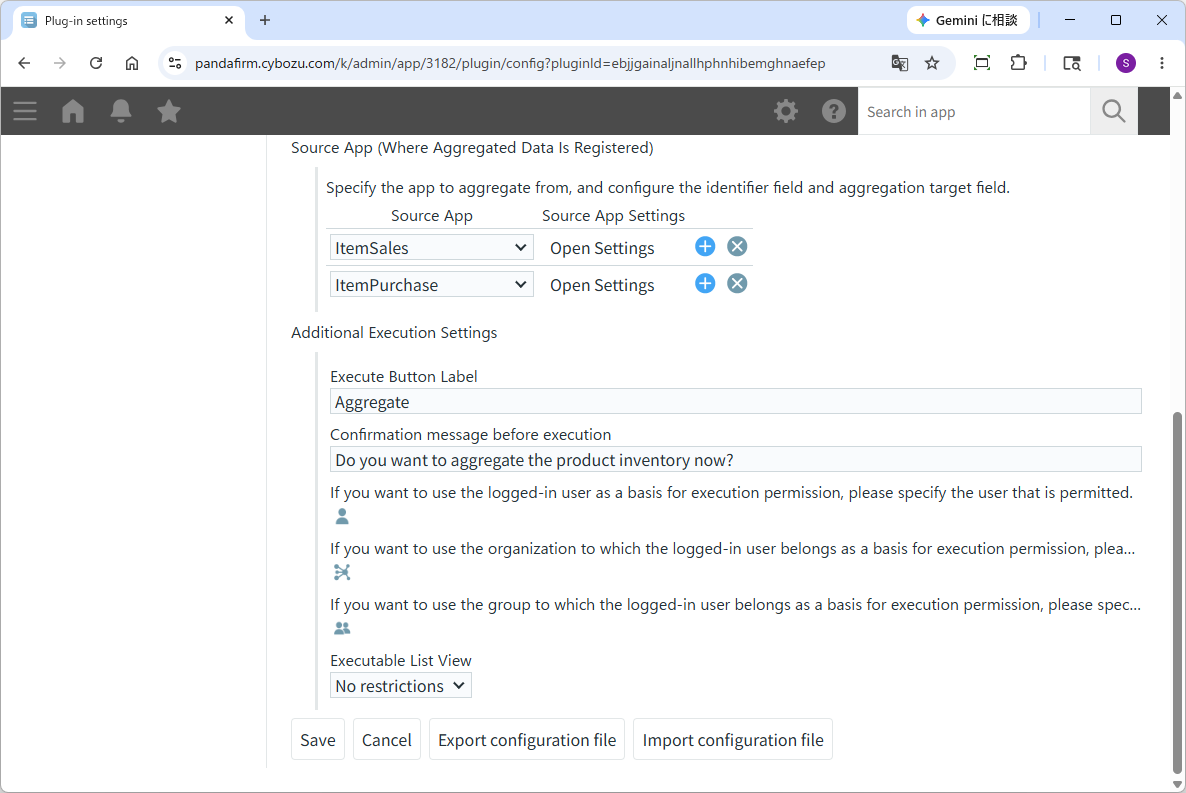
Once the preparation is complete, open the plugin settings screen, specify each field according to the displayed contents, and make additional specifications regarding the plugin execution button.
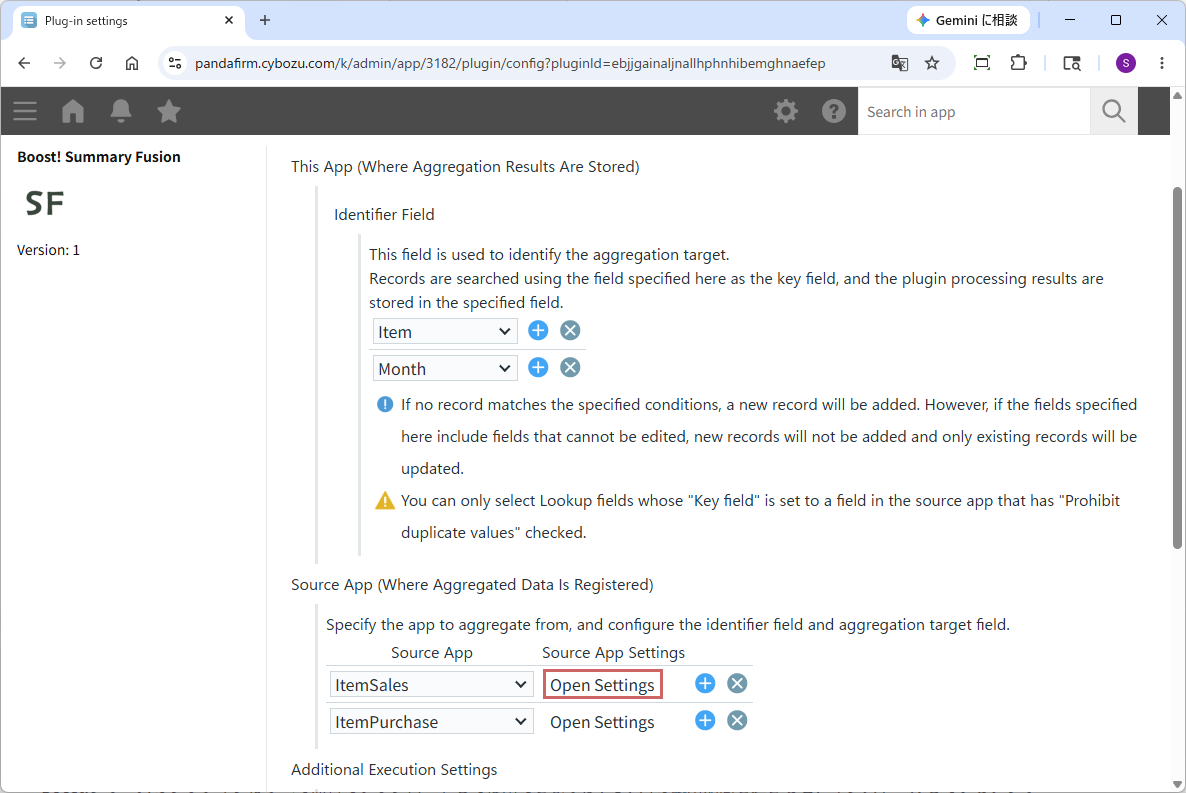
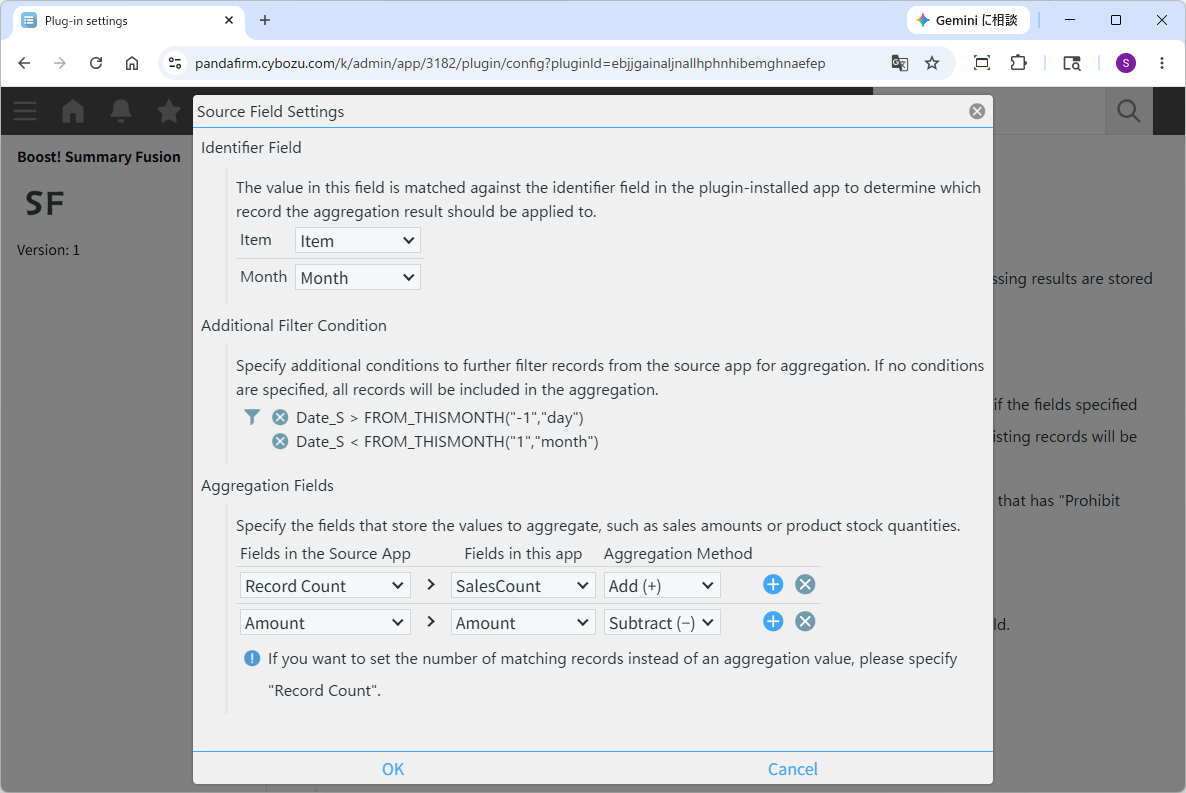
The settings for the source app are configured from the popup screen that appears when you click the "Open Settings" button.
In the popup screen for configuring the source app, the specification of the aggregation method allows you to choose between addition and subtraction.
Select "Subtraction" when handling values in the negative direction, such as shipment quantities or refund processing.
Be sure to select the appropriate method according to the content of your aggregation.
Operation
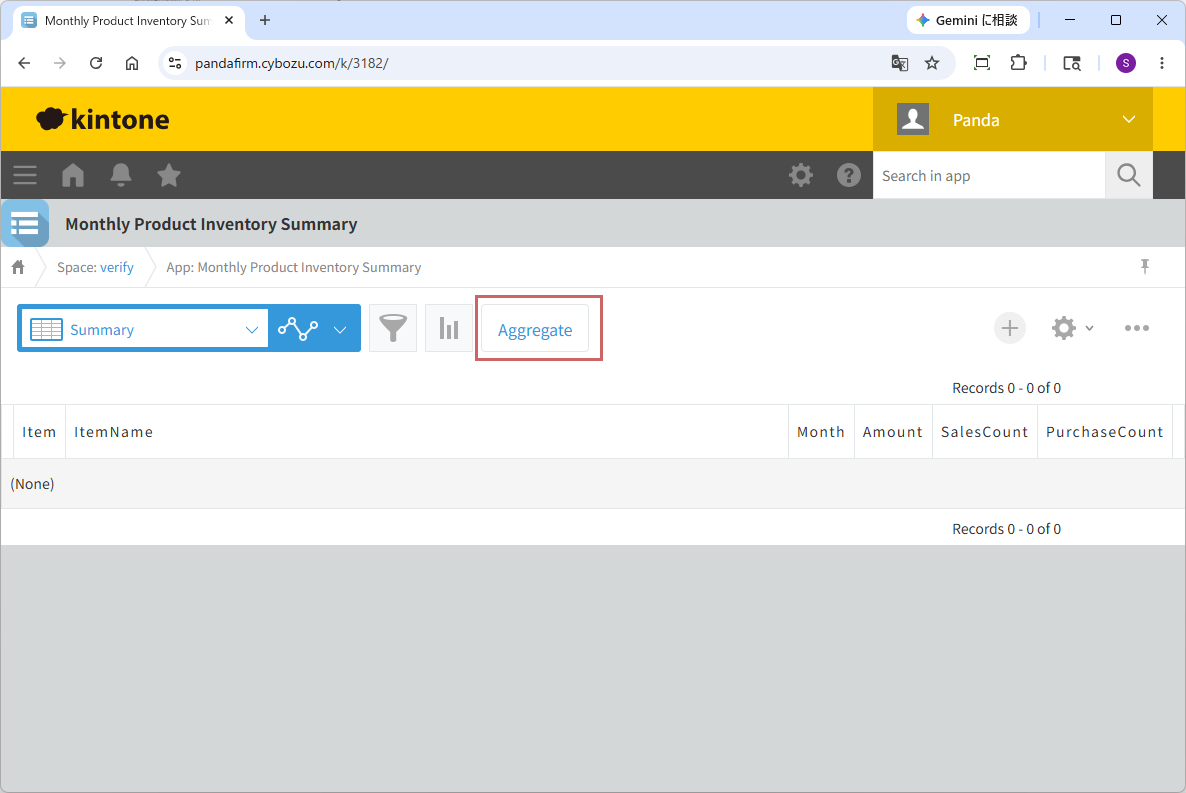
In the record list page, when the specified conditions are met, a button will appear.
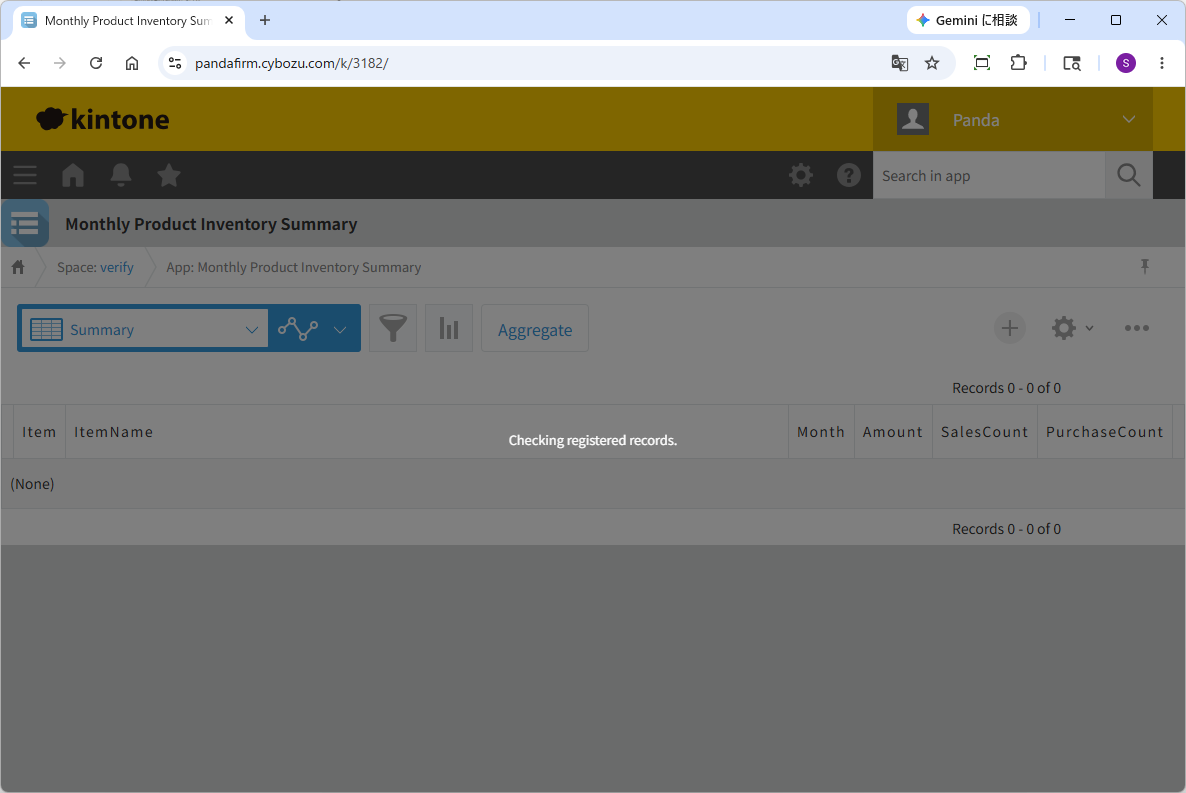
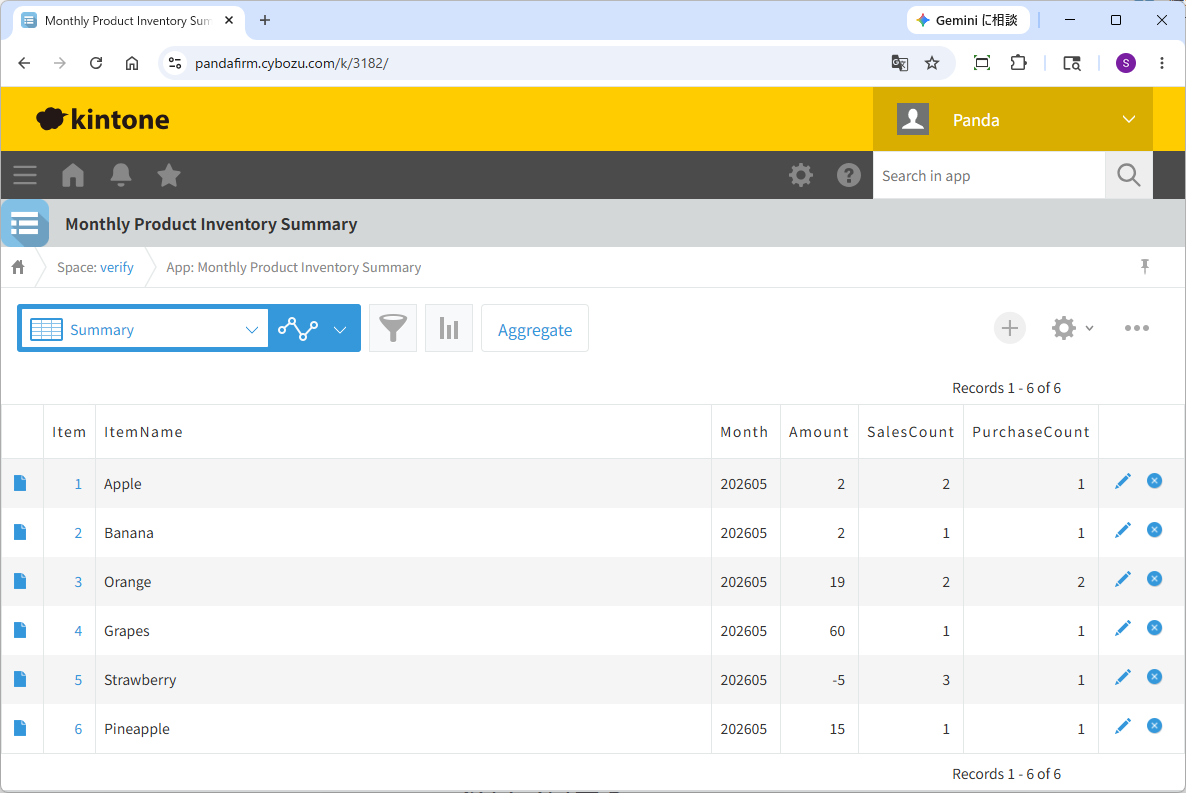
When you click the displayed button, the aggregation will be executed.
Fee
While all plugins in the Boost! series can be downloaded and used for free, after a 3-month trial period, a message prompting you to purchase a license will be displayed once a day for each installed app. To use it without displaying this message, you will need to pay an annual fee of 10,000 JPY.
Boost! is based on a domain license, so there is no upper limit to the number of users.
The license and fee apply to the entire Boost! series, not on a per-product basis.
Please note that for Boost! Injector and Boost! Echo, if you have not purchased a license after the 3-month trial period, you will no longer be able to use them.
Move to the license purchase pageFor your interest
This site introduces a series of plugins that extend the functionality of kintone. If you have tried using kintone but feel it does not fit well with your company's operations, we also offer a free open-source web application builder. This tool allows you to easily create a system tailored to your business processes, even without any knowledge of system development. If you are interested, please visit the following URL.
https://pandafirm.jp/en/kumaneko.htmlAlso, if you're worried about ransomware catching your Windows PC off guard, we offer "rakko" — a lightweight background tool that quietly watches for suspicious file activity and shuts down the process before real damage is done. If you are interested, please visit the following URL.
https://pandafirm.jp/en/rakko.html