Disruption & Update Information Japanese Chinese

kintone plugin series

This is a plugin that reads barcodes and QR codes using the device camera, and enters the results into specified fields.

For example, it can be used for tasks like scanning barcodes or QR codes on shelves during stocktaking to register inventory counts, enabling fast data entry on site.

Furthermore, it integrates with the Boost! series of plugins, allowing additional processes to be executed according to the field changes made after scanning.

Download

Please install the downloaded Zip file directly to kintone without extracting it.

While all plugins in the Boost! series can be downloaded and used for free, after a 3-month trial period, a message prompting you to purchase a license will be displayed once a day for each installed app.

Installation

Adding/Deleting Plug-Ins (kintone Administration)

Adding/Deleting Plug-Ins (App Settings)

Once installed, open the plugin settings and make the operational settings.

Settings

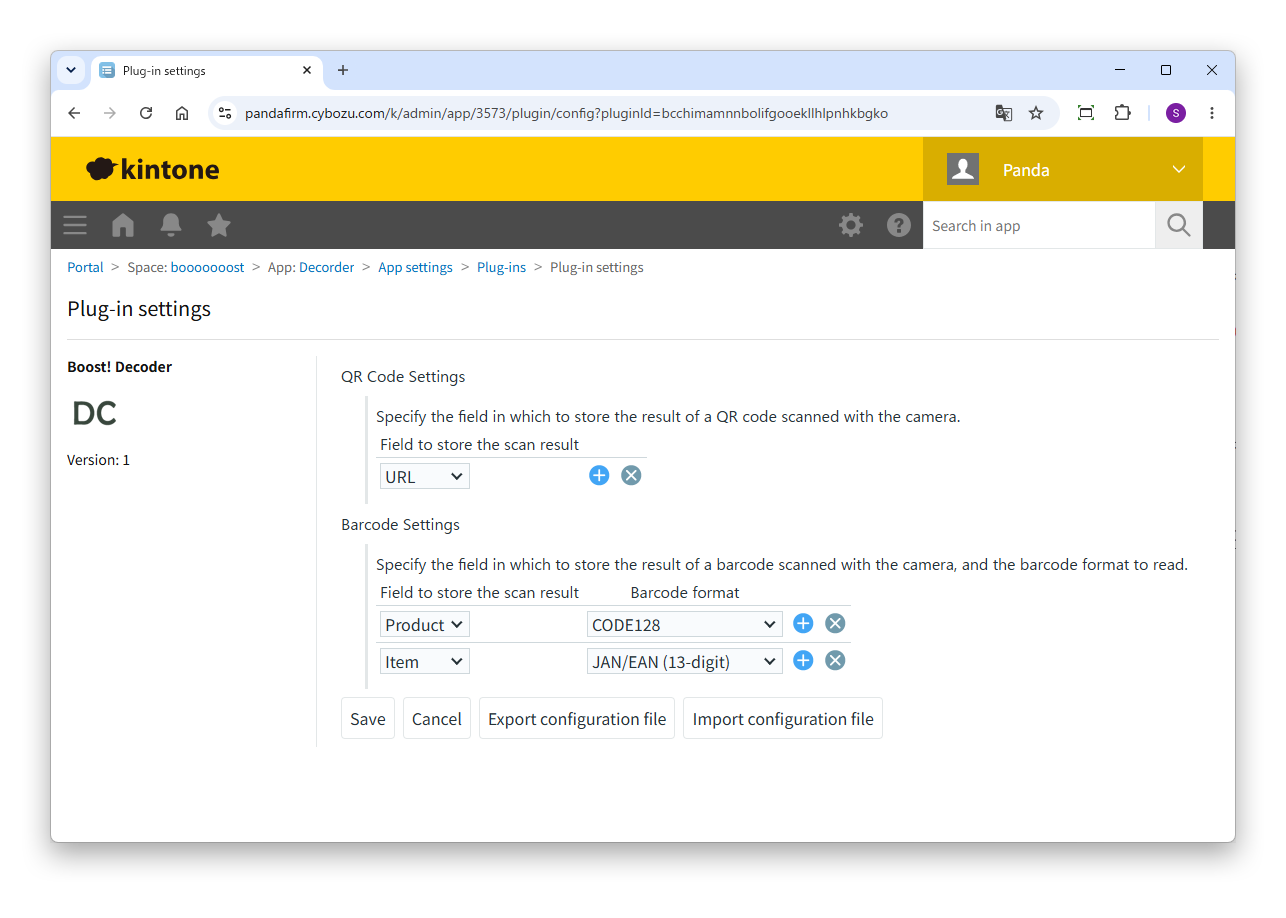
Open the plugin's configuration screen and specify the fields that will receive the scan results. The configuration is divided into two parts: "QR Code Settings" and "Barcode Settings."

QR Code Settings

Specify the field in which to store the content of a scanned QR code. If you want to configure multiple fields, add additional rows.

The field types that can be targeted are "Text", "Link", and "Lookup".

Barcode Settings

Specify the field in which to store the content of a scanned barcode, along with the barcode format to be read. Fields are specified the same way as for QR codes. You can choose from the following 8 formats.

FormatDescription
JAN/EAN (13-digit)A standard format widely used on retail product packaging.
JAN/EAN (8-digit)A shortened version used for small products such as candy or cosmetic samples.
CODE128Commonly used for logistics and delivery slips, and freely defined internal management codes.
CODE93The successor format to CODE39.
CODE39Used for industrial products and in some long-established internal management systems.
Codabar (NW-7)Used in specific industries, such as blood test labels and library book management.
Standard 2 of 5An older format that is not widely used today.
ITF (Interleaved 2 of 5)Used as a management code for bundled packaging units, such as cardboard boxes.

Operation

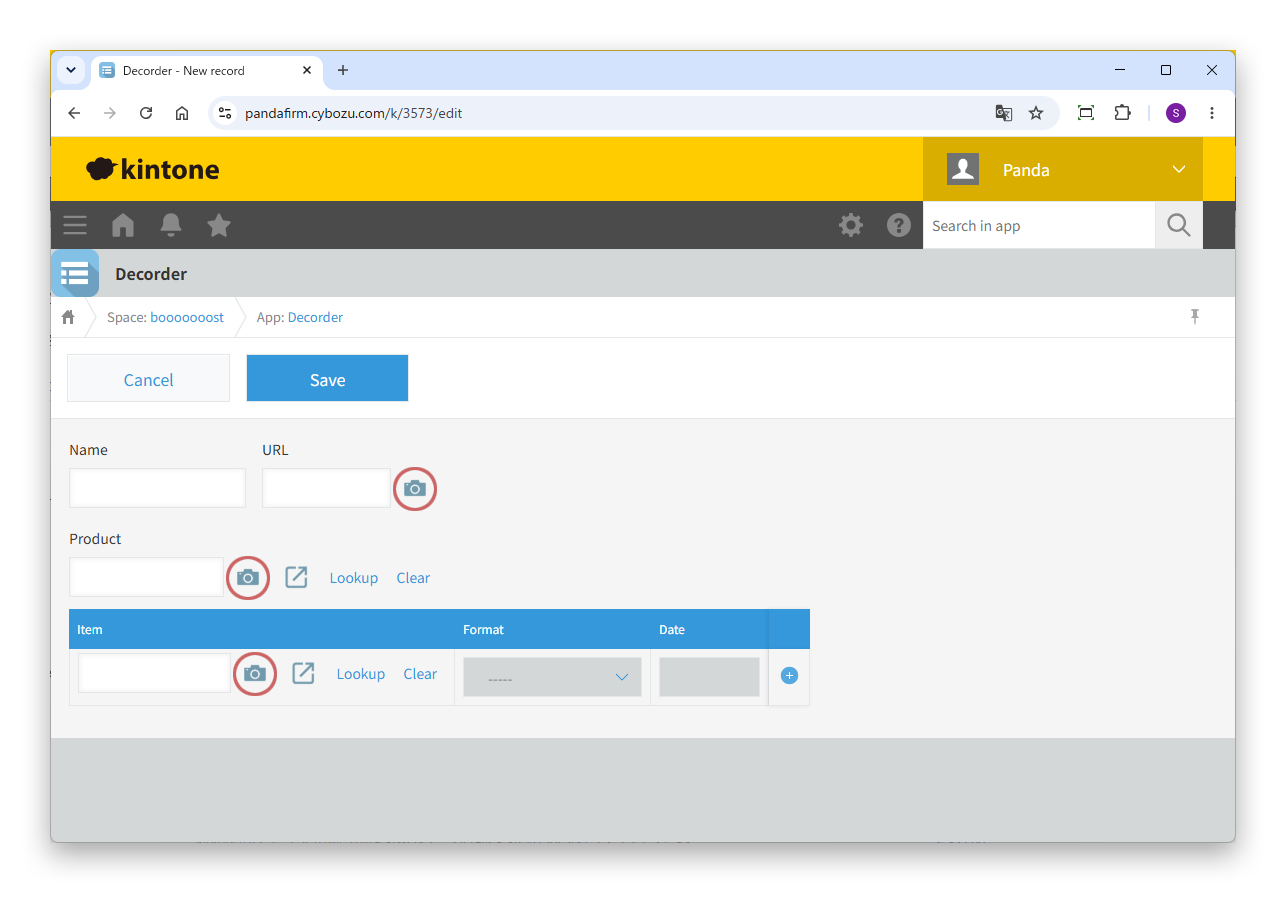
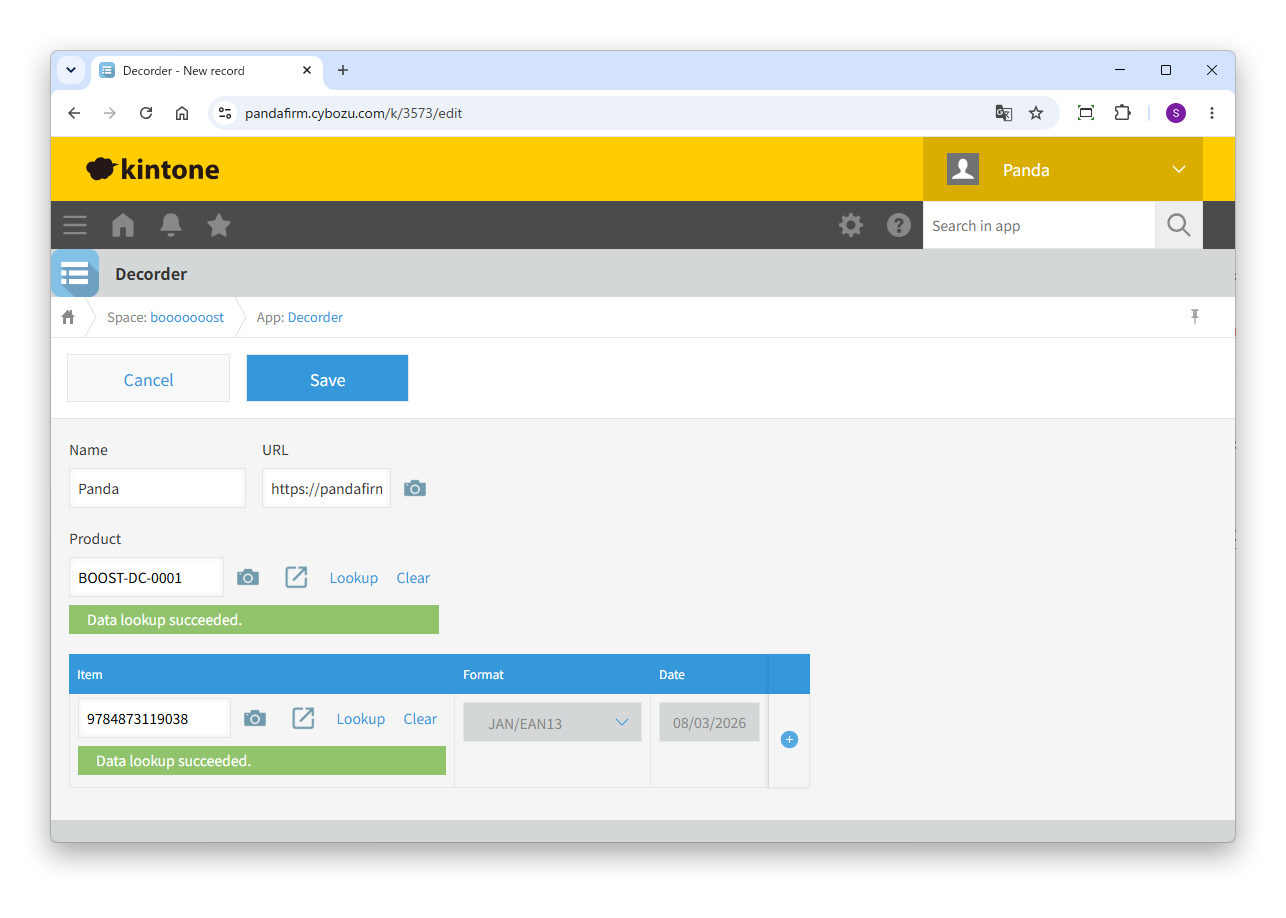
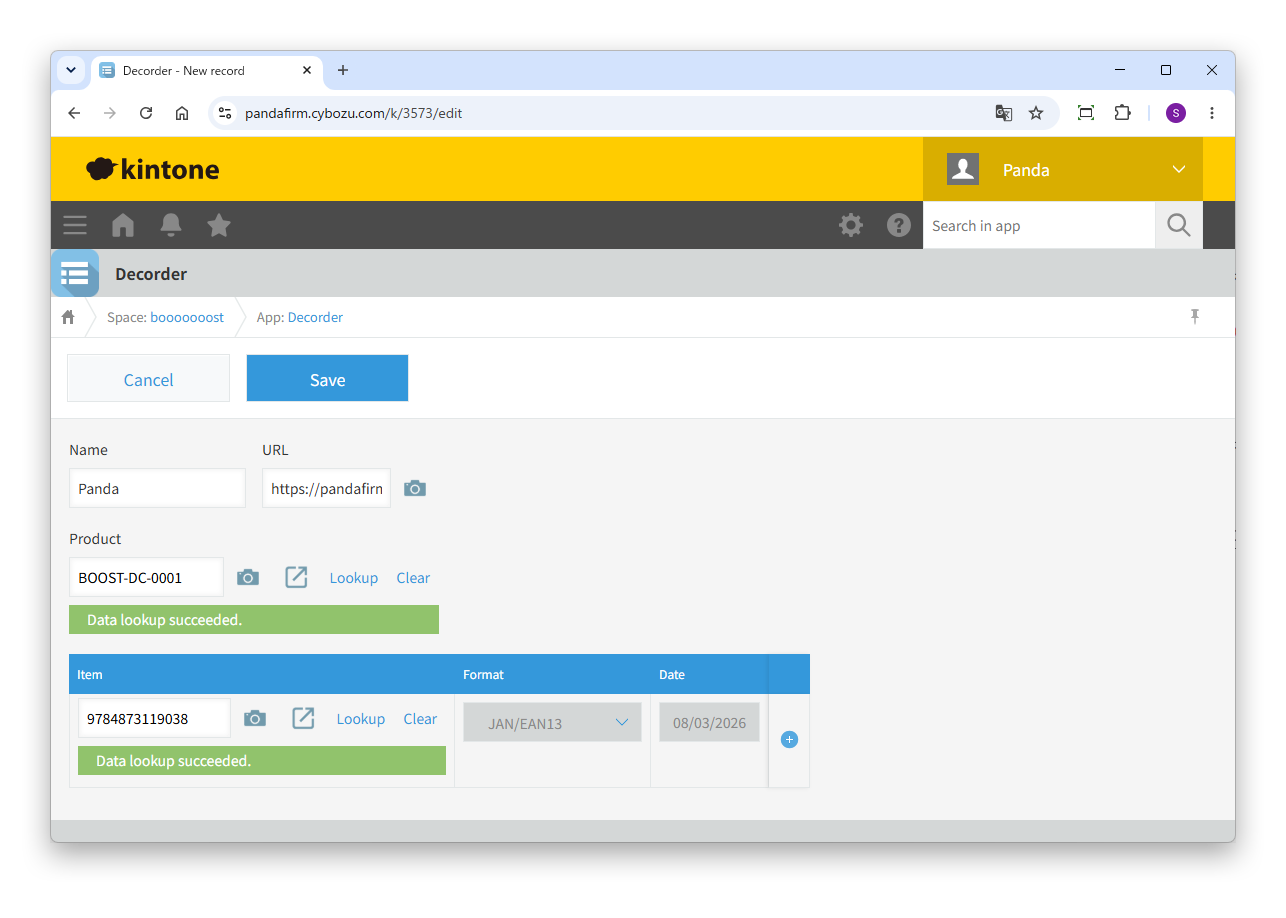
When you open the record creation or editing screen, a camera icon button appears next to the configured field.

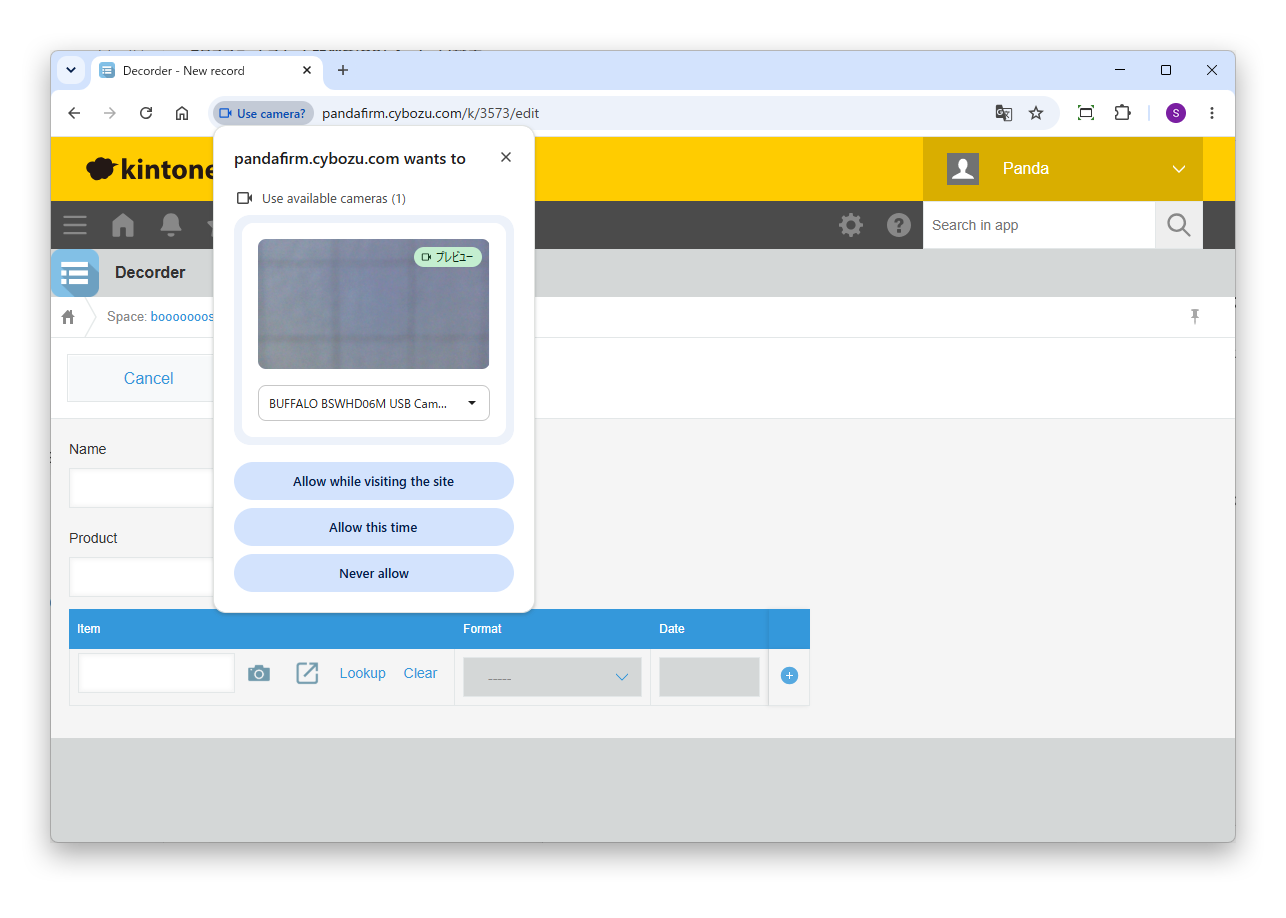
Clicking the icon displays a dialog requesting camera permission the first time only. Once granted, a camera preview will open in a popup.

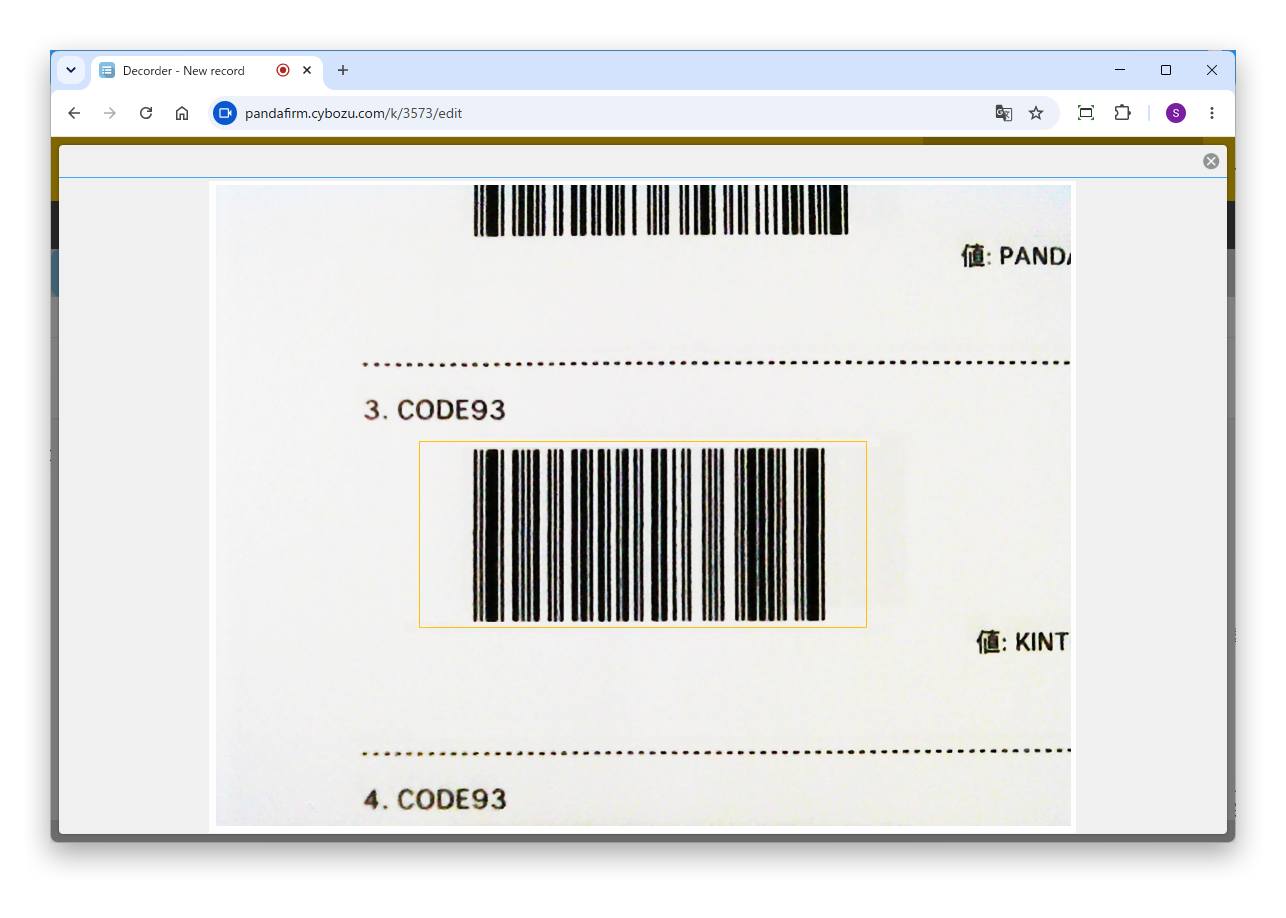
A yellow guide frame is displayed in the center of the screen. For QR codes, this is a square; for barcodes, it is a horizontal band. Position the code you want to scan so that it fits within this frame.

Barcodes require a blank margin on both ends of the code. If the camera is too close, this margin may not fit within the guide frame, preventing the code from being read. Please move the camera back until the entire code, including its margins, fits within the guide frame.

Once a code is successfully recognized, the popup closes automatically and the scanned content is entered into the field.

For cases such as stocktaking, where you need to repeatedly scan a code and then register a record, please refer to the following.

About the execution order of the plugins

Notes

Using the camera requires permission to be granted at the browser level. If access is blocked on a shared company device, please allow camera access for the browser in the device's settings.

Barcode and QR code reading accuracy depends on the camera's performance, lighting conditions, and the condition of the printed material. If you have trouble scanning, try again in a well-lit location, making sure no shadows fall on the code.

Fee

While all plugins in the Boost! series can be downloaded and used for free, after a 3-month trial period, a message prompting you to purchase a license will be displayed once a day for each installed app. To use it without displaying this message, you will need to pay an annual fee of 10,000 JPY.

Check the message content

Boost! is based on a domain license, so there is no upper limit to the number of users.

The license and fee apply to the entire Boost! series, not on a per-product basis.

Please note that for Boost! Injector and Boost! Echo, if you have not purchased a license after the 3-month trial period, you will no longer be able to use them.

Move to the license purchase page

For your interest

This site introduces a series of plugins that extend the functionality of kintone. If you have tried using kintone but feel it does not fit well with your company's operations, we also offer a free open-source web application builder. This tool allows you to easily create a system tailored to your business processes, even without any knowledge of system development. If you are interested, please visit the following URL.

https://pandafirm.jp/en/kumaneko.html

Also, if you're worried about ransomware catching your Windows PC off guard, we offer "rakko" — a lightweight background tool that quietly watches for suspicious file activity and shuts down the process before real damage is done. If you are interested, please visit the following URL.

https://pandafirm.jp/en/rakko.html